Introduction
Play Raccoon Adventure: City Simulator 3D on minigamesville.com now and turn the city into your playground. Raccoon Adventure: City Simulator 3D drops you into a lively 3D sandbox where you sneak, scavenge, and sprint through alleys, parks, and docks. This free online browser game runs right in your tab, so you can jump in fast, no installs needed. If you want an unblocked raccoon sim at school or work, this city simulation is a smart pick. Hit play, complete quirky quests, and grow your furry legend while you explore a vibrant urban map.
About the Game
Raccoon Adventure: City Simulator 3D is a lighthearted animal simulation with open-world vibes. You roam a modern city, gather resources, help fellow critters, drive vehicles, and unlock upgrades that make your raccoon tougher and faster. It blends casual exploration, mission-based challenges, and playful physics for bite-size fun or long sessions.
History of Raccoon Adventure: City Simulator 3D
Created by an indie team known for animal simulators, this entry expands the studio’s formula into a dense city scene with side quests, collectibles, and a raccoon family system. The browser version uses WebGL so it loads quickly and plays smoothly without plugins.
Style & Vibe
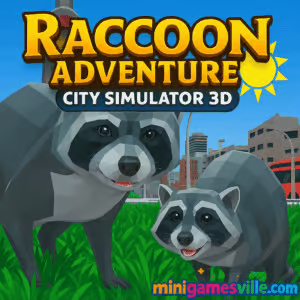
Bright cityscapes, chunky 3D models, and cartoon-leaning animations set a playful tone.

Gameplay in Raccoon Adventure: City Simulator 3D
The loop is simple and satisfying. Start as a hungry raccoon, then:
- Explore districts to find food, coins, and mission givers.
- Complete quests, from deliveries to mini-races and fetch tasks.
- Use vehicles when available for fast travel and set-piece challenges.
- Spend earnings on upgrades, cosmetics, and family growth.
- Balance energy and health while avoiding hazards like traffic or guards.
Movement feels nimble, with snappy acceleration, jump arcs that read well, and physics that make leaps, bumps, and ragdolls entertaining. The city includes shortcuts, rooftops, and hidden alleys that reward curious players.
Game Modes
- Main Quests: Story-lite tasks that teach mechanics and unlock new areas.
- Side Missions: Timed runs, item hunts, and delivery routes for extra coins.
- Free Roam: Chill exploration to collect resources and practice movement.
- Challenge Spots: High-risk, high-reward stunts and precision jumps.
How to Play
- Press Play and let the world load in your browser.
- Follow the first mission marker, pick up food, and learn stamina management.
- Complete starter quests to earn coins and unlock simple upgrades.
- Explore new districts, accept side jobs, and keep an eye out for shortcuts.
- Invest in speed and stamina to tackle harder routes and timed objectives.
Controls
- Move: WASD or Arrow keys
- Jump: Space
- Sprint: Shift
- Action or Attack: Left Mouse Button
- Camera: Mouse
- Sneak: C
Device Compatibility & Browser Support
Raccoon Adventure: City Simulator 3D is a browser game that runs on modern Chromium-based browsers and current Firefox. For the best frame rate, use an updated browser with hardware acceleration enabled. Close extra tabs if your device has limited RAM.
Mobile vs. Desktop Gameplay
This online city simulator is tuned for desktop keyboards and mouse aiming. It may load on some mobile browsers, but desktop delivers smoother camera control, better performance, and more precise platforming.
Can I Play Offline?
No. The game runs in your browser and requires an internet connection to load assets.
Can I Play Unblocked?
Many schools and workplaces allow HTML5 titles. If your network blocks games, try using HTTPS on minigamesville.com, switch to a modern browser, or ask your admin to whitelist the site.
- Browser: Play directly on minigamesville.com.
- Mobile stores: No official App Store or Google Play links are available for this exact title as a mobile app at the moment.
Want a mobile alternative with similar open-world animal chaos? Try Goat Simulator 3:
Tips & Tricks
Beginner Tips
- Follow markers early on to learn the city layout and fast travel options.
- Prioritize stamina and speed upgrades, they pay off on every mission.
- For timed runs, memorize two routes: a safe route and a risky shortcut path.
- Gather extra food before starting a long challenge to avoid mid-run backtracking.
Advanced Strategies
- Chain jumps and sprints to preserve momentum around corners.
- Use camera peeks to scout rooftops and balcony rails for hidden collectibles.
- Vehicle challenges: brake tap before tight turns to keep traction and exit speed.
- Set personal lap routes through districts and grind them for high coin yields.
Features
- 🦝 Playful 3D raccoon simulator with a free-roam city
- 🏙️ Districts packed with shortcuts, rooftops, and secrets
- 🎯 Mission variety, from deliveries to time trials
- 🚗 Driveable vehicles for set-piece challenges
- 💨 Upgrades that boost stamina, speed, and survivability
- 🎨 Customization options for your furry hero
- 🔊 Satisfying sound cues for jumps, pickups, and tasks
- 🌐 Runs online in your browser, no download needed
Unlockables & Secrets
Complete streaks of side missions to unlock cosmetics and stat boosts. Keep an eye out for alleyway crates and rooftop perches that hide bonus coins. Some vehicles only appear after you finish a chain of deliveries in that district.
Cheats & Mods
There are no official cheats. Because this is a browser game, external mods are not supported. Stick to in-game upgrades and smart routing to shave seconds off timed missions.
Walkthrough Summary
Start in the central block, clear three basic quests to unlock upgrades, then branch into the riverside and park districts. Tackle courier runs next, grab a few rooftop coins, and save vehicle missions for when you have extra stamina. Wrap up by revisiting starter zones to collect missed items with your improved movement.
Scoring, Records & Progression
Progress centers on coins, completed quests, and faster clear times. Record your best routes per district and track improvements after each upgrade. Aim for perfect deliveries and clean jumps to avoid time penalties.
Why Play Raccoon Adventure: City Simulator 3D
If you enjoy animal sims, city sandboxes, or casual exploration, this hits the sweet spot. Raccoon Adventure: City Simulator 3D is easy to pick up, quick to load, and rewarding when you master shortcuts. It is one of the most approachable unblocked browser games for city-style mischief.
Pros & Cons of Raccoon Adventure: City Simulator 3D
- Pros: fast loading, smooth controls, fun physics, lots of side tasks, no install.
- Cons: best on desktop, missions can repeat if you speedrun everything, no official mod support.
- Keep your browser up to date and enable hardware acceleration.
- Close heavy tabs and background apps for steadier frame times.
- If you notice stutter, lower your OS screen recording settings and disable unnecessary extensions.
- Use full-screen mode to reduce input lag on some systems.
Similar games to Raccoon Adventure: City Simulator 3D
FAQ
Is Raccoon Adventure: City Simulator 3D free to play?
Yes, it runs as a free online browser game on minigamesville.com with no download required.
Does the game support controllers?
The browser version is designed for keyboard and mouse. Controller support may vary by browser.
How long does a typical session take?
You can clear a few missions in 5 to 10 minutes, or explore for much longer while hunting secrets.
Can I save my progress?
Progress is saved locally in your browser storage. Clearing cache or switching devices can reset it.
Is Raccoon Adventure: City Simulator 3D good for low-end PCs?
Yes, it is lightweight. Close extra tabs and use an updated browser for smoother play.
Is there multiplayer?
No, this version is a single-player raccoon sim focused on quests and exploration.
Conclusion
Ready to sneak, sprint, and scavenge your way across town as the cleverest critter around? Raccoon Adventure: City Simulator 3D delivers a cheerful mix of missions, movement, and mayhem that works perfectly in a quick browser break.
Click Play above to start Raccoon Adventure: City Simulator 3D on minigamesville.com. Master the shortcuts, stack upgrades, and become the city’s most legendary raccoon.

 Loading...
 English
 Shqip
Shqip
 বাংলা
বাংলা
 Български
 简体中文
简体中文
 Hrvatski
 Čeština
 Dansk
Dansk
 Nederlands
 Suomi
Suomi
 Ελληνικά
 हिन्दी
 Magyar
 Bahasa Indonesia
 日本語
日本語
 한국어
한국어
 Lietuvių
 Bahasa Melayu
 Norsk
Norsk
 Polski
 Português do Brasil
 Română
 Slovenčina
 Slovenščina
 Svenska
 ไทย
ไทย
 Türkçe
 Українська
 اردو
اردو
 Tiếng Việt
 isiZulu
 Español
 Français
 Deutsch
 العربية
 Italiano
 فارسی
فارسی
 Русский