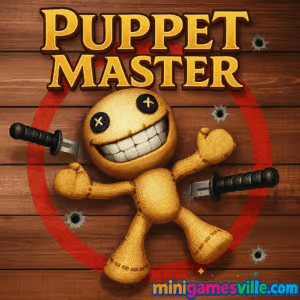
Play Puppet Master now on MinigamesVille to blow off steam and rack up weapon upgrades. Puppet Master is a fast, funny ragdoll physics browser game that turns stress relief into a satisfying clicker shooter. In this online sandbox you poke, blast, slice, and launch a rubbery dummy across the screen, unlocking bigger toys as your damage total climbs. Looking for an unblocked time waster that runs right in your browser with no downloads? Puppet Master delivers quick sessions, punchy feedback, and plenty of unlocks. Hit Play above to jump in, then come back here for tips, controls, and secrets to max your coin gains in Puppet Master.
About Puppet Master
Puppet Master is a pick-up-and-play action clicker built around ragdoll physics, over-the-top weapons, and a simple goal: hit the dummy, earn coins, unlock the next upgrade, repeat. The loop is instant and addictive, which makes this browser game perfect for quick breaks. Weapons range from basic punches to wild gadgets that fill the arena with explosions, sparks, and gags. Whether you prefer precise taps or rapid-fire clicks, Puppet Master keeps you chasing one more unlock.
History of Puppet Master
Ragdoll stress simulators have been a web staple for years. Puppet Master takes that formula, trims the friction, and focuses on satisfying impact, clean visuals, and steady progression. Frequent content refreshes and a lightweight HTML5 build help it run smoothly in modern browsers.
Style & Vibe
Puppet Master offers a vibrant, cartoonish aesthetic with bright colors and exaggerated physics effects. The game’s look is playful and energetic, with each weapon attack triggering satisfying screen shakes and particle bursts. The audio design includes punchy sound effects that match the action, making every hit feel impactful. Whether you’re smashing through walls or juggling the dummy, the game’s visuals and sound create an immersive, satisfying experience.

Gameplay in Puppet Master
Each session starts with a plain puppet and a basic attack. Land hits to earn coins, then open the arsenal to buy knives, hammers, firearms, rockets, and crowd-pleasers that juggle the dummy around the room. New backdrops and puppet skins keep the scene fresh while physics-driven reactions, screen shake, and sound effects make every click feel weighty. The challenge comes from optimizing your damage per second, chaining hits to keep momentum, and choosing upgrades that multiply coins faster.
Game Modes
- Sandbox: Free play with your full inventory, perfect for testing weapons and farming coins.
- Challenges: Short objectives like deal X damage in Y seconds or use only a weapon category to earn bonus payouts.
- Daily Tasks: Quick missions that boost your bank for steady long-term progress.
How to Play
- Press Play and start tapping or clicking the puppet to earn your first coins.
- Open the shop and purchase an entry-level weapon upgrade.
- Swap weapons to test damage output, then stack multipliers and crit-friendly tools.
- Complete short challenges to spike earnings and unlock new scenes or skins.
- Repeat the loop to climb toward high-tier weapons and showpiece effects.
Controls
- Desktop: Left-click to attack or fire. Scroll or on-screen buttons to switch weapons. Hold for continuous fire where applicable.
- Mobile: Tap to attack or hold to auto-fire. Use on-screen UI to change weapons and open the shop.
Device Compatibility & Browser Support
Puppet Master runs in modern browsers on desktop and mobile. For best performance, use the latest Chrome, Edge, Firefox, or Safari with hardware acceleration enabled. Close heavy background tabs for smoother physics.
Mobile vs. Desktop Gameplay
Desktop offers more precise aiming with a mouse and higher sustained click speed. Mobile touch is super convenient for quick sessions, with larger UI targets and hold-to-fire options that fit thumbs.
Can I Play Offline?
The game loads and saves online. You need an internet connection to load the HTML5 build and access upgrades.
Can I Play Unblocked?
MinigamesVille serves a clean HTML5 version that typically works on most networks. Access still depends on your local rules. If your school or office filters games, check with your administrator.
- Browser: Play Puppet Master right here on MinigamesVille.
- Official mobile stores: No official iOS or Android release for this exact web version.
- Want a similar mobile experience?
- iOS: Kick the Buddy on the App Store Download
- iOS: Beat the Boss 4 on the App Store Download
- Android: Beat the Boss 4 on Google Play Get it
Tips & Tricks
Beginner Tips
- Upgrade early DPS: Prioritize the first weapon tier that reliably juggles the dummy. Juggle time equals more hits.
- Stack multipliers: Any upgrade that boosts crit chance, splash, or sustained fire snowballs income fastest.
- Rotate weapons: Some tools excel at opening hits, others finish with big bursts. Swap to fit the objective.
- Claim daily tasks: Those quick bonuses accelerate early progression more than a single weapon tier.
Advanced Strategies
- Target hit zones: Aim where rebounds create extra collisions with walls or floor for bonus impacts.
- Cycle effects: Alternate crowd-control weapons with high-damage finishers to keep the combo alive.
- Scene synergy: Certain backdrops have angles that trap the dummy in loops. Use them during timed challenges.
- Spend in chunks: Save for tier leaps rather than trickling coins into minor bumps.
Features
- 💥 Satisfying ragdoll physics with crunchy screen shake
- 🔫 Huge weapon variety from melee to rockets and wild gadgets
- 🎯 Clicker progression that multiplies coins and damage
- 🎭 Unlockable puppet skins and themed backdrops
- 🧩 Quick challenges and daily tasks for steady rewards
- 📱 Smooth mobile controls with hold-to-fire options
- ⚙️ Lightweight HTML5 build that loads fast in browser
- 🔁 Endless sandbox loops perfect for short sessions
Unlockables & Secrets
Watch for milestone unlocks tied to total damage dealt. Some weapons unlock hidden interactions when combined, like juggling setups that keep the puppet bouncing for big coin bursts. Try every new toy in the sandbox before committing your next upgrade spend.
Cheats & Mods
There are no official cheats for Puppet Master. Third-party mods can break saves or performance. For a safe edge, focus on multiplier upgrades and daily task bonuses.
Walkthrough Summary
Start with rapid taps, buy your first DPS upgrade, then switch to a juggle-friendly weapon. Knock out daily challenges, save for a tier leap, and experiment with backdrop angles. Repeat the loop to push your damage records higher. That is Puppet Master at its most satisfying.
Scoring, Records & Progression
Your coin rate scales with consistent hits, crits, and splash damage. Keep the dummy moving to avoid dead time. Track your best-ever damage strings and total coins earned. Set session goals, like unlocking a new skin or weapon family, to keep the grind fresh.
Why Play Puppet Master
If you want quick laughs, crunchy feedback, and steady unlocks without downloads, Puppet Master fits the bill. It is an easy recommendation for fans of ragdoll physics, action clickers, and stress-relief toys that play great in a tab.
Pros & Cons of Puppet Master
- Pros: Instant fun, smooth physics, clear upgrade path, short session friendly.
- Cons: Minimal narrative, repetition if you stick to one weapon, requires a live connection.
- Use the latest browser version and enable hardware acceleration in settings.
- On laptops, plug in power and switch to a high-performance mode for steadier frames.
- Close extra tabs and overlays to reduce input lag during heavy particle effects.
Similar games to Puppet Master
- Avoid Dying — stickman archery physics where one mistake ends the run.
- Stick Defenders — merge and defend as waves of stick foes attack your base.
- Blumgi Castle — slingshot demolition with creative power-ups and tight physics.
- House of Hazards — chaotic physics party challenges and hilarious traps.
- Archer Castle — aim, upgrade, and hold the line with precision bow shots.
- Drive Mad — stunt-heavy vehicle physics that reward throttle control.
- Big Tower Tiny Square — tricky precision platforming with sharp level design.
FAQ
What type of game is Puppet Master?
Puppet Master is a ragdoll physics action clicker browser game focused on damage combos, coins, and unlockable weapons.
Is Puppet Master free to play?
Yes, you can play for free in your browser here on MinigamesVille.
Does Puppet Master have levels or a story?
It is primarily a sandbox with challenges and progression through weapon unlocks and scenes rather than a linear story.
Can I play Puppet Master on my phone?
Yes, it runs in mobile browsers. For the best experience, use the latest Chrome or Safari.
Is there an official mobile app for Puppet Master?
No, this web version does not have a separate app. For a similar feel on mobile, try the store links listed above.
How do I save progress?
Progress is saved in your browser storage. Clearing cookies or using private windows can reset local saves.
What are the best early upgrades?
Prioritize any upgrade that increases sustained damage or crit chance, then buy a juggle-friendly weapon.
Conclusion
Puppet Master is pure browser-based chaos, perfect when you want big reactions with little setup. The physics feel great, the upgrades come fast, and the challenges keep your coin rate climbing.
Ready to unwind? Fire up Puppet Master on MinigamesVille, try a new weapon combo, and see how high you can push your best damage streak today.


 Loading...
 English
 Shqip
Shqip
 বাংলা
বাংলা
 Български
 简体中文
简体中文
 Hrvatski
 Čeština
 Dansk
Dansk
 Nederlands
 Suomi
Suomi
 Ελληνικά
 हिन्दी
 Magyar
 Bahasa Indonesia
 日本語
日本語
 한국어
한국어
 Lietuvių
 Bahasa Melayu
 Norsk
Norsk
 Polski
 Português do Brasil
 Română
 Slovenčina
 Slovenščina
 Svenska
 ไทย
ไทย
 Türkçe
 Українська
 اردو
اردو
 Tiếng Việt
 isiZulu
 Español
 Français
 Deutsch
 العربية
 Italiano
 فارسی
فارسی
 Русский