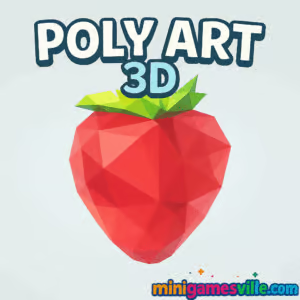
Ready to relax your brain with a satisfying 3D puzzle? Click Play to dive into Poly Art 3D right here on minigamesville.com. Build gorgeous low-poly figures piece by piece, all inside your browser with zero downloads.
Poly Art 3D is a calming, perspective-based puzzle game where rotating fragments snap into beautiful sculptures. It plays fast, looks stunning, and feels perfect for a quick break or a long unwind session. If you want a soothing online experience you can enjoy anywhere, this unblocked browser game delivers. Hit Start and see how quickly your mind clicks into puzzle-solving mode.
About Poly Art 3D
Poly Art 3D turns abstract clusters into complete works of art. Your job is simple: rotate, align, and reveal. The minimal UI keeps focus on the art, while smooth touch or mouse controls make every piece feel responsive. As the shapes lock into place, each model resolves into a crisp, colorful low-poly scene that is incredibly satisfying to complete.
History of Poly Art 3D
The “poly art” style comes from low-poly 3D modeling, a clean, geometric look popularized across modern games and digital art. Perspective-rotation puzzles built around this style gained traction on mobile and web, and Poly Art 3D brings that same relaxing flow to your browser. The appeal is timeless: no complicated rules, just zen-like rotation until everything clicks.
Style & Vibe
Every puzzle looks like a paper sculpture come to life. Colors pop, edges feel crisp, and the final reveal lands with a little spark of accomplishment.

Gameplay in Poly Art 3D
Rotate a cloud of triangles until they align into a recognizable silhouette. Early levels teach the basics, then complexity ramps up with denser clusters, trickier angles, and color palettes that require sharper visual focus. There is no harsh failure state, so you can experiment freely. The core loop is meditative: rotate, observe, nudge a little more, reveal the artwork, and move on to the next gallery piece.
Game Modes
- Classic Gallery: Progress level by level, revealing a curated set of low-poly models.
- Challenge Goals: Try self-imposed rules like no hints or limited rotations to sharpen your skills.
- Speedrun Practice: Time yourself and chase faster personal bests.
How to Play
- Start a level and study the scattered fragments.
- Rotate the cluster slowly until you see a silhouette form.
- Fine-tune the angle so edges and colors align perfectly.
- When the shape locks in, enjoy the reveal and continue to the next puzzle.
Controls
- Desktop: Click and drag to rotate. Scroll to zoom if supported.
- Mobile: Swipe to rotate with one finger. Pinch to zoom if supported.
- Reset View: Use the on-screen reset button when available.
Device Compatibility & Browser Support
Poly Art 3D runs in modern browsers. For the smoothest play, use the latest version of Chrome, Edge, Firefox, or Safari. Close extra tabs on low-memory devices for best performance.
Mobile vs. Desktop Gameplay
On mobile, swipes feel intuitive and couch-friendly. On desktop, mouse control gives precise adjustments for tricky angles. Both play great, so pick what fits your mood.
Can I Play Offline?
In-browser play on minigamesville.com requires an internet connection to load the game. After assets cache, some browsers may keep parts locally, but you should expect to be online for reliable access.
Can I Play Unblocked?
Yes, Poly Art 3D is an unblocked browser game for most networks since it runs directly online without installers. If your school or workplace restricts gaming, try a different modern browser or connect outside that network.
- Browser: Play Poly Art 3D on minigamesville.com.
- iOS: Poly Art 3D on the App Store Download.
- Android: An official Google Play version of Poly Art 3D is not available at this time. Prefer Android? Try Polysphere, a similar perspective puzzle:
Tips & Tricks
Beginner Tips
- Look for edges: straight borders often reveal the correct orientation.
- Zoom out first to see the big picture, then zoom in for small corrections.
- Rotate slowly in steady arcs instead of quick swings.
- Use color groups to guide alignment.
Advanced Strategies
- Silhouette hunting: squint or blur your focus to spot overall shapes faster.
- Anchor points: memorize a few distinct triangles and keep them in view while rotating.
- Quarter-turn scanning: rotate 90 degrees at a time to systematically test angles.
- Time goals: replay solved levels and beat your own best times.
Features
- 🎨 Minimal, elegant low-poly art that pops on any screen
- 🧩 Satisfying rotation puzzles with a gentle learning curve
- 🕹️ Click or swipe controls for instant pick-up-and-play
- 🌈 Color-guided visual cues that reward careful observation
- 🔁 Quick restarts for rapid practice and speed runs
- 📶 Fully online, no downloads required in the browser
- 💻 Works on desktop, laptops, tablets, and phones
- 🧠 Stress-free, mindful gameplay perfect for short breaks
Unlockables & Secrets
As you progress through Poly Art 3D, new models and tougher compositions appear. Keep clearing levels to expand your gallery. Watch for subtle color themes that hint at the final subject before it fully resolves.
Cheats & Mods
There are no built-in cheats for the online version on minigamesville.com, and third-party mods are not supported. The fun comes from the reveal, so lean into the chill pace and enjoy the process.
Walkthrough Summary
Start wide, rotate slowly, and let the silhouette emerge. When you spot a recognizable outline, nudge the camera with tiny adjustments until edges line up. Align by color clusters last, then lock the final angle to complete the model.
Scoring, Records & Progression
This experience focuses on completion and personal mastery. Track your own time goals, play clean runs without hints if available, and challenge yourself to solve each level with fewer rotations.
Why Play Poly Art 3D
If you want a relaxing online puzzle with art you can admire at the finish line, Poly Art 3D is a perfect fit. It is low-stress, skill-building, and endlessly replayable thanks to that satisfying “aha” moment when everything snaps into place.
Pros & Cons of Poly Art 3D
- Pros: Beautiful visuals, smooth controls, quick load, great for short sessions, unblocked browser play.
- Cons: Some levels can feel similar, and perfectionists may chase angles longer than expected.
- Use the latest browser version for the best frame rate.
- Enable hardware acceleration in browser settings.
- Close heavy tabs or background streams on low-end devices.
- On laptops, switch off battery saver to avoid throttling.
- If input feels laggy, reduce other active extensions temporarily.
Similar games to Poly Art 3D
- Puzzle Blocks Classic — Arrange shapes to clear lines in a clean, minimalist block puzzle.
- Color Water Sort 3D — Pour and sort colorful liquids into matching tubes with clever logic.
- Color Circles — Time your taps and align colors in a simple yet addictive arcade puzzle.
- Wood Block 3D — Fit wooden pieces onto the board and chase high scores with calm, tactile vibes.
- 2048 Game Online — Slide tiles, combine numbers, and reach that satisfying 2048 merge.
- Bubble Pop Adventures — Aim, match, and pop your way through classic bubble-shooter stages.
- Books Tower — Stack books with perfect timing and keep your tower from tipping.
- Thief Puzzle — Stretchy-armed logic challenges where timing and planning solve the scene.
FAQ
Is Poly Art 3D free to play?
Yes, you can play Poly Art 3D free in your browser on minigamesville.com.
Does Poly Art 3D work on school Wi-Fi?
In most cases, yes. It is an unblocked browser game, but access always depends on local network rules.
Do I need to download anything?
No. Poly Art 3D runs online in your browser, so you can start instantly.
Is there a time limit?
There is no strict timer in standard play, which keeps the experience calm and accessible.
Can I play Poly Art 3D on my phone?
Yes, it runs in mobile browsers. For native apps, iOS has Poly Art 3D on the App Store, and Android users can try the similar Polysphere links above.
Conclusion
Poly Art 3D is the kind of puzzle that melts away stress. Rotate, align, reveal, smile, repeat. It is simple to learn, delightful to master, and perfectly suited for a few mindful minutes between tasks.
Ready to give your brain a gentle reset? Tap Play and enjoy Poly Art 3D online on minigamesville.com. See how many sculptures you can reveal in one relaxing run.

 Loading...
 English
 Shqip
Shqip
 বাংলা
বাংলা
 Български
 简体中文
简体中文
 Hrvatski
 Čeština
 Dansk
Dansk
 Nederlands
 Suomi
Suomi
 Ελληνικά
 हिन्दी
 Magyar
 Bahasa Indonesia
 日本語
日本語
 한국어
한국어
 Lietuvių
 Bahasa Melayu
 Norsk
Norsk
 Polski
 Português do Brasil
 Română
 Slovenčina
 Slovenščina
 Svenska
 ไทย
ไทย
 Türkçe
 Українська
 اردو
اردو
 Tiếng Việt
 isiZulu
 Español
 Français
 Deutsch
 العربية
 Italiano
 فارسی
فارسی
 Русский