Play Pixel Puzzles online on MiniGamesVille
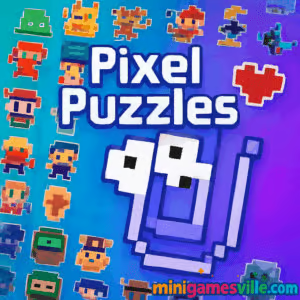
Jump in and play Pixel Puzzles on MiniGamesVille.com right now. Pixel Puzzles is a bite-size browser game that blends chill pixel art with satisfying logic. Snap colorful tiles into place, reveal cute retro images, and chase high scores all in your browser. If you want a quick, unblocked online puzzle fix that works at school, on a Chromebook, or during a coffee break, Pixel Puzzles is the perfect pick. Click play, relax your mind, and see how fast you can complete each pixel picture.
About Pixel Puzzles
Pixel Puzzles is a lightweight, accessible puzzle title designed for instant fun in the browser. Every level gives you a grid and a pixel art goal. Your job is to place the right tiles in the right spots, complete the picture, and keep your streak going. No installs, no paywalls, just clean puzzle flow with crisp feedback and a cozy vibe. Whether you solve one board in 60 seconds or settle in for a long session, Pixel Puzzles delivers a smooth online experience.
History of Pixel Puzzles
Pixel-style picture puzzles have roots in classic print and handheld brain teasers. Modern browser versions, like Pixel Puzzles, focus on quick sessions, intuitive drag-and-drop, and instant restart so you can learn patterns fast. The charm comes from watching a simple grid transform into a complete piece of pixel art, then jumping immediately into the next challenge.
Style & Vibe
Pixel Puzzles features soft colors, playful sound cues, and a minimal UI that keeps you focused. The aesthetic nails that retro-meets-modern look: readable tiles, gentle animations, and a rewarding completion pop when the last piece lands. Clean pixels, bold colors, satisfying snaps. Simple to learn, hard to put down.

Gameplay in Pixel Puzzles
Each round starts with a grid and a reference layout or hint pattern. You drag tiles into place, align edges, and watch the artwork come together. Early stages teach matching and placement. Later levels add larger grids, trickier layouts, and more colors that test planning and accuracy. Missed placements can be undone, so experimentation is encouraged. Speed fans can push for best times, while perfectionists chase flawless runs with no mistakes.
Game Modes
- Classic: Complete pixel images at your own pace with unlimited retries.
- Timed: Beat the clock for bonus points and bragging rights.
- Daily Board: One fresh puzzle per day to keep the streak alive.
- Zen: No timer, no pressure, just relax and place tiles.
How to Play
- Press Play to load the first grid.
- Look at the preview or color hints, then drag tiles into matching cells.
- Use undo to fix any misplacement without penalty in casual modes.
- Fill the entire grid to reveal the final pixel art and record your time.
- Advance to the next puzzle and keep your streak going.
Controls
- Mouse: Click and drag tiles onto the grid. Right-click or use on-screen buttons to undo.
- Touch: Tap to pick up a tile, tap a cell to place, long-press to remove.
- Keyboard (if supported): Arrow keys to move selector, Enter to place, Backspace to undo.
Device Compatibility & Browser Support
Pixel Puzzles runs in modern browsers on desktop and mobile. For best results, use the latest Chrome, Safari, Firefox, or Edge. It plays great on Windows, macOS, Linux, Android, iOS, and Chromebooks.
Mobile vs. Desktop Gameplay
On desktop, you get fast precision with a mouse, ideal for larger grids. On phones or tablets, touch placement feels natural and perfect for quick sessions. If tiles feel small on mobile, rotate to landscape for more space.
Can I Play Offline?
Pixel Puzzles is a browser game, so it needs an active internet connection to load and save progress.
Can I Play Unblocked?
Yes, Pixel Puzzles is an unblocked browser game for most networks since it runs directly on MiniGamesVille over HTTPS. If your school or office restricts gaming, access may vary. Try the direct game page on MiniGamesVille or ask your administrator for access.
- Web: Play free on your browser at MiniGamesVille.com.
- Mobile apps for this exact web version: None at this time.
Want a similar mobile experience on the go? Try these respected puzzle apps:
Tips & Tricks
Beginner Tips
- Start with small grids to learn tile patterns before moving up.
- Place obvious corner and edge tiles first to frame the image.
- Use undo freely. Quick corrections lead to faster overall times.
- Zoom your browser if tiles feel tight on mobile screens.
Advanced Strategies
- Scan rows for color clusters, then fill in confident groups before tackling gaps.
- Solve in layers. Complete one color at a time to reduce visual noise.
- Chase time bonuses by planning 3 to 5 moves ahead.
- Replay favorite boards to master efficient placements and improve your best time.
Features
- 🧩 Fast, pick-up-and-play pixel picture puzzles
- 🎨 Colorful retro art that pops as you place tiles
- ⏱️ Timed and chill modes to match your mood
- 🔁 Undo support for creative experimentation
- 📈 Session stats and personal best timers
- 📱 Smooth touch and mouse controls
- 🚀 Instant loading with no downloads
- 🔊 Subtle effects that reward every placement
Unlockables & Secrets
Clearing levels back to back builds a streak, which can unlock tougher boards and new art sets. Keep an eye out for special patterns that appear after perfect runs.
Cheats & Mods
There are no official cheats for Pixel Puzzles. Third-party mods or scripts can break saves and hurt performance. For an easier ride, switch to Zen mode, practice small grids, and use undo to refine your route.
Walkthrough Summary
Open the grid, place the most obvious tiles, then fill remaining gaps by matching color groups to their spots. When the image outline appears, sweep through remaining cells in a smooth loop around the board. Finish strong by double-checking corners before submitting for a clean result.
Scoring, Records & Progression
Scores generally reward speed, accuracy, and streaks. Improve your records by reducing corrections, minimizing idle time between placements, and replaying boards to discover faster move orders.
Why Play Pixel Puzzles
It is pure, snackable puzzle fun. Pixel Puzzles is instantly available, feels great on any device, and respects your time with straightforward goals. Whether you like a calm brain break or a quick speedrun, it delivers.
Pros & Cons of Pixel Puzzles
- Pros: Zero install, clean visuals, friendly difficulty curve, great on mobile and desktop.
- Cons: Bigger grids can feel tight on small screens, timers add pressure if you prefer a slow pace.
- Keep your browser updated for smoother input and audio.
- Close heavy background tabs if you notice lag.
- Enable hardware acceleration in browser settings.
- On mobile, switch to landscape for larger tiles and fewer mis-taps.
Similar games to Pixel Puzzles
- Brain Test: Tricky Puzzles — quirky logic riddles with clever, unexpected solutions.
- Robot Awake — laser-routing puzzles that light up robots in the right order.
- Green — minimalist color puzzles where each level has a fresh twist.
- Mini Train — place pieces to guide a train safely across gaps.
- SudoBlocks — merge block logic with sudoku-style clearing.
- Tap It Away — clear blocks in the right order to free the core.
- Diff — spot-the-difference with crisp visuals and relaxing pacing.
FAQ
Is Pixel Puzzles free to play?
Yes, you can play Pixel Puzzles free in your browser on MiniGamesVille.
Does Pixel Puzzles work on Chromebook?
Yes, it runs well in Chrome on most Chromebooks with touch or trackpad.
Will Pixel Puzzles save my progress?
Your progress is typically stored in the browser. Clearing cache or switching devices can reset it.
Is Pixel Puzzles an unblocked game?
For most networks, yes. Access can depend on local filters, but many users can play without issues.
Does Pixel Puzzles support controllers?
This is a mouse and touch-first puzzle. Some keyboards shortcuts may exist on desktop, but controllers are uncommon.
What genre is Pixel Puzzles?
It is a casual logic and picture puzzle browser game with pixel art.
Conclusion
When you want quick, satisfying logic without downloads, Pixel Puzzles delivers. The feedback, the flow, the little pop of color when a grid locks in place, it all adds up to a relaxing brain boost.
Ready to unwind or chase a new personal best? Hit Play and enjoy Pixel Puzzles on MiniGamesVille.com. Keep calm, place those pixels, and reveal something cool on every run.

 Loading...
 English
 Shqip
Shqip
 বাংলা
বাংলা
 Български
 简体中文
简体中文
 Hrvatski
 Čeština
 Dansk
Dansk
 Nederlands
 Suomi
Suomi
 Ελληνικά
 हिन्दी
 Magyar
 Bahasa Indonesia
 日本語
日本語
 한국어
한국어
 Lietuvių
 Bahasa Melayu
 Norsk
Norsk
 Polski
 Português do Brasil
 Română
 Slovenčina
 Slovenščina
 Svenska
 ไทย
ไทย
 Türkçe
 Українська
 اردو
اردو
 Tiếng Việt
 isiZulu
 Español
 Français
 Deutsch
 العربية
 Italiano
 فارسی
فارسی
 Русский