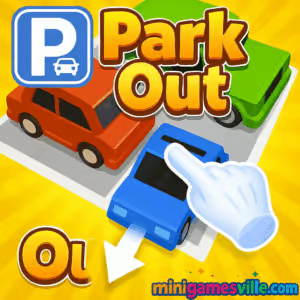
Play Park Out online right now on Minigamesville and put your parking logic to the test. Park Out is a snappy, skill-based browser game that blends traffic puzzles with satisfying slide-to-move mechanics. If you love clever car parking challenges, crisp physics, and levels that keep ramping up, you are in the right spot. Jump in, clear the jam, and free the target car, then keep the streak alive. Ready to unwind and sharpen your brain at the same time? Hit Play above and enjoy Park Out unblocked in your browser.
About Park Out
Park Out is a bite-size parking puzzle that rewards planning, foresight, and clean execution. Each grid is a mini brainteaser: move vehicles in the right order, create space, and guide the highlighted car to the exit without collisions. The difficulty curve is smooth, the controls are intuitive, and runs are short enough to fit any break. Whether you are a casual puzzler or a speed-run optimizer, Park Out delivers quick-hit fun with meaningful decisions.
History of Park Out
The spirit of Park Out traces back to classic slide-and-unblock brainteasers and the beloved Rush Hour-style puzzles that dominated the web in the Flash era. Today’s HTML5 tech upgrades that formula with slick animations, touch-friendly controls, and stable performance across devices. Park Out channels that heritage while keeping the focus on crisp level design, snappy resets, and a just-one-more-try loop.
Style & Vibe
Expect clean visuals, bright colors, and animations that make every correct move feel good. Subtle effects when cars slide, bump, or line up give feedback without clutter. The overall vibe is calm but kinetic, which keeps Park Out approachable while still delivering a satisfying challenge.

Gameplay in Park Out
Each level starts with a cluttered lot. Vehicles move only along their axis, so your task is to reorder them to open a path. Good runs are about sequencing. Clear short cars first, use long vehicles to create lanes, and manage choke points near the exit. Early stages introduce basics, then the game layers tighter spaces, tricky orientations, and more pieces to manage. You will learn to spot anchors, plan two or three moves ahead, and minimize backtracking. The result: a smooth rhythm of read, plan, execute.
Game Modes
- Level Progression: Complete handcrafted stages that ramp in complexity.
- Move-Limit Challenges: Beat a stage under a target number of moves for extra bragging rights.
- Time Attack: Clear the lot before the clock hits zero, perfect for quick sessions.
- Daily Puzzles: A fresh board that rewards consistency and pattern recognition.
How to Play
- Scan the lot and identify the exit lane for the target car.
- Slide blocking vehicles along their allowed direction to create space.
- Prioritize freeing choke points, then open a clean corridor to the exit.
- Refine your route to reduce total moves and set a personal best.
Controls
- Mouse: Click and drag a vehicle to slide it.
- Touch: Tap and swipe a vehicle in the direction you want it to move.
- Reset/Replay: Use the on-screen buttons to restart a stage instantly.
Device Compatibility & Browser Support
Park Out runs in modern browsers on desktop, Chromebook, tablet, and mobile. For the best experience, use the latest version of Chrome, Edge, Firefox, or Safari with hardware acceleration enabled.
Mobile vs. Desktop Gameplay
- Mobile: Perfect for quick levels on the go. Swipe controls feel natural and responsive.
- Desktop: Larger screen makes complex boards easier to read and route. Mouse drag is precise for low-move clears.
Can I Play Offline?
Park Out is designed as an online browser game. Some assets may cache locally, but reliable play requires an active internet connection.
Can I Play Unblocked?
Park Out on Minigamesville is web-based and typically accessible on most networks. If you encounter a block, try switching networks, updating your browser, or using a personal device. Always follow your school or workplace policies.
- Browser: Play Park Out right here on Minigamesville.
Official mobile versions under the exact “Park Out” name can vary. If you want a top-tier mobile alternative with similar slide-to-clear parking puzzles, try these verified options:
- Park Master by KAYAC — App Store: Download | Google Play: Download
- Parking Jam 3D by Popcore — App Store: Download | Google Play: Download
Tips & Tricks
Beginner Tips
- Work backward from the exit to spot the first blocker you must remove.
- Favor moves that open space in the center of the board, not just near edges.
- Short cars are flexible tools. Use them to create temporary passing lanes.
- Take a beat before moving. One planned slide can replace three reactive ones.
Advanced Strategies
- Chunk the board into zones. Solve one cluster cleanly, then bridge to the next.
- Preserve “escape hatches.” Leave at least one lane open for future pivots.
- Route for minimal moves. If a slide fixes one problem but creates another, reconsider.
- Practice exit timing. Sometimes it is faster to reposition a long vehicle earlier than later.
Features
- Slide-to-move parking puzzles with clean physics
- Levels that reward planning and efficient routing
- Optional time and move targets for extra challenge
- Instant reset for quick iteration and mastery
- Seamless play on mobile or desktop browsers
- Bright visuals and satisfying animations
- Short sessions that fit any schedule
- Personal bests to chase and improve
Unlockables & Secrets
As you progress, you may encounter cosmetic vehicle skins, fresh themes, and tougher bonus boards. Completing levels efficiently can unlock extra challenges that put your sequencing skills to the test.
Cheats & Mods
There are no official cheats for Park Out, and third-party mods can break saves or harm performance. The fastest path to mastery is practice: reset often, reduce move counts, and learn recurring patterns.
Walkthrough Summary
A reliable flow looks like this: scan the exit lane, identify the primary blocker, free adjacent short cars to create a two-lane pocket, rotate a long vehicle out of the choke point, then escort the target car straight to the exit. If you exceed your move target, reset and prioritize earlier space-making slides.
Scoring, Records & Progression
Park Out favors efficiency. Your personal records hinge on total moves and clear time. Shave seconds by planning before your first slide, and aim to reduce one move per replay. Over time your averages drop, and complex boards feel natural.
Why Play Park Out
It is a quick, clever, and satisfying parking puzzle that fits your day. Whether you are after a relaxing brain break or a tight personal-best chase, Park Out delivers a polished experience with zero installs and instant access.
Pros & Cons of Park Out
- Pros: Instant play in browser, intuitive controls, short levels, rewarding optimization.
- Cons: Later stages can feel tight on small screens, and perfectionists may reset often chasing low-move clears.
- Keep your browser up to date for smoother animations and input responsiveness.
- Close heavy background tabs, then reload the game for stable frame rates.
- Enable hardware acceleration in browser settings for best performance.
- On mobile, switch to Wi-Fi and disable battery saver if input feels laggy.
Similar games to Park Out
- Parking Fury 3D: Night Thief — stealthy nighttime parking missions with tight turns and tense routes.
- Drive Mad — physics-based driving where balance and throttle control rule every obstacle.
- Tap It Away — clear blocks from 3D shapes, a smart spatial twist that complements parking puzzles.
- Midnight Drive — stylish night cruising that rewards smooth lines and quick reactions.
- Mini Train — logic-based track fixes where precision placement keeps everything moving.
- Stock Car Hero — arcade racing sprints focused on slipstreams and timely boosts.
FAQ
What is Park Out?
Park Out is a free, online browser puzzle where you slide vehicles to clear a path and guide the target car to the exit.
Is Park Out safe to play at school or work?
It is an unblocked browser game on many networks, though some filters may restrict access. Follow local rules if a block appears.
Does Park Out cost anything?
No. You can play Park Out online here on Minigamesville at no cost.
Can I use a controller?
Park Out is optimized for mouse and touch. Gamepads are not required and may not be supported in your browser.
How do I save progress?
Progress typically saves in your browser storage. Clearing cookies or switching devices can reset it.
Any tips for tough levels?
Plan two moves ahead, free the choke point first, and reset quickly if your route becomes inefficient.
Is Park Out available on iOS or Android?
The in-browser version runs here. For a similar mobile experience, try Park Master or Parking Jam 3D using the store links above.
What browsers work best?
Recent versions of Chrome, Edge, Firefox, and Safari offer the smoothest performance.
Conclusion
Park Out nails the sweet spot between relaxing and smart. Each board is a tiny puzzle box, and every clean escape feels great. Whether you have two minutes or twenty, it is easy to hop in, clear a level, and come back later.
Ready to clear the jam and set a new low-move record? Scroll up, press Play, and enjoy Park Out on Minigamesville. Have fun, and share your best times with friends.


 Loading...
 English
 Shqip
Shqip
 বাংলা
বাংলা
 Български
 简体中文
简体中文
 Hrvatski
 Čeština
 Dansk
Dansk
 Nederlands
 Suomi
Suomi
 Ελληνικά
 हिन्दी
 Magyar
 Bahasa Indonesia
 日本語
日本語
 한국어
한국어
 Lietuvių
 Bahasa Melayu
 Norsk
Norsk
 Polski
 Português do Brasil
 Română
 Slovenčina
 Slovenščina
 Svenska
 ไทย
ไทย
 Türkçe
 Українська
 اردو
اردو
 Tiếng Việt
 isiZulu
 Español
 Français
 Deutsch
 العربية
 Italiano
 فارسی
فارسی
 Русский