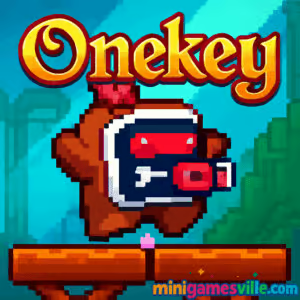
Play Onekey right now on Minigamesville. Hit play, tap or press a single key, and guide your hero through clever traps in this classic puzzle platformer. Onekey is a bite-size online browser game with simple controls and surprising depth, perfect for quick sessions at school, work, or home. If you love one-button challenges, timing puzzles, or unblocked web games that run instantly in your browser, Onekey will hook you in minutes. Ready to try Onekey and beat your best run? Press play on minigamesville.com and jump in.
About Onekey
Onekey distills platforming to one input. Your character keeps walking, while your single press toggles platforms, doors, lifts, and hazards. That minimal control scheme creates a rhythm game feel, where timing, observation, and a cool head matter more than twitch reflexes. Each stage layers new toys and traps, teaching you patterns, then asking you to chain them together. The result is a compact, skill-based puzzle adventure that feels perfect in a browser.
History of Onekey
Born in the late 2000s during the golden age of web games, Onekey helped pioneer the one-button puzzle platformer trend. Today it returns as an HTML5 browser game you can play online without downloads, keeping its retro pixel charm and tight timing challenges intact.
Style & Vibe
Expect warm pixel art, ancient-temple motifs, and punchy sound effects that reinforce the one-key rhythm. Levels are short and readable, with moving parts that telegraph their behavior so you can plan your next press with confidence.

Gameplay in Onekey
Every stage is a small contraption. Your hero auto-walks, and your input flips the world: bridges extend, gates fall, lifts rise, enemies change direction, and arrow totems fire. The challenge is reading the loop, then pressing at the beat that keeps everything in sync. Early levels teach single-toggle timing. Later, you will juggle chained interactions, bait hazards, and grab optional collectibles tucked behind trickier sequences. Failures reset fast, encouraging quick learning and a just-one-more try loop that makes Onekey so replayable.
Game Modes
- Main Levels: A hand-crafted sequence that escalates mechanics and timing complexity.
- Collectible Runs: Go back to scoop optional gems for extra challenge and bragging rights.
- Speedrun Goals: Beat personal best times by optimizing press timings and pathing.
- Practice: Re-enter any cleared stage to master tough sections without pressure.
How to Play
- Press play and let your character start walking.
- Observe moving platforms, gates, and hazards for a full cycle.
- Press once to toggle the environment at the right beat.
- Chain presses to keep safe paths aligned while you walk through.
- Optional: detour to grab hidden gems, then reach the exit.
Controls
- Desktop: Space bar or left click to toggle. R to restart level if a restart button is shown on screen.
- Mobile: Tap anywhere to toggle.
- Menu: Use on-screen buttons to pause, restart, or return to level select.
Device Compatibility & Browser Support
Onekey runs in modern browsers like Chrome, Edge, Firefox, and Safari. It loads fast and plays smoothly on Windows, macOS, Chromebooks, Android, and iOS, with no downloads. For best performance, keep only a few tabs open and enable hardware acceleration in your browser settings.
Mobile vs. Desktop Gameplay
On desktop, the space bar gives crisp, rhythmic presses for precision speedruns. On mobile, taps feel natural for short sessions. Both options are great, so pick the device you prefer for timing-based puzzles.
Can I Play Offline?
Onekey is a browser game that needs an internet connection to load assets and save progress. After loading, some browsers may cache content, but reliable offline play is not guaranteed. For true offline sessions, consider the mobile alternatives listed below.
Can I Play Unblocked?
Yes, Onekey is playable unblocked in most school or work networks because it runs straight in the browser. If you run into filters, try using HTTPS, switching browsers, or playing on your mobile connection.
- Browser: Play Onekey online at Minigamesville in your desktop or mobile browser.
- Official mobile apps: There is no official Onekey app on Google Play or the App Store.
- Similar mobile pick: Try ONE MORE LINE for a polished one-button challenge on
Google Play and
App Store.
- Another option: Daddy Long Legs delivers tap-timing chaos on
Google Play and
App Store.
Tips & Tricks
Beginner Tips
- Watch one full cycle before your first press, then commit to the beat.
- Press early rather than late. Early toggles give the environment time to move.
- Use safe flat tiles to re-sync your timing if things get messy.
- Chase gems only after you clear a level once. Learn the route first.
Advanced Strategies
- Buffer toggles during transitions so platforms arrive right as you step.
- Manipulate enemies. A well-timed press can reverse patrols to open paths.
- Route for fewer presses. Efficient toggling yields faster times and consistency.
- Segment tough levels into visual landmarks and create a press pattern for each segment.
Features
- 🎮 One-button control that anyone can learn in seconds
- 🧩 Hand-crafted puzzle platform stages with clean readability
- 💎 Optional collectibles for completionists
- ⚡ Instant restarts for rapid learning and flow
- 📱 Plays online in your browser on desktop and mobile
- 🎵 Satisfying sound cues that reinforce timing
- 🏆 Personal best times and self-made speedrun goals
- 🔁 High replay value with multiple routes and press patterns
Unlockables & Secrets
Most stages hide optional gems or bonus routes behind trickier timing chains. Clear a level first, then return to explore side paths, bait hazards in new ways, and master alternative toggle orders to collect everything.
Cheats & Mods
There are no official cheats for Onekey. Using third-party mods or tampered clients can break levels and harm performance. For a fair challenge and stable play, stick to the standard browser version on Minigamesville.
Walkthrough Summary
Think in loops. Identify how each press changes the scene, then build a repeatable cadence: press at the lip of a platform, press before a lift arrives, press to reverse a patrol, and press again to drop a gate at the right moment. When you fail, note which element was late and shift your cadence a fraction earlier on the next attempt.
Scoring, Records & Progression
Progress by clearing levels and revisiting them to perfect routes. Track your best times and clean runs, and set personal challenges like zero missed presses or full collectible runs. Sharing self-imposed goals is a fun way to keep Onekey fresh.
Why Play Onekey
Onekey proves that a smart idea and tight design can deliver big thrills without complex controls. It is quick to learn, endlessly replayable, and ideal for short breaks. Whether you crave a relaxed brain teaser or a precise speedrun, Onekey adapts to your mood.
Pros & Cons of Onekey
- Pros: Instant play in browser, elegant one-button design, snappy restarts, great for speedrunning and short sessions.
- Cons: Precision timing can feel tough on very small screens, later puzzles require patience and a few retries.
- Keep your browser updated for smoother canvas performance.
- Enable hardware acceleration in settings for better frame pacing.
- Close heavy tabs and disable aggressive ad-block extensions during play.
- On mobile, reduce background apps and lock your orientation to avoid accidental rotations.
Similar games to Onekey
- Down the Hill — one-tap downhill timing with hazards to dodge.
- Swerve — tap to turn at the exact moment on a fast, narrow track.
- Wheelie Bike — balance a perfect wheelie with delicate one-touch control.
- Knife Jump — time your taps to climb ever higher without slipping.
- Candy Jump — bounce through gaps with simple tap timing.
- Turn Turn — minimalist tap-to-turn traffic runner with crisp rhythm.
FAQ
What is Onekey?
Onekey is a one-button puzzle platform browser game where your single press toggles platforms, doors, and hazards while your hero auto-walks to the exit.
Is Onekey free to play online?
Yes, you can play Onekey free in your browser on Minigamesville with no download.
Does Onekey work on mobile?
Yes, it plays in mobile browsers with tap controls, though a larger screen can help with precision timing.
Can I play Onekey unblocked at school?
In most cases yes, because it runs directly in the browser. If blocked, try another browser or your mobile connection.
How long is Onekey?
Levels are short and designed for quick sessions. You can finish a few stages during a break, then return to perfect collectibles and times.
Are there different modes?
Yes, you can clear stages, revisit them for collectibles, and chase faster times as personal speedrun goals.
Are there cheats for Onekey?
No official cheats exist. Mastering timing and patterns is the intended way to progress.
Conclusion
Onekey turns a single input into a stream of satisfying aha moments. Clean visuals, instant restarts, and clever level machinery make it a standout browser game you can enjoy anywhere. If you like tight timing puzzles with a retro vibe, this is your next coffee-break favorite.
Ready to press, toggle, and triumph? Play Onekey online on minigamesville.com and see how many levels you can clear in a row. Bring your best timing, and good luck grabbing every gem.

 Loading...
 English
 Shqip
Shqip
 বাংলা
বাংলা
 Български
 简体中文
简体中文
 Hrvatski
 Čeština
 Dansk
Dansk
 Nederlands
 Suomi
Suomi
 Ελληνικά
 हिन्दी
 Magyar
 Bahasa Indonesia
 日本語
日本語
 한국어
한국어
 Lietuvių
 Bahasa Melayu
 Norsk
Norsk
 Polski
 Português do Brasil
 Română
 Slovenčina
 Slovenščina
 Svenska
 ไทย
ไทย
 Türkçe
 Українська
 اردو
اردو
 Tiếng Việt
 isiZulu
 Español
 Français
 Deutsch
 العربية
 Italiano
 فارسی
فارسی
 Русский