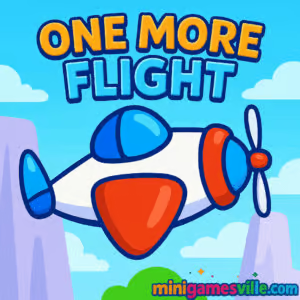
Hit Play and take off now. Jump straight into One More Flight on Minigamesville.com and see how many perfect landings you can chain together. This online browser game blends one‑tap flying, tight physics, and checkpoint-to-checkpoint precision that hooks you fast. If you like simple controls with layered challenge, One More Flight is the quick fix you can sneak between tasks, and it’s perfect for unblocked play on most networks. Ready to master the skies and collect every star? Launch One More Flight and start your run.
About One More Flight
One More Flight is a bite‑size flying and landing challenge where you press to climb, release to descend, weave through hazards, and touch down on tiny airstrips. Each stage strings together short legs of flight with mid‑level checkpoints, so every landing feels like a mini victory. You’ll chase optional stars to unlock new craft and brag‑worthy completions, but the real thrill is nailing a silky approach under pressure. As an online browser game, One More Flight loads fast, runs smoothly on modern devices, and rewards repeat plays with that satisfying one more try loop.
History of One More Flight
This HTML5 skill title has been a favorite on web portals since the late 2010s, winning fans with a clean tap‑to‑fly control scheme and progressive level flow. It channels the spirit of classic one‑button arcade flyers, focusing on polish, readable obstacles, and smart checkpoint pacing rather than complex menus.
Style & Vibe
Expect bright, friendly colors, crisp silhouettes, and clear runway targets that make quick reads possible even on a phone screen. The vibe is playful, not punishing, which is why One More Flight is so replayable for short sessions.

Gameplay in One More Flight
Each level is a chain of micro flights. Hold to gain altitude, release to let gravity bring you down, and angle your arc so you clear hazards and touch wheels onto the next landing pad. Momentum matters. A slightly late press can balloon your line, while an early release can clip a wall or fan blade. Stars often sit off the ideal path, asking you to deviate and then recover to make the landing. Complete a leg and the checkpoint saves your progress, so tough sections become learnable without restarting the entire stage.
Game Modes
- Level Campaign: Progress through handcrafted stages with checkpoints and optional star routes.
- Star Challenges: Replay levels to collect all stars and unlock additional craft or cosmetics where available.
- Practice Runs: Warm up by repeating a tricky leg from a checkpoint until the line feels automatic.
How to Play
- Press or click to climb. Release to descend.
- Thread your plane through gaps, moving hazards, and tight corridors.
- Touch down gently on the runway to trigger the next checkpoint.
- Optional: grab stars en route for perfect clears and unlocks.
- Crash, learn the line, and try again from the last checkpoint.
Controls
- Desktop: Left mouse button or space to rise, release to fall.
- Mobile: Tap and hold to rise, lift your finger to descend.
- Tip: Feather short taps to fine‑tune your glide path near runways.
Device Compatibility & Browser Support
One More Flight is an HTML5 browser game that plays great on current Chrome, Edge, Firefox, and Safari. It runs on Windows, macOS, Chromebooks, iOS, and Android with no download. For the best frame pacing, keep only one tab with the game open and close heavy background streams.
Mobile vs. Desktop Gameplay
- Mobile: Super quick to launch, ideal for short sessions. Haptic taps make timing feel snappy.
- Desktop: Bigger view for reading hazards early and setting cleaner approach angles.
Can I Play Offline?
You need an active connection to load the game. After it loads, some browsers may let you continue while the tab stays open, but a refresh will require internet again. For reliable play, stay connected.
Can I Play Unblocked?
One More Flight is lightweight and browser‑based, which helps on restricted networks. Access still depends on your school or workplace filters. If you use a managed Chromebook, open a regular window, not an incognito one, and keep the tab count low to reduce flagged activity.
- Browser: Play directly on Minigamesville.com on desktop or mobile.
- Official mobile apps: There is no confirmed App Store or Google Play release for this exact browser version of One More Flight.
- Try a similar mobile classic with real store links:
Tips & Tricks
Beginner Tips
- Feather the throttle. Short pulses give finer altitude control than long presses.
- Line up landings early. Treat each runway like a short‑field landing in a sim, not a last‑second dive.
- Use checkpoints. Learn the safest arc for each segment before going for stars.
- Hug ceilings sparingly. Skimming the top gives room to fall, but leaves less time to react to low hazards.
Advanced Strategies
- Bank time. When a hazard cycles, wait at the runway and depart on its safe phase to keep your rhythm.
- Commit to a star line. If you detour for a star, plan the recovery path and throttle pulse sequence in advance.
- Exploit momentum. Gentle descents carry speed that can flatten your next climb, saving a press and reducing overshoot.
- Segment scouting. Crash quickly after a new hazard to reset and perfect that one leg’s muscle memory.
Features
- ✈️ One‑tap, learn‑in‑seconds controls with skill depth
- ⭐ Optional star routes that reward precision
- 🛬 Checkpoint landings that turn levels into micro‑missions
- 🧠 Clean obstacle design that teaches by doing
- 🎯 Quick restarts that keep the one more try loop alive
- 📱 Smooth HTML5 performance on phones, tablets, and desktops
- 🎨 Bright, readable art with clear hitboxes
- 🚀 Unlockable craft variations where supported
Unlockables & Secrets
Collect stars to unlock additional aircraft skins or variants where available. Watch for alternate star paths that open after a perfect landing. Some levels hide safer approach arcs behind a quick rise‑and‑dip pattern that looks risky at first glance.
Cheats & Mods
There are no legitimate cheats for One More Flight. Third‑party hacks can break saves or trigger security flags in your browser. Beat the hard lines by practicing a single leg until you can recite the throttle rhythm.
Walkthrough Summary
Start a level and establish your default climb rate with a steady tap cadence. Identify the next landing early, stabilize just above runway height, then float down with micro taps. On replays, commit to star detours only when you’ve locked the base line. If a moving hazard desyncs your rhythm, pause on a runway and restart the cadence on its next safe window.
Scoring, Records & Progression
Your main progress comes from clearing legs and collecting stars for completion goals. Personal records revolve around flawless runs and all‑star clears. Track your improvement by counting retries per checkpoint and shaving that number down over time.
Why Play One More Flight
It is the perfect palate cleanser between bigger games. One More Flight delivers instant tension, tiny triumphs, and a tight feedback loop that feels great on any device. If you enjoy precise arcade flyers or physics puzzlers, this browser game fits right in your favorites list.
Pros & Cons of One More Flight
- Pros: Fast loads, intuitive controls, generous checkpoints, great for short sessions, runs on most devices.
- Cons: Simple presentation, star routes can demand many replays, not a mode‑heavy experience.
- Use an up‑to‑date browser and disable battery saver while playing.
- Close extra tabs or streaming apps that compete for CPU or bandwidth.
- On mobile, enable Do Not Disturb to avoid notification stutters mid‑landing.
- If inputs feel floaty, toggle hardware acceleration in your browser settings and test again.
Similar games to One More Flight
- Swoop Game — Glide a plane over islands, scoop fuel gems, and time smooth ascents and descents.
- Drift Boss — One‑button cornering that tests your rhythm and timing on razor‑thin tracks.
- Geometry Dash Lite — Tap‑to‑jump precision platforming with musical cues and fast retries.
- Candy Jump — Climb higher with single‑tap timing while threading through moving hazards.
- Knife Jump — Launch and stick perfect rotations with simple taps and clean physics.
- Swerve — Hold and release to navigate tight turns in a minimalist, reaction‑based runner.
FAQ
Is One More Flight free to play?
Yes, it is a free online browser game on Minigamesville.com with no download required.
Does One More Flight save my progress?
Progress is typically saved in your browser storage, so using the same device and browser should keep your checkpoints and clears.
How hard is One More Flight?
The first legs teach the rhythm gently, and later levels layer in tighter spaces and moving hazards that reward precise throttle pulses.
What devices work best?
Modern Chromium‑based browsers on desktop feel the most precise, but mobile tap control is excellent for quick sessions.
Can I mute the game?
Yes, use the in‑game sound toggle or your device’s volume controls to play silently.
Conclusion
If you love tight timing and short, satisfying challenges, One More Flight will grab you. The loop of lift, dip, and buttery landings makes every attempt feel fresh, and star routes give you long‑term goals without bloat.
Ready to chase perfect runs and unlock every star path? Hit Play on One More Flight right here on Minigamesville.com and take off for your smoothest landing yet.

 Loading...
 English
 Shqip
Shqip
 বাংলা
বাংলা
 Български
 简体中文
简体中文
 Hrvatski
 Čeština
 Dansk
Dansk
 Nederlands
 Suomi
Suomi
 Ελληνικά
 हिन्दी
 Magyar
 Bahasa Indonesia
 日本語
日本語
 한국어
한국어
 Lietuvių
 Bahasa Melayu
 Norsk
Norsk
 Polski
 Português do Brasil
 Română
 Slovenčina
 Slovenščina
 Svenska
 ไทย
ไทย
 Türkçe
 Українська
 اردو
اردو
 Tiếng Việt
 isiZulu
 Español
 Français
 Deutsch
 العربية
 Italiano
 فارسی
فارسی
 Русский