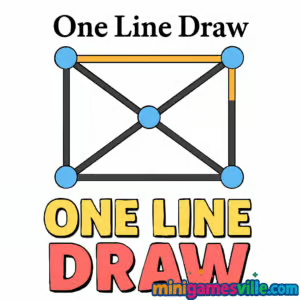
Ready to relax your brain and draw your way to victory? Click to play One Line Draw on MiniGamesVille, the best place to enjoy this quick, clever puzzle online. If you love clean logic challenges, this minimalist browser game delivers bite-size levels you can finish on a coffee break. One Line Draw asks a single question: can you trace every point with one continuous stroke without lifting your finger or crossing the same line twice? Jump in, test your pathfinding skills, and keep your streak going. Play unblocked in your browser, no download required.
About One Line Draw
One Line Draw is a calm, brain-training puzzle where each stage is a tiny map of dots and segments. Your job is to plan a single route that touches everything once. It feels intuitive on touch screens and mouse alike, which makes it a perfect online time-killer and a great warm-up for your problem-solving muscles. The difficulty ramps gently, then introduces trickier node patterns that reward smart sequencing.
History of One Line Draw
The one-stroke puzzle format has roots in classic graph theory and pencil-and-paper teasers. Modern browser versions keep the same purity of rules while adding smoother touch controls, crisp animations, and bite-size level progress. One Line Draw follows that tradition with clean visuals and fast retry loops that make it easy to learn and satisfying to master.
Style & Vibe
Minimal UI, soothing colors, soft sounds, and quick resets keep you in the flow. Every board is readable at a glance, then reveals a small twist as you explore the route.

Gameplay in One Line Draw
Each level presents a dotted diagram or line network. Press or click to start anywhere, then drag in one continuous motion to visit every required point or edge. The early stages teach fundamentals with simple shapes. Later layouts add forks, loops, and “bridge” edges that punish backtracking and reward planning. Quick undos and instant restarts make experimentation painless. Win conditions are clear: cover all targets in a single path. Fail states are equally clear: lifting, overlapping where not allowed, or leaving nodes untouched.
Game Modes
- Classic Pack: A steady progression of handcrafted puzzles that grow in complexity.
- Challenge Streak: Solve multiple boards in a row without mistakes to build momentum.
- Timed Play: Optional timer for players who enjoy a little pressure.
- Daily Warm-Up: A quick brain stretch when you only have a minute.
How to Play
- Study the diagram and spot junctions that look critical or easy to lock yourself out.
- Choose a start point that gives you access to the most branches.
- Trace a single continuous line that touches every required point or segment once.
- If you trap yourself, release, tap restart, and adjust your route.
- Repeat, refine, and enjoy the satisfying “aha” when the final link clicks.
Controls
- Desktop: Click and hold the left mouse button, then drag to draw. Release to finish.
- Mobile/Tablet: Touch and hold to start, then slide your finger to trace the route.
- Restart: Tap the restart icon or press the on-screen button to reset the board.
- Mute: Use the speaker icon if available to toggle sound.
Device Compatibility & Browser Support
One Line Draw is an HTML5 browser game that runs smoothly on modern versions of Chrome, Edge, Firefox, and Safari on desktop, Chromebook, iOS, and Android. No plugins or downloads.
Mobile vs. Desktop Gameplay
On mobile, tracing with a finger feels natural and quick. On desktop, mouse precision helps on dense late-game boards. Both play styles shine, so pick what feels best.
Can I Play Offline?
This browser title requires an active connection to load and play. For offline play, consider the mobile apps listed in the Platforms section below.
Can I Play Unblocked?
Yes, One Line Draw is a lightweight browser game hosted on MiniGamesVille. It loads over HTTPS and typically works on school or work networks. If your network restricts gaming sites, access may vary by policy.
Looking to play on your phone or tablet? We could not find an official mobile app tied to this exact web build of One Line Draw. Try these high-quality one-stroke puzzle apps with working store links:
Tips & Tricks
Beginner Tips
- Count odd-degree nodes. If there are exactly two, they are strong candidates for start and finish.
- Clear dead-end branches early so you do not have to revisit them.
- Work from the outside in. Perimeter passes reveal which inner links you must save for last.
- Use restarts to test ideas. Fast retries are part of the fun.
Advanced Strategies
- Identify bridges. Edges that connect two big regions should be crossed only once, ideally near the end of one region.
- Balance branches. If a junction fans out into multiple paths, finish the short detours first.
- Visualize parity. Alternate your route through tight clusters to avoid isolating a node.
- Plan exit routes. Before entering a loop, make sure you have a clean way out that does not force overlap.
Features
- 🧠 Clean logic puzzle design that teaches while you play
- 🎯 One-touch controls that feel great on mouse and touch
- ⚡ Instant restarts for rapid experimentation
- 🔊 Optional sound with simple mute toggle
- 📈 Gradual difficulty curve with satisfying spikes
- 🌙 Minimalist visuals that reduce distraction
- 📱 Plays smoothly on desktop, mobile, and Chromebook
- 🔁 Endless replay value as you chase faster solutions
Unlockables & Secrets
Expect new board styles and trickier layouts as you progress. Some versions include star ratings or streak bonuses for perfect clears without retries. Keep an eye out for optional timers and challenge runs.
Cheats & Mods
There are no official cheats or mod support. The best path to mastery is learning route patterns and practicing efficient branch order. Third-party hacks are risky, can harm performance, and are not recommended.
Walkthrough Summary
Start by spotting dead ends and odd-degree nodes, then route through small branches before committing to the core loop. Save bridges for transitions between regions. If you isolate a node, reset quickly and adjust your branch order. With a few tries, the correct path emerges.
Scoring, Records & Progression
Most one-line builds track solved levels, time, and sometimes move efficiency in local storage. Aim for clean clears, then return for speed or streak goals. Progression unlocks tougher boards that reward careful planning.
Why Play One Line Draw
If you want a relaxing brain teaser that respects your time, One Line Draw fits perfectly. Sessions are short, the rules are crystal clear, and every win feels earned. It is a sharp way to warm up your mind before work or unwind at night.
Pros & Cons of One Line Draw
- Pros: Simple rules, fast retries, satisfying logic, great on any device.
- Cons: Later puzzles can feel tough without hints, and no offline play in the browser.
- Keep your browser updated for smoother touch input and better WebGL performance.
- Close extra tabs on low-memory devices to prevent stutters on complex boards.
- On mobile, enable full-screen mode and turn off battery savers if input feels sluggish.
Similar games to One Line Draw
- Robot Awake — Redirect laser beams to light every robot, a tidy logic puzzle with directional tiles.
- Green — Make the screen green across 50 crafty levels that twist your expectations each time.
- Tap It Away — Clear blocks by tapping faces in the correct order, perfect for quick puzzle bursts.
- Sudoblocks — A relaxing fusion of Sudoku logic and block-drop strategy.
- Arrower — Nudge tiles along arrow paths to guide the block home with minimal moves.
- Mini Train — Place pieces to complete the track and deliver the train safely in physics-tinged puzzles.
FAQ
What is One Line Draw?
It is a minimalist logic puzzle where you trace a single continuous line that touches all targets without lifting or overlapping.
Is One Line Draw free to play?
Yes, you can play the browser game free on MiniGamesVille with no download.
Does One Line Draw save my progress?
Most versions save solved levels in your browser’s local storage, so progress stays on the same device and browser.
Can I play One Line Draw on a school Chromebook?
Yes, it runs in a modern browser and is lightweight. Access still depends on your school’s web filters.
How do I mute the sound?
Use the on-screen speaker icon if available or lower your tab volume in your device controls.
Any quick strategy for tough levels?
Handle dead ends first, cross bridges only when it helps you exit a region, and keep odd-degree nodes in mind for start or finish.
Does it work with a stylus?
Yes, stylus or finger both feel natural on touch devices, while mouse control is great on desktop.
Can I play offline?
The browser version needs an internet connection. For offline play, install one of the mobile apps listed above.
Conclusion
One Line Draw proves that a simple rule can create endlessly satisfying puzzles. Whether you have one minute or twenty, it offers a calm, focused challenge that sharpens your planning and feels great to master.
Ready to trace the perfect path? Play One Line Draw on MiniGamesVille now, keep your streak alive, and come back daily for a quick mental refresh. Have fun, and may every route be the right one.

 Loading...
 English
 Shqip
Shqip
 বাংলা
বাংলা
 Български
 简体中文
简体中文
 Hrvatski
 Čeština
 Dansk
Dansk
 Nederlands
 Suomi
Suomi
 Ελληνικά
 हिन्दी
 Magyar
 Bahasa Indonesia
 日本語
日本語
 한국어
한국어
 Lietuvių
 Bahasa Melayu
 Norsk
Norsk
 Polski
 Português do Brasil
 Română
 Slovenčina
 Slovenščina
 Svenska
 ไทย
ไทย
 Türkçe
 Українська
 اردو
اردو
 Tiếng Việt
 isiZulu
 Español
 Français
 Deutsch
 العربية
 Italiano
 فارسی
فارسی
 Русский