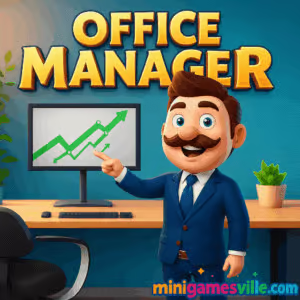
Play Office Manager on MiniGamesVille.com right now and start building the most efficient workplace in town. Office Manager is a light management and tycoon-style browser game that you can play online, unblocked, right in your favorite web browser. Hire staff, expand floors, and keep your crew happy while profits climb. If you love easy-to-learn, hard-to-put-down simulators with a cozy business vibe, tap the Start button above and jump into Office Manager today.
About Office Manager
Office Manager drops you into the role of a hands-on boss who cleans up, hires help, and scales a bustling workspace from scrappy startup to polished powerhouse. The loop is pure feel-good management: collect coins, unlock new stations, upgrade speed and capacity, then reinvest to reach the next milestone. It is a fast, snackable browser game that respects your time and rewards smart routing and upgrade timing.
History of Office Manager
Office-themed sims have been a staple of casual gaming for years, and Office Manager embraces that trend with a modern, bite-size format that runs smoothly in the browser. The design borrows the best parts of idle and time-management games, then wraps it in a clean office aesthetic that feels instantly familiar to fans of tycoon and simulation titles.
Style & Vibe
The world of Office Manager is bright, friendly, and momentum driven. Expect crisp colors, chunky UI, and satisfying progress pops that make each upgrade feel earned. Music and sound effects provide a gentle productivity hum, while animations keep the office floor lively without visual clutter.

Gameplay in Office Manager
Each run starts small. You’ll clean messes, ferry documents, and onboard newcomers to generate your first income. As cash flows in, invest in stations that automate tasks, then hire assistants to shorten queues and boost throughput. Expansion unlocks new rooms and services, and with them, fresh bottlenecks to solve. Office Manager rewards efficient pathing, smart upgrade order, and staying one step ahead of demand spikes.
Game Modes
- Main Expansion Mode: Grow your office floor by floor, unlocking new workstations and staff upgrades.
- Tasks and Mini Challenges: Short objectives that pay out with coins and stars to speed up growth.
- Idle Progress: Some upgrades continue to earn while you focus on other stations, keeping momentum rolling.
How to Play
- Press Play and enter the lobby. Follow the on-screen arrows to your first task.
- Collect starter cash by cleaning, delivering, or serving the nearest station.
- Open the upgrade panel and level up core stations that drive income.
- Hire helpers to automate repetitive chores, then expand into new rooms.
- Repeat the cycle: identify bottlenecks, upgrade capacity, and scale profit.
Controls
- Keyboard: WASD or Arrow Keys to move your manager.
- Mouse: Click buttons to hire, upgrade, and confirm prompts.
- Touch: Virtual joystick to move, tap UI to interact and upgrade.
Device Compatibility & Browser Support
Office Manager is a lightweight online browser game that runs on modern Chromium-based browsers and Safari. For best results, use the latest version of Chrome, Edge, Firefox, or Safari with hardware acceleration enabled.
Mobile vs. Desktop Gameplay
On desktop, keyboard movement feels snappy and multitasking between panels is quick. On mobile, the virtual joystick and big tap targets make short sessions easy, perfect for coffee breaks. Progress carries in-session, so both play styles feel smooth.
Can I Play Offline?
No, Office Manager requires an active internet connection to load and save your current run.
Can I Play Unblocked?
Yes, Office Manager is playable unblocked for most networks since it runs in-browser. If your school or office filters gaming domains, try a personal hotspot or home Wi-Fi. Keeping your browser up to date also helps performance and access.
- Browser: Play Office Manager on MiniGamesVille if you prefer quick, no-download sessions.
- Mobile stores: There is no official Google Play or App Store version titled Office Manager for this browser release.
- Looking for a mobile alternative? Try Idle Office Tycoon, a popular office management game:
Tips & Tricks
Beginner Tips
- Upgrade movement speed early so runs between stations take fewer seconds.
- Automate the first income station before expanding to new rooms.
- Keep a small cash buffer so you can fix bottlenecks the moment they appear.
- Follow task arrows for quick star rewards that unlock key upgrades.
Advanced Strategies
- Prioritize throughput upgrades over raw payout if queues are forming.
- Batch spending: save for two or three linked upgrades to feel the impact immediately.
- Place helpers where walking time is highest to maximize each second saved.
- When expanding, unlock stations that synergize, then upgrade them as a set.
Features
- 🧹 Satisfying cleanup-to-cash loop with steady upgrades
- 👩💼 Hireable helpers that automate repetitive chores
- 📈 Room expansions that add fresh mechanics and goals
- ⭐ Task and star rewards for feel-good momentum
- ⚙️ Simple controls on keyboard and touch
- 🕹️ Play instantly in your browser, no download
- 🎯 Smart progression tuned for short sessions
- 🎵 Clean, upbeat office ambiance
Unlockables & Secrets
As you progress, new stations, helper tiers, and cosmetic upgrades appear. Keep finishing task chains to reveal higher-level unlocks. Some milestones only appear after you clear early bottlenecks, so revisit rooms after big capacity upgrades to spot what changed.
Cheats & Mods
There are no official cheats for Office Manager. Using third-party hacks can break saves or cause performance issues. If you want faster progress, focus on movement speed, core station capacity, and early automation. That combo delivers the biggest lift per coin spent.
Walkthrough Summary
- Clean and deliver to earn your seed cash.
- Upgrade speed, then your first income station.
- Hire one helper to automate and clear the first queue.
- Expand into the next room and unlock the station that supports your main bottleneck.
- Repeat: analyze queues, upgrade capacity, then expand.
Scoring, Records & Progression
Progress in Office Manager is measured by stars earned, rooms unlocked, and the efficiency of your run. Set your own records by timing how quickly you fully automate each floor or how fast you reach key income milestones without idle delays.
Why Play Office Manager
It is the sweet spot between idle relaxation and strategic planning. Sessions are short, feedback is instant, and every upgrade makes your office feel more alive. If you want a stress-free management browser game you can play online and unblocked, Office Manager delivers.
Pros & Cons of Office Manager
- Pros: Fast onboarding, tidy UI, rewarding upgrade curve, great for short breaks.
- Cons: Can feel linear if you ignore optional tasks, late-game balance still depends on smart upgrade order.
- Use the latest version of Chrome, Edge, Firefox, or Safari with hardware acceleration enabled.
- Close extra tabs and background heavy apps if you notice frame drops.
- If inputs feel laggy, switch to a wired keyboard or disable high-latency extensions during play.
- On mobile, set your screen to high refresh for smoother movement if supported.
Similar games to Office Manager
- Bunny Bistro — Run a cute bistro, serve fast, and upgrade your kitchen crew.
- Babel Tower — Idle build a towering structure and optimize resource chains.
- Village Builder — Place tiles, grow a tiny town, and chase high-efficiency layouts.
- The Sort Agency — Manage sorting lines and keep packages flowing without jams.
- Snake Mail Delivery Service — Plan routes and deliver mail with smart pathing.
- Fisherman Life — Idle income meets fleet upgrades on a peaceful dock.
- Merge Zoo — Merge, manage habitats, and keep visitors smiling.
FAQ
Is Office Manager free to play?
Yes, Office Manager is free to play in your browser with no download required.
Does Office Manager have paywalls?
No hard paywalls. The game focuses on smart upgrades and efficient routing to progress.
What are the best first upgrades?
Movement speed and your earliest income station deliver the most impact per coin in the opening minutes.
Can I transfer progress between devices?
Browser saves are session based. For consistent progress, play on the same device and browser profile.
Why does my office get crowded?
Crowds signal a bottleneck. Upgrade capacity, hire helpers, or unlock the next supporting station.
Is Office Manager good on mobile browsers?
Yes, it runs well on modern mobile browsers. Virtual controls are tuned for quick sessions.
Is Office Manager unblocked at school or work?
Often yes, but access depends on local network rules. If blocked, try a different connection.
Conclusion
Office Manager keeps the fun of tycoon games focused on what matters: clear goals, quick upgrades, and that steady drumbeat of progress that feels great after every task. Whether you have five minutes or a longer break, there is always a satisfying next step.
Ready to build a thriving workplace? Scroll up and press Play to start Office Manager on MiniGamesVille. Hire your crew, scale the floor plan, and show everyone what a well-run office looks like.

 Loading...
 English
 Shqip
Shqip
 বাংলা
বাংলা
 Български
 简体中文
简体中文
 Hrvatski
 Čeština
 Dansk
Dansk
 Nederlands
 Suomi
Suomi
 Ελληνικά
 हिन्दी
 Magyar
 Bahasa Indonesia
 日本語
日本語
 한국어
한국어
 Lietuvių
 Bahasa Melayu
 Norsk
Norsk
 Polski
 Português do Brasil
 Română
 Slovenčina
 Slovenščina
 Svenska
 ไทย
ไทย
 Türkçe
 Українська
 اردو
اردو
 Tiếng Việt
 isiZulu
 Español
 Français
 Deutsch
 العربية
 Italiano
 فارسی
فارسی
 Русский