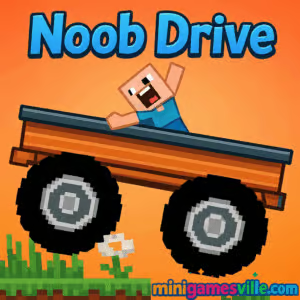
Play Noob Drive right now on minigamesville.com and start your stunt-filled run. Noob Drive is a fast, physics-first driving browser game where blocky cars flip, fly, and tumble across wild tracks. If you love quick sessions, tight controls, and replay-worthy challenges, this online racer is your next obsession. Hit Start, keep your wheels down, and chase better times. Try Noob Drive unblocked in your browser on desktop or mobile and see how far your momentum, balance, and nerve will take you.
About Noob Drive
Noob Drive blends arcade racing with ragdoll-flavored physics and a playful voxel look. The goal is simple, reach the finish line as fast as possible while clearing gaps, ramps, and tilting platforms that demand careful throttle and air control. Every run teaches a new micro-skill, from feathering acceleration for traction to tilting midair to stick perfect landings. It is lightweight, quick to load, and built for instant fun in a modern browser.
History of Noob Drive
Noob Drive follows the tradition of physics-based stunt racers that took off in web gaming. Its blocky style nods to sandbox aesthetics, while the level design leans into momentum puzzles, time pressure, and skill mastery. Over time, community interest has centered on refining runs, sharing best times, and chasing cleaner landings.
Style & Vibe
Expect bright colors, clean shapes, and satisfying crash physics. The minimalist interface keeps focus on the road ahead while crunchy sound effects punch up every jump and hard landing. It is easy to learn, hard to perfect, and perfect for short bursts or marathon sessions.

Gameplay in Noob Drive
Each course in Noob Drive strings together ramps, seesaws, gaps, and slopes. The trick is maintaining speed without wiping out. Land flat to preserve momentum, lean into the angle of ramps, and time your throttle so you do not slide out on steep climbs. Miss a landing, lose speed, and you will come up short on the next gap. Clean lines and confident air control make all the difference.
Game Modes
- Level-based runs: Beat each track with the fastest time you can manage.
- Time challenges: Replay cleared stages to shave off seconds and set personal records.
- Coin routes: Optional collectables that push risky lines for higher rewards.
- Practice resets: Restart quickly to refine a tough section until it feels automatic.
How to Play
- Press Play and load into the first course.
- Accelerate gently to build grip, not wheelspin.
- Before a jump, square your wheels and line up the ramp.
- While airborne, tilt to level your car for a flat landing.
- Use short resets to practice problem spots and lock in muscle memory.
Controls
- Drive: W or Up arrow
- Brake or reverse: S or Down arrow
- Lean left or right: A or D, or Left/Right arrows
- Nitro or boost: Shift
- Restart: R
- Mobile: on-screen pedals and tilt or tap steering
Device Compatibility & Browser Support
Noob Drive runs in modern Chromium-based browsers, Firefox, and Safari. It plays smoothly on laptops, desktops, Chromebooks, tablets, and many phones. For best results, close heavy tabs, enable hardware acceleration in browser settings, and keep your OS graphics drivers current.
Mobile vs. Desktop Gameplay
Desktop offers the most precise air control with keys. Mobile touch controls are responsive, great for quick runs, and work well for practicing levels on the go. If you chase leaderboard-worthy times, a keyboard usually yields finer corrections.
Can I Play Offline?
No, this is a browser-based online game that needs an active connection to load and save progress to your device.
Can I Play Unblocked?
Yes, Noob Drive can be played unblocked in many environments as long as minigamesville.com is accessible on your network. It runs directly in your browser with no downloads.
- Browser: Play Noob Drive on minigamesville.com.
- Official mobile stores: No official Google Play or App Store links are provided for this browser version.
- Want a similar mobile option? Try Hill Climb Racing:
Google Play |
App Store
Tips & Tricks
Beginner Tips
- Feather the throttle off the line to find grip.
- Before every jump, level the car and commit to a straight run-up.
- On steep climbs, pulse the gas to avoid wheelspin.
- Restart quickly after a bad landing. Short practice loops build consistency.
- Watch your front wheels. Where they point is where your landing goes.
Advanced Strategies
- Speed retention beats raw acceleration. Protect clean landings at all costs.
- Use short taps midair to nudge pitch and correct for ramp angles.
- Convert downward slopes into free speed by landing slightly nose-up.
- Memorize riskier coin lines only after you have a safe route.
- Split a level into sections and time each part to find the biggest gains.
Features
- 🚗 Tight, physics-based driving with rewarding air control
- 🧩 Short course design that rewards precision and planning
- 🧱 Playful blocky visuals with crunchy crash feedback
- ⚡ Quick restarts for rapid learning and speedrunning
- 📱 Smooth performance on mobile and desktop
- 🏁 Time trials and coin routes for high replay value
- 🎯 Simple controls that scale to deep mastery
- 🔊 Satisfying sound cues for traction, jumps, and impacts
Unlockables & Secrets
Complete levels to open new stages and routes, then refine your lines to collect hard-to-reach coins. Hidden coins often sit behind tougher jumps that demand perfect setups. Cosmetic swaps, car skins, and alternate colorways give you fresh looks without affecting core handling, which keeps runs fair and competitive.
Cheats & Mods
There are no built-in cheats in Noob Drive, and unofficial mods can harm performance or cause progress issues. For smoother, safer gains, stick to practice loops, clean landings, and smart nitro timing.
Walkthrough Summary
Start steady, learn the arc of your jumps, and treat every landing like a mini puzzle. Once you can clear a course cleanly, chase time saves by tightening lines, smoothing steering input, and delaying throttle lifts. Small improvements compound fast.
Scoring, Records & Progression
Your best times and level clears form the backbone of progress in Noob Drive. Think of every level as a time trial where speed retention is the real score. Stack perfect landings, collect coins only when they do not destroy a clean run, and keep a mental map of where to play safe versus where to go all-in.
Why Play Noob Drive
If you enjoy arcade racing with real-feel physics and instant retries, Noob Drive delivers a clean hit of fun. It loads fast, plays great in a tab, and scratches the same itch as speedrunning without requiring long sessions. One more run quickly turns into twenty.
Pros & Cons of Noob Drive
- Pros: Tight physics, quick restarts, clear visuals, great for short sessions, satisfying skill curve.
- Cons: Precision can feel punishing at first, later courses demand patience, keyboard control has a learning bump on mobile transfers.
- Use a modern browser with hardware acceleration switched on.
- Close stream tabs and heavy apps while you play.
- If your device struggles, lower system animations and enable any in-game quality options.
- Keep your browser and GPU drivers up to date for the best WebGL stability.
Similar games to Noob Drive
- Drift Boss — One-tap drifting on a narrow track where timing and rhythm keep you on the road.
- Swerve — Minimalist lane swapping with sharp turns and a focus on reaction speed.
- Moto Maniac 2 — Trials-style bike physics across tricky obstacles and balance-heavy courses.
- Moto X3M Bike Race Game — High-speed stunt biking with explosive tracks and time attack play.
- Superbike Hero — Top-down motorcycle racing with slipstreaming and checkpoint sprints.
- Short Ride — Darkly funny ragdoll obstacles where careful movement beats reckless speed.
- Stickman Biker — Side-scrolling bike control that rewards smooth landings and steady throttle.
FAQ
What is Noob Drive?
Noob Drive is a physics-driven car game you play online in your browser, focused on fast courses, clean landings, and time-chasing runs.
Is Noob Drive free to play?
Yes, you can play for free in your browser with no download required.
Does Noob Drive work on mobile?
Yes, it runs in mobile browsers with touch controls, though a keyboard on desktop offers finer air control.
How do I get better at Noob Drive?
Practice quick restarts, protect your speed with flat landings, and break levels into sections to find the biggest time saves.
Can I play Noob Drive unblocked at school?
If your network allows access to minigamesville.com, you can play unblocked in a standard browser without extra installs.
Does Noob Drive have controller support?
Keyboard and touch are the primary inputs, and many browsers can map a gamepad using extensions or OS-level tools.
Conclusion
Noob Drive nails that sweet spot between casual and skillful. The physics feel snappy, the tracks reward clean technique, and the quick restart loop keeps you chasing better lines. It is the kind of browser game you load for a minute and keep for an hour.
Ready to roll Noob Drive online and set your best time today? Click Play on minigamesville.com, keep those landings flat, and send it.

 Loading...
 English
 Shqip
Shqip
 বাংলা
বাংলা
 Български
 简体中文
简体中文
 Hrvatski
 Čeština
 Dansk
Dansk
 Nederlands
 Suomi
Suomi
 Ελληνικά
 हिन्दी
 Magyar
 Bahasa Indonesia
 日本語
日本語
 한국어
한국어
 Lietuvių
 Bahasa Melayu
 Norsk
Norsk
 Polski
 Português do Brasil
 Română
 Slovenčina
 Slovenščina
 Svenska
 ไทย
ไทย
 Türkçe
 Українська
 اردو
اردو
 Tiếng Việt
 isiZulu
 Español
 Français
 Deutsch
 العربية
 Italiano
 فارسی
فارسی
 Русский