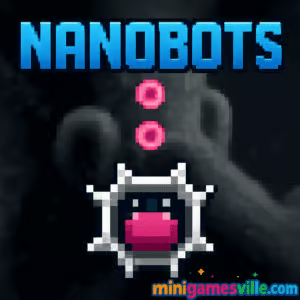
Play Nanobots free right here on MiniGamesVille.com! Dive into Nanobots, a snappy physics puzzle browser game that blends chain reactions, micro-engineering, and quick strategy. Assemble tiny helpers, reroute energy, and outsmart hazards across bite-size levels that are perfect for coffee breaks or speed runs. Click the Play button above to start Nanobots online with no download. If you need a classroom-friendly option, you can enjoy this unblocked browser game on most networks. Ready to tinker with tiny tech and set off satisfying reactions? Hit play and give Nanobots a spin.
About Nanobots
Nanobots is a fast, level-based puzzle title where you guide a swarm of microscopic robots to complete specific objectives. Each stage introduces a clean rule set, new gadgets, and physics quirks that ask you to plan routes, time interactions, and make clever use of momentum. It plays great in short sessions, yet rewards optimization if you chase perfect scores. Whether you love logic challenges or reaction-driven arcade puzzles, Nanobots keeps the pace brisk and the solutions satisfying.
History of Nanobots
While Nanobots feels modern and minimalist, its design nods to classic browser puzzles: small boards, one-screen challenges, and intuitive rules that scale in depth. Expect regular level drops and quality-of-life tweaks aimed at keeping speedrunners and new players equally happy.
Style & Vibe
Clean neon accents, satisfying clicky audio, and readable UI make every move feel crisp. The tiny-tech theme leans into glowing circuits, magnetic nodes, and energy arcs that pop on both light and dark displays.

Gameplay in Nanobots
Each level asks you to route nanobots from a spawn to goals while avoiding lasers, magnets, and moving hazards. You will:
- Drag or click to place waypoints and set paths.
- Trigger switches that rotate barriers or open gates.
- Use magnetism to slingshot bots across gaps.
- Chain actions so multiple bots cooperate, from blocking to boosting.
- Collect optional energy cores to perfect a stage and climb the leaderboard.
Later worlds introduce wind tunnels, one-way diodes, polarity pads, and timed fuses. Nanobots keeps the rules simple, then stacks them into smart, compact puzzles.
Game Modes
- Campaign: Progress through themed biomes with escalating mechanics.
- Time Attack: Beat par times and shave seconds with tighter paths.
- Challenge Labs: Limited-move or single-bot trials for puzzle purists.
- Endless Reactor: Survive waves of hazards and score long chains.
How to Play
- Press Play to load the level, then study the start, goal, and hazards.
- Lay down path points or adjust direction arrows to set bot routes.
- Hit Start to deploy, then pause or tweak paths mid-run if allowed.
- Collect energy cores, reach the goal, and aim for a 3-core perfect badge.
- Replay to improve time, moves used, or route efficiency.
Controls
- Mouse: Click-drag to place or adjust waypoints, scroll to zoom if supported.
- Keyboard: R to restart, Space to pause, 1-3 to switch tools or bots.
- Touch: Tap to place points, pinch to zoom, two-finger tap to undo.
Device Compatibility & Browser Support
Nanobots runs in modern browsers on desktop, Chromebook, tablets, and phones. For the best performance, use the latest Chrome, Edge, Firefox, or Safari with hardware acceleration enabled. The game autosaves locally, so you can hop back in where you left off.
Mobile vs. Desktop Gameplay
- Mobile: Quick taps and swipes make path edits feel natural, perfect for short sessions.
- Desktop: Precise mouse placement is ideal for advanced routing and speedrun attempts.
Can I Play Offline?
Nanobots is an online browser game, so you need an active connection to load and track progress.
Can I Play Unblocked?
Nanobots generally works on school and work networks because it runs in the browser. If your network blocks games, try a different browser, switch to a personal connection, or play at home.
- Browser: Play Nanobots on MiniGamesVille.com with no download.
- Mobile apps: There is no official iOS or Android version of Nanobots at this time.
Want a similar mobile puzzle experience? Try Two Dots on iOS and Android:
Tips & Tricks
Beginner Tips
- Trace the hazard cycles first, then set your route around them.
- Shorter paths usually beat fancy detours. Minimize turns.
- Use one bot to bait a laser while the others slip by.
- Zoom in on tight corridors to drop clean, corner-hugging points.
Advanced Strategies
- Polarity plays: Reverse pads can slingshot bots. Enter with intention to gain speed.
- Cycle syncing: Start runs on the same global beat so switches and doors line up.
- Two-lane routing: Split your swarm to press multiple triggers at once.
- Micro-cuts: Shave pixels off corners to hit new par times and leaderboard targets.
Features
- 🧩 Compact, one-screen logic puzzles with clean rules
- ⚙️ Magnetism, diodes, wind tunnels, and timed fuses to master
- 🚀 Speedrun-friendly resets and instant restarts
- 📱 Plays great on mobile and desktop browsers
- 🏆 Par times, core collection, and global leaderboards
- 🎧 Crisp audio cues that make chain reactions extra satisfying
- 🌈 Accessibility options like color-safe modes and reduced motion
- 🔁 New Challenge Labs for weekly bite-size tests
Unlockables & Secrets
Earn perfect clears to unlock cosmetic bot shells, alternate colorways, and extra Challenge Lab tiers. Hidden nodes tucked near exits often reveal bonus cores or shortcuts that trim your route by a move or two.
Cheats & Mods
There are no downloadable mods or cheats for Nanobots. Beware of third-party files claiming to add hacks. They risk your device and your progress. The fastest way to improve is routing practice and smart timing.
Walkthrough Summary
- World 1: Learn pathing, gates, and simple timing.
- World 2: Magnets and polarity introduce momentum tricks.
- World 3: Lasers, mirrors, and sequencing doors.
- World 4: Multi-bot coordination and limited-move puzzles.
- Labs: Hard variants that focus on one mechanic at a time.
Scoring, Records & Progression
Each level grades you on cores collected, time, and moves used. Perfect runs unlock cosmetic rewards and leaderboard eligibility. Repeat clears with better routes to climb rankings and complete seasonal objectives.
Why Play Nanobots
Nanobots scratches the puzzle itch without long tutorials. You get tight levels, elegant solutions, and that lovely click when a chain reaction goes your way. It is quick to learn, deep to master, and perfect for pick-up-and-play sessions.
Pros & Cons of Nanobots
- Pros: Smart level design, instant resets, satisfying physics, short session friendly.
- Cons: Online only, later Labs can be tough, perfectionists may replay stages a lot.
- Use the latest browser build and enable hardware acceleration.
- Close heavy tabs during Time Attack for steadier frame pacing.
- On mobile, switch to landscape and lock orientation for precise taps.
- Clear cached data occasionally to keep loads snappy.
Similar games to Nanobots
- Thief Puzzle — Stretchy logic levels where timing and path planning steal the win.
- Puzzle Blocks Classic — Slot pieces perfectly to clear the board with clean, satisfying snaps.
- Suika Sort — Merge and organize juicy pieces to create bigger combos.
- Color Water Sort 3D — Pour and reorder colors into matching tubes with minimal moves.
- Bubble Shooter — Aim, bounce, and pop clusters to clear the screen fast.
- Wordslide — Slide letters around the grid to discover hidden words.
FAQ
Is Nanobots free to play?
Yes, Nanobots is a free online browser game you can play on MiniGamesVille with no download.
Does Nanobots work on Chromebooks?
Yes, it runs smoothly in Chrome and other modern browsers on Chromebook.
Can I play Nanobots unblocked at school?
Many school networks allow it because it is browser-based. If blocked, try a different browser or play on a personal connection.
Is there a mobile app for Nanobots?
There is no official mobile app. For a similar feel on mobile, try Two Dots on iOS and Android using the links above.
How do I save progress?
Your progress saves locally in the browser. Keep cookies enabled and use the same device and browser for continuity.
What are energy cores for?
Energy cores are optional collectibles that unlock cosmetics and help you place higher on leaderboards.
Why did my level time not record?
Leaderboard submissions require a stable connection at finish. If your network dipped, replay the stage to submit.
Conclusion
Nanobots takes the best parts of bite-size puzzle design and wraps them in tight physics and slick visuals. Whether you are chasing perfect routes or just want a quick mental break, the flow feels great from the first level to the final lab.
Ready to command a tiny army and spark clever chain reactions? Tap Play above to start Nanobots on MiniGamesVille.com, collect every core, and post a time your friends can’t beat.

 Loading...
 English
 Shqip
Shqip
 বাংলা
বাংলা
 Български
 简体中文
简体中文
 Hrvatski
 Čeština
 Dansk
Dansk
 Nederlands
 Suomi
Suomi
 Ελληνικά
 हिन्दी
 Magyar
 Bahasa Indonesia
 日本語
日本語
 한국어
한국어
 Lietuvių
 Bahasa Melayu
 Norsk
Norsk
 Polski
 Português do Brasil
 Română
 Slovenčina
 Slovenščina
 Svenska
 ไทย
ไทย
 Türkçe
 Українська
 اردو
اردو
 Tiếng Việt
 isiZulu
 Español
 Français
 Deutsch
 العربية
 Italiano
 فارسی
فارسی
 Русский