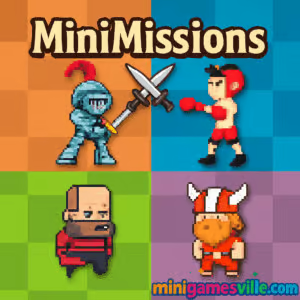
Hit Play now and jump into MiniMissions on Minigamesville. This fast, one-button browser game bundles dozens of bite-size challenges into a single, highly replayable package. If you love quick reaction tests, precision timing, and short levels you can master in minutes, MiniMissions delivers. Play online for free right in your browser, no download needed. Whether you are on a Chromebook at school, a Windows laptop at home, or your phone on the go, this unblocked arcade experience is made for instant fun. Ready to chase new personal bests and unlock the next challenge in MiniMissions? Tap the Play button above and start your run.
About MiniMissions
MiniMissions is a skill-based arcade collection that strings together quick, focused mini games into a progressive ladder. Every win moves you forward, every missed beat sends you back to try again. The format is perfect for short sessions, yet surprisingly deep when you start optimizing timing windows, physics arcs, and level routes.
History of MiniMissions
Born from the modern wave of single-input mini games, MiniMissions channels classic arcade vibes with compact levels and snappy restarts. The browser version shines for instant access and shareable runs, while a native Android edition gives mobile players an offline option.
Style & Vibe
The look is clean and retro-inspired, with bold shapes and readable silhouettes that keep your focus on reaction and timing. Snappy sound cues and short failure loops encourage a just-one-more try rhythm that hooks you fast.

Gameplay in MiniMissions
Each mission is a compact challenge with one clear goal: act at the right moment. You might thread a jump between hazards, time a boost to clear a gap, or tap to change direction mid-air. The physics are consistent across missions, so skills carry over as you climb. Failures are short and instructive, and restarts are instant, which keeps momentum high and frustration low.
Game Modes
- Challenge Ladder: progress mission by mission, unlocking the next stage when you succeed.
- Quick Retry: instant restarts keep you in the flow, perfect for shaving milliseconds or tightening timing.
- Time-pressured Missions: some stages add a countdown to push faster inputs and cleaner routes.
How to Play
- Press Play above to launch MiniMissions on Minigamesville.
- Read the short on-screen prompt that explains the goal of the current mission.
- Use one input, tap or click, to jump, switch direction, trigger a boost, or interact as required.
- Complete the objective to unlock the next mission. Miss it, and retry instantly.
- Repeat to climb the mission ladder and set new records.
Controls
- Desktop: Left mouse click or Spacebar for the single action.
- Mobile: Tap anywhere on the game canvas.
- Gamepad: Most browsers map A or Cross to primary input when supported.
Device Compatibility & Browser Support
This HTML5 browser game runs smoothly on modern Chrome, Edge, Firefox, and Safari. It is friendly with Windows, macOS, Linux, and Chromebooks. On mobile, use the latest Chrome on Android or Safari on iOS for the best touch response. Close heavy tabs and keep your browser updated to maintain stable frame rates.
Mobile vs. Desktop Gameplay
- Desktop advantages: larger screen, precise spacebar or mouse timing, easy multi-tabbing for quick breaks.
- Mobile advantages: perfect for short bursts, tap timing feels natural, plays well in portrait or landscape depending on your device.
Can I Play Offline?
In the browser, MiniMissions requires an internet connection. If you prefer offline play on Android, download the official mobile version from Google Play after launching it once.
Can I Play Unblocked?
MiniMissions plays right in your browser on Minigamesville. Many school and office networks allow HTTPS gaming sites, so it often works unblocked. If your network restricts games, try from a home connection or mobile data.
- Play free in your browser on Minigamesville, right on this page.
- Android: MiniMissions on Google Play
- iOS: There is no official App Store version at this time.
Beginner Tips
- Watch one fail on purpose to learn the timing window, then commit on the next attempt.
- Keep your pointer or thumb in the same spot so your input timing stays consistent.
- Count beats in your head on rhythm-based missions to lock in tempo.
- If a stage tilts or scrolls, look ahead of your character, not at it.
Advanced Strategies
- Buffer inputs early in the window on fast cycles, late on slow cycles to reduce over-shooting.
- Use micro-pauses between taps to resync with moving hazards.
- Route plan: pick reference landmarks on the background to time jumps or flips.
- Chase consistency before speed. Clean clears unlock faster lines naturally.
Features
- ⚡ One-button controls that feel great on keyboard, mouse, or touch
- 🧩 Dozens of compact missions with unique twists
- 🔁 Instant restarts for rapid learning loops
- 📈 Progression that unlocks new challenges as you improve
- 🎯 Precision timing and tight physics for satisfying clears
- 📱 Plays on desktop, mobile, and Chromebook
- 🔊 Crisp effects that reinforce timing cues
- 🏆 Personal best chasing and quick brag-worthy runs
Unlockables & Secrets
As you clear missions, new challenges appear and difficulty ramps. Some stages reveal alternate patterns when you change your approach or delay your input. Experiment with late taps and early taps to surface small route changes.
Cheats & Mods
There are no official cheats for MiniMissions. Browser mods or injector scripts can cause crashes or data loss. For stable performance, play the vanilla version on Minigamesville or use the verified Android app.
Walkthrough Summary
Start by observing each mission’s loop for one cycle, then act with a single confident input. Use the first three attempts to time hazards, the next three to execute. If you stall, switch to another device or resize your browser window to refresh your rhythm and field of view.
Scoring, Records & Progression
Your progress is measured by missions cleared and personal bests. Track how many consecutive clears you can chain without a miss, and aim to reduce attempts per mission over time. Many players find success by setting micro-goals like three perfect clears in a row before moving on.
Why Play MiniMissions
It is the ideal quick-fix arcade experience: zero friction to start, instant retries, high ceiling for mastery. MiniMissions online feels at home in a browser, and the Android version lets you grind timing skills offline wherever you are.
Pros & Cons of MiniMissions
- Pros: instant access, crisp one-button design, tight physics, great for short sessions, runs well on most devices.
- Cons: difficulty spikes can be spicy, single-input format may feel minimal if you prefer complex controls.
- Keep your browser updated for best input latency and audio timing.
- Close heavy tabs, pause video streams, and disable unused extensions while playing.
- On laptops, plug in power and switch your OS to a performance profile.
- If inputs feel delayed, toggle hardware acceleration in your browser settings and test again.
Similar games to MiniMissions
- Avoid Dying — one-tap timing challenge with instant restarts.
- Double Bounce — keep the ball alive with precise taps.
- Ping Pong Chaos — chaotic physics ping pong built for quick laughs.
- Drive Mad — short, tricky vehicle levels that test throttle control.
- Big Tower Tiny Square — precision platforming with tight hazards.
- Winter Dodge — nimble dodging and reaction-heavy patterns.
- 100 Golf — minimalist golf puzzles with clean physics.
- Arrower — directional puzzles where timing sets the path.
FAQ
What kind of game is MiniMissions?
It is a skill-based browser game made of short missions that use one input and tight timing.
Is MiniMissions free to play?
Yes, you can play MiniMissions online for free on Minigamesville in your browser.
Does MiniMissions work on Chromebook?
Yes, it runs well on modern Chromebooks using Chrome.
Can I play MiniMissions unblocked at school?
Many school networks allow the game to load over HTTPS, so it often works. If it is blocked, try again from a home or mobile network.
Is there a mobile app for MiniMissions?
There is an official Android version on Google Play, and you can play the browser game on mobile too.
Do I need a controller?
No, one mouse click, the spacebar, or a tap is all you need. Some controllers may work through your browser, but they are optional.
Conclusion
MiniMissions is a compact blast of arcade energy. The one-button design, fast physics, and instant retries make it easy to learn and rewarding to master. Whether you have 2 minutes or 20, there is always time for one more mission.
Scroll up, press Play, and chase your next clear in MiniMissions on Minigamesville. If you like quick, unblocked browser challenges you can play anywhere, this one belongs in your rotation.

 Loading...
 English
 Shqip
Shqip
 বাংলা
বাংলা
 Български
 简体中文
简体中文
 Hrvatski
 Čeština
 Dansk
Dansk
 Nederlands
 Suomi
Suomi
 Ελληνικά
 हिन्दी
 Magyar
 Bahasa Indonesia
 日本語
日本語
 한국어
한국어
 Lietuvių
 Bahasa Melayu
 Norsk
Norsk
 Polski
 Português do Brasil
 Română
 Slovenčina
 Slovenščina
 Svenska
 ไทย
ไทย
 Türkçe
 Українська
 اردو
اردو
 Tiếng Việt
 isiZulu
 Español
 Français
 Deutsch
 العربية
 Italiano
 فارسی
فارسی
 Русский