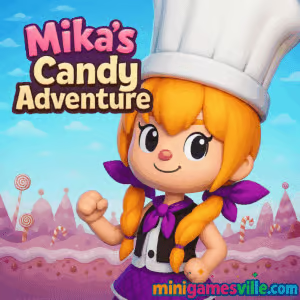
Click Play and dive into Mika’s Candy Adventure on Minigamesville right now. This charming, free online puzzle browser game serves bite-size logic challenges with a sweet twist. Guide cupcakes onto target tiles, plan smart pushes, and use handy undo moves to chase perfect clears. Whether you are on Chromebook, a Windows laptop, Mac, iPhone, or Android, Mika’s Candy Adventure runs in your browser, unblocked on most networks. If you love cute visuals and clever brain teasers, tap in and start stacking those sugary wins.
About Mika’s Candy Adventure
Mika’s Candy Adventure is a grid-based push puzzle that rewards careful planning and clean routes. Each level presents a compact stage sprinkled with confectionery obstacles. Your goal is to nudge cupcakes onto marked tiles without getting stuck, all while keeping move counts low. Short levels, quick restarts, and an instant undo keep the loop snappy and satisfying. Play a couple of minutes between tasks or sink an hour perfecting routes across multiple candy worlds.
History of Mika’s Candy Adventure
This title sits in the modern wave of HTML5 push puzzlers inspired by classic Sokoban, reimagined with colorful candy themes and mobile-friendly controls. It is built for fast loading, smooth play in current browsers, and easy access for players who want zero downloads and instant fun.
Style & Vibe
Expect a bright pastel palette, soft glow effects, and a cozy soundtrack that makes thinking feel relaxing. Animations are crisp, tile feedback is clear, and the UI stays out of the way. It all supports that one-more-try loop Mika’s Candy Adventure is known for.

Gameplay in Mika’s Candy Adventure
Levels are compact arenas with walls, corners, and marked goal tiles. Cupcakes only move when pushed, and every push slides them one tile at a time. You cannot pull, so foresight matters. The challenge is avoiding deadlocks, using walls as bumpers, and sequencing pushes to guide each cupcake home. Undo lets you step back and try a new line, while restart resets the board for a fresh attempt. Later puzzles blend tighter corridors with multi-cupcake juggling that locks in that satisfying aha moment.
Game Modes
- Level Progression – Clear stages in order as difficulty ramps and layouts grow trickier.
- Perfect Move Chasing – Replay unlocked levels to minimize moves or time for personal bests.
- Practice & Reset – Restart any time to refine routes and commit clean solutions.
How to Play
- Scan the grid to spot goal tiles and cupcake positions.
- Map your route from the goals backward to avoid pushing into corners.
- Use walls to line up straight pushes and keep pathways open.
- Nudge cupcakes onto targets, then undo or restart if you create a block.
- Re-run the stage to shave moves and set a new personal record.
Controls
- Desktop: Arrow keys or WASD to move Mika, R to restart level, U to undo a step.
- Mouse or Trackpad: Click buttons for undo or restart if shown.
- Mobile: Swipe to move, tap UI buttons to undo or restart.
- Zoom: Pinch on mobile or use mouse wheel on desktop if supported.
Device Compatibility & Browser Support
Mika’s Candy Adventure is an HTML5 browser game. It runs smoothly on current versions of Chrome, Edge, Safari, Firefox, and mobile browsers on iOS and Android. For best results, keep a stable internet connection while the game loads, close heavy background tabs, and enable hardware acceleration in your browser settings.
Mobile vs. Desktop Gameplay
On desktop, keyboard movement delivers precise step timing for tight puzzles. On mobile, swipe movement feels natural for quick sessions. Both play great, so go with the device you use most.
Can I Play Offline?
Mika’s Candy Adventure loads in your browser, so you need an internet connection to start a session. After assets load, some levels may continue if your connection drops, but refreshing the page will require internet again.
Can I Play Unblocked?
Yes, it is an unblocked online game for most school and work networks. If your network restricts games, try a different browser, clear cache, or switch to a personal connection.
- Web: Play Mika’s Candy Adventure right here on Minigamesville in your browser.
- iOS and Android Apps: There is no official App Store or Google Play version of Mika’s Candy Adventure at this time.
- Want a similar mobile puzzle? Try Monument Valley, a premium perspective-shifting puzzler with beautiful design:
Tips & Tricks
Beginner Tips
- Work backward from goal tiles to avoid pushing cupcakes into corners.
- Use walls as guides to align straight pushes.
- Move one cupcake at a time to reduce chaos, then weave paths together.
- Restart early if you see a deadlock forming. It saves more time than forcing a bad line.
Advanced Strategies
- Plan two or three moves ahead and reserve escape lanes for Mika.
- Create temporary parking spots so cupcakes do not block future routes.
- When two goals sit in a row, fill the farthest one first so the near goal stays reachable.
- Chase low-move clears by grouping pushes, using the shortest wall-assisted path each time.
Features
- 🍰 Sweet push-puzzle gameplay with clean, grid-based logic
- 🧠 Quick levels that sharpen planning and spatial thinking
- ↩️ Instant undo and fast restarts for stress-free iteration
- 🎯 Target tiles and tight layouts that reward perfect routes
- 🎨 Bright candy visuals and smooth micro-animations
- 📱 Keyboard or swipe controls, great on mobile and desktop
- ⚡ HTML5 performance, no downloads required
- 🏆 Replay for personal bests in time or move count
Unlockables & Secrets
As you progress through Mika’s Candy Adventure, new layouts introduce fresh hazards and tighter corridors. Replay earlier levels to uncover cleaner routes and discover clever wall setups that shave multiple moves. Chasing perfect lines becomes its own collectible challenge.
Cheats & Mods
There are no built-in cheats, and third-party mods are not recommended. The intended way to master levels is through planning, using undo, and replaying for better routes.
Walkthrough Summary
Early stages teach fundamentals like aligning pushes and avoiding corners. Midgame paths start to interlock, where one cupcake must be parked while another passes. Late layouts call for multi-step sequencing and smart use of walls to reverse direction safely. If you get stuck, step back a few moves, make space, and rebuild the route with a clearer end state in mind.
Scoring, Records & Progression
Track your personal bests by replaying for fewer moves and faster finishes. Many players set informal goals like zero wasted steps or full clears without undos. Progression rewards consistency, not speed alone, so do not be afraid to rethink the board.
Why Play Mika’s Candy Adventure
It is easy to start, hard to master, and perfect for short sessions. Mika’s Candy Adventure blends cozy art with tight logic, creating a satisfying rhythm of plan, push, and polish. If you enjoy brain games, sokoban-style challenges, or casual logic puzzles, this one belongs in your daily rotation.
Pros & Cons of Mika’s Candy Adventure
- Pros: Clever bite-size puzzles, instant undo, great browser performance, friendly visuals.
- Cons: No pull mechanic, so deadlocks can happen if you rush. Perfection runs may tempt repeat attempts.
- Keep your browser updated for smoother input and better WebGL performance.
- Close heavy tabs or extensions before long sessions.
- On laptops, plug in power and enable hardware acceleration in browser settings.
- On mobile, switch to a stable connection and rotate to landscape if you want a wider view.
Similar games to Mika’s Candy Adventure
- Candy Thief — slide candies through tight lanes while avoiding traps.
- Candy Jump — tap timing and sweet reflexes on a colorful vertical run.
- Puzzle Blocks Classic — fit block shapes to clear the board with smart placement.
- Bubble Pop Adventures — match and pop bubbles across bite-size stages.
- Suika Sort — sort objects into neat stacks while planning ahead.
- Color Water Sort 3D — pour and organize liquids to solve colorful logic puzzles.
- Wordslide — slide letters on a grid to form words and clear goals.
FAQ
What kind of game is Mika’s Candy Adventure?
Mika’s Candy Adventure is a grid-based push puzzle browser game where you guide cupcakes onto target tiles using careful movement and planning.
Is Mika’s Candy Adventure free to play?
Yes, you can play it free online right here on Minigamesville with no download.
Does it work on Chromebook?
Yes, it runs in modern browsers on Chromebook, as well as Windows, macOS, iOS, and Android.
Can I play unblocked at school or work?
In many cases, yes. If a firewall blocks it, try a different browser, clear cache, or use a personal connection.
How do I undo or restart?
Use the on-screen buttons or keyboard shortcuts. Undo steps back one move, and restart resets the current level.
Does the game save progress?
Your progress can be stored in the browser. If you clear cookies or switch devices, progress may reset.
Is there an official mobile app?
No official app exists for Mika’s Candy Adventure. For a polished mobile puzzle, try Monument Valley on iOS and Android using the links above.
Can I use a controller?
The game is designed for keyboard and touch. Some controllers may map to arrow keys, but keyboard or swipe is recommended.
Conclusion
Mika’s Candy Adventure delivers that perfect blend of cozy candy art and clean, thoughtful puzzle play. Smart layouts, instant undo, and fast restarts make it easy to learn and rewarding to master. If you are craving a sweet brain workout you can play anywhere, this online puzzle is an excellent pick.
Ready to play Mika’s Candy Adventure? Hit the Play button above and enjoy it right here on Minigamesville. Set a new personal best, replay for perfect routes, and share your sweetest clears with friends.

 Loading...
 English
 Shqip
Shqip
 বাংলা
বাংলা
 Български
 简体中文
简体中文
 Hrvatski
 Čeština
 Dansk
Dansk
 Nederlands
 Suomi
Suomi
 Ελληνικά
 हिन्दी
 Magyar
 Bahasa Indonesia
 日本語
日本語
 한국어
한국어
 Lietuvių
 Bahasa Melayu
 Norsk
Norsk
 Polski
 Português do Brasil
 Română
 Slovenčina
 Slovenščina
 Svenska
 ไทย
ไทย
 Türkçe
 Українська
 اردو
اردو
 Tiếng Việt
 isiZulu
 Español
 Français
 Deutsch
 العربية
 Italiano
 فارسی
فارسی
 Русский