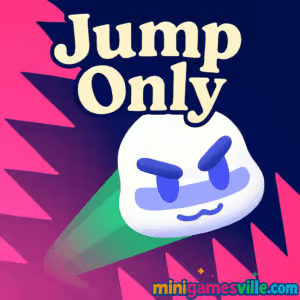
Click Play to jump in now. Tackle precision platforming in Jump Only on minigamesville.com and see how far your timing can take you. This online browser game delivers tight, tap-or-keyboard jumps, fast restarts, and bite-size stages perfect for quick sessions or marathon climbing. If you love minimalist platformers, obstacle dodging, and quick reflex challenges, Jump Only is your next obsession. Ready to chase new personal bests and clean runs? Press start above and play Jump Only unblocked right here.
About Jump Only
Jump Only is a high-skill platformer where movement equals jumping. Each tap sends your character arcing left or right, and every decision happens in milliseconds. Spikes, saws, and moving hazards demand sharp reads and clean execution. With snappy physics and instant respawns, it nails that one-more-try loop that keeps browser game fans coming back. Whether you are warming up your hands or speedrunning after school, Jump Only makes precision fun.
History of Jump Only
Created by indie developer Kimo, Jump Only found an audience as a polished HTML5 platformer. Its level-first design, simple controls, and tough-but-fair layouts helped it spread across web portals and school-friendly gaming pages. Today it remains a go-to pick for players who want pure skill without the fluff.
Style & Vibe
Clean geometry, strong color contrast, and crisp effects keep the focus on hazards and timing. Animations read clearly at a glance, so you can parse danger fast and commit to a line. Expect a steady difficulty curve and theme shifts that refresh the action every few stages.

Gameplay in Jump Only
The core loop is simple: aim your next jump, commit, then correct mid-run. You will thread narrow gaps, bounce from small ledges, and bait moving blades before they catch your landing. Levels reward rhythm and patience. Learn hazard cycles, buffer inputs during airborne moments, and tighten angles to shave seconds. With instant resets, experimentation feels fast and fun. Jump Only delivers that classic browser game flow where mechanical mastery equals progress.
Game Modes
- Level Progression clear a curated set of handcrafted stages that ramp in difficulty.
- Speedrun Practice replay completed levels to improve lines and reduce mistakes.
- Perfect Runs challenge yourself to reach the goal with zero deaths.
- Warmup Sessions use early levels to build consistency before tackling late-game gauntlets.
How to Play
- Scan the layout and spot safe platforms before you move.
- Choose a direction, then jump on the beat of moving hazards.
- Use short hops for tight spacing and longer arcs for gap clears.
- Pause a moment after landing to sync with saws and spike pistons.
- Refine your route, then chain clean jumps for the finish.
Controls
- Jump left: A, Left Arrow, or Left Mouse Button
- Jump right: D, Right Arrow, or Right Mouse Button
- Restart level: R or on-screen reset if available
Device Compatibility & Browser Support
Jump Only runs in-browser on modern Chromium-based browsers, Firefox, and Safari. No download needed and progress-friendly for quick sessions. Keep your browser updated for the smoothest frame pacing and input response.
Mobile vs. Desktop Gameplay
- Mobile tap controls are great for casual play and pattern learning.
- Desktop keyboard inputs offer tighter timing for speedrun attempts.
Can I Play Offline?
Jump Only is an online browser game. You need an active connection to load and play reliably.
Can I Play Unblocked?
Many school and work networks allow HTML5 games that run over HTTPS. If a filter blocks game pages, try a home network or mobile data. Jump Only runs directly in your browser, so there is no install step to flag.
- Web play on minigamesville.com using the embedded iframe above.
No official Google Play or App Store version of Jump Only exists at this time. Prefer a mobile app with a similar feel? Try Dreadhead Parkour on the stores below:
Tips & Tricks
Beginner Tips
- Count hazard cycles out loud to build a rhythm before committing.
- Favor safe landings over big leaps. Survive first, optimize later.
- Land near platform centers to keep corrective jumps available.
- Use shorter taps to micro-adjust your arc when space is tight.
Advanced Strategies
- Route planning: mark two backup landings for every risky jump.
- Cycle stealing: jump early to slip past a saw just as it retreats.
- Edge buffering: launch from platform corners to widen your angle options.
- Segment splits: time each section and grind the slowest one until it matches your pace.
Features
- ⚡ Instant restarts for fast learning loops
- 🎯 Precision jump physics that reward timing and control
- 🧩 Handcrafted stages with evolving obstacle patterns
- 📈 Smooth difficulty curve that ramps to late-game gauntlets
- 🕹️ Keyboard, mouse, and touch-friendly input
- 🔁 Replay-friendly design for speedruns and perfect clears
- 🔊 Punchy effects and clean visuals that highlight hazards
- 🌐 Playable directly in your browser with no download
Unlockables & Secrets
Jump Only keeps the focus on execution. The fun is in mastering routes, finding safer micro-landings, and discovering faster lines. Watch for alternate platforms that let you skip a hazard cycle or cut a corner.
Cheats & Mods
We recommend playing vanilla. External scripts or trainer extensions can break physics and hurt performance. If a level feels rough, switch devices or tweak browser settings instead of modifying game code.
Walkthrough Summary
Early stages teach platform spacing and saw timing. Mid-game adds tighter ledges, moving traps, and quick two-jump sequences that force split-second choices. Late levels combine everything: off-beat cycles, narrow landing windows, and momentum checks. Conquer them by chunking the stage, mastering one section at a time, then linking segments into a clean run.
Scoring, Records & Progression
Progress by clearing levels and shaving your time per segment. Track personal bests, death counts, and clean-run attempts. Rerun favorite stages to lock in muscle memory, then return to late-game to convert those gains into new clears.
Why Play Jump Only
If you enjoy tight platformers where success depends on timing, spacing, and nerves, Jump Only hits the sweet spot. It is quick to learn, hard to master, and perfect for quick browser breaks or deep practice sessions.
Pros & Cons of Jump Only
- Pros responsive physics, instant restarts, satisfying difficulty curve, clean visuals, zero install.
- Cons demanding later levels, minimal onboarding, no native offline mode.
- Use an up-to-date browser and enable hardware acceleration.
- Close heavy tabs and pause background streams during tough levels.
- On laptops, plug in power and set performance mode for steadier frames.
- Disable aggressive ad blockers on this page if input feels delayed.
Similar games to Jump Only
- Big Tower Tiny Square classic precision platforming up a single giant tower with tight checkpoints.
- Big Tower Tiny Square 2 a tougher sequel with new traps and flappy-style jumps mixed in.
- Slime Laboratory stretchy physics platforming where momentum and shape control matter.
- Kori Walk tricky step-by-step movement puzzles that reward planning and patience.
- Plonky minimalist jumps and midair course corrections across compact challenge rooms.
- Double Bounce time two-stage bounces to clear hazards with style.
- Fire Road one-button runner vibes with tight gaps and fast rhythm changes.
- Avoid Dying bite-size skill trials that punish hesitation and reward clean inputs.
FAQ
Is Jump Only free to play?
Yes, Jump Only is free to play as an online browser game on minigamesville.com.
Does Jump Only have checkpoints?
Levels are designed for fast retries, and many stages allow quick restarts so you can learn patterns without long backtracking.
How long is Jump Only?
Expect a steady ramp of handcrafted levels that will take multiple sessions to master, depending on your skill and speedrun goals.
What are the best settings for low-end devices?
Use a modern browser, close other tabs, enable hardware acceleration, and keep your device on high-performance power mode.
Can I use a controller?
Jump Only is optimized for keyboard, mouse, and touch. Some browsers can map controller inputs, but results vary by setup.
Why do my jumps feel inconsistent?
Most misses come from timing against moving hazards. Slow down for one cycle, reset your rhythm, then commit to a clean arc.
Is Jump Only unblocked at school?
Access depends on local filters. Since it runs in-browser, many networks allow it. If blocked, try a different connection.
Conclusion
Minimalist controls, maximum hype. Jump Only turns left-right jumps into a satisfying dance of timing and precision. From the first clean landing to your final perfect run, it rewards smart routing and steady hands.
Scroll up, hit play, and dive into Jump Only on minigamesville.com. Learn the cycles, trust your muscle memory, and nail that last jump. Your next personal best is one clean arc away.

 Loading...
 English
 Shqip
Shqip
 বাংলা
বাংলা
 Български
 简体中文
简体中文
 Hrvatski
 Čeština
 Dansk
Dansk
 Nederlands
 Suomi
Suomi
 Ελληνικά
 हिन्दी
 Magyar
 Bahasa Indonesia
 日本語
日本語
 한국어
한국어
 Lietuvių
 Bahasa Melayu
 Norsk
Norsk
 Polski
 Português do Brasil
 Română
 Slovenčina
 Slovenščina
 Svenska
 ไทย
ไทย
 Türkçe
 Українська
 اردو
اردو
 Tiếng Việt
 isiZulu
 Español
 Français
 Deutsch
 العربية
 Italiano
 فارسی
فارسی
 Русский