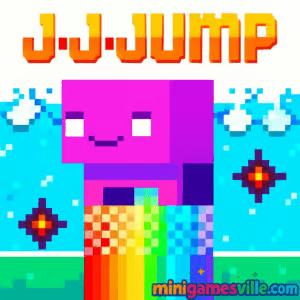
Play J-J-Jump Online on Minigamesville
Hit Play and jump right in: enjoy J-J-Jump on Minigamesville.com today. This fast, retro-style platformer browser game squeezes tight jumps, rising hazards, and clever resource management into quick sessions that hook you fast. J-J-Jump blends arcade reflexes with light puzzle timing, perfect for a quick coffee-break climb or a marathon of retries. If you love jump-based platformers, skill challenges, and unblocked online fun, this one is ready to go in your browser. Click Play, climb the tower, and see how high you can carry your jump meter in J-J-Jump.
About J-J-Jump
J-J-Jump is a compact vertical platformer built around a simple twist: your jumps are limited. Each stage pushes you up a hazard-filled shaft while water rises below. You will ration jumps, collect extra charges, bounce off walls, and thread moving platforms. The result is a snappy, restart-friendly challenge loop that rewards smart routing as much as sharp reflexes. It is a lean, high-replay browser game that feels great on desktop keyboards and modern mobile browsers.
History of J-J-Jump
J-J-Jump first appeared on the web scene in the early 2010s and carried a distinctive pixel-art style that fans of retro arcade and indie platformers will recognize instantly. Designed for short, punchy sessions, it helped popularize quick vertical climbers where managing a finite jump pool is the entire meta. Today it plays smoothly in modern browsers, and the minimalist, 8-bit vibe still hits.
Style & Vibe
The look is crunchy pixels, bright collectibles, and clean silhouettes that make hazards pop. Chiptune-like cues and sharp sound effects keep the tempo high without getting in the way of concentration. The feel is classic arcade: learn a section, shave a mistake, climb a little higher.

Gameplay in J-J-Jump
Every run starts at the bottom of a vertical gauntlet. Platforms shift, spikes punish sloppy jumps, and a flood inches up to keep pressure on. You move horizontally between safe ledges, spend precious jumps to gain height, and grab pickups that refill your jump stock. The core loop balances efficiency with safety. Spend too many jumps and you stall later. Spend too few and the rising water catches you. That tension is the magic of J-J-Jump.
Game Modes
- Level Climb: Beat handcrafted levels with a finite jump pool and rising water.
- Time Trial: Replay cleared levels and chase a faster personal best with cleaner routing.
- Practice: Restart from recent checkpoints to master tricky sections without pressure.
How to Play
- Start the level and scan the next few platforms for refill pickups and safer landings.
- Move horizontally to line up clean vertical gains. Avoid panic jumps.
- Spend jumps only when a refill or stable ledge is guaranteed above.
- Use moving platforms to ride upward while conserving jumps.
- If you get stuck, reset to the latest checkpoint and try a tighter route.
Controls
- Arrow keys or A/D: move left and right
- Up arrow or W: jump
- R: quick restart at the last checkpoint or level start
- Esc or P: pause menu
Device Compatibility & Browser Support
J-J-Jump runs in modern Chromium-based browsers, Firefox, and Safari. Desktop delivers the tightest control for speedrunners thanks to precise keyboard input. Mobile browsers can load the game, but smaller screens and touch controls make certain sections tougher.
Mobile vs. Desktop Gameplay
- Desktop: best for accuracy, fastest times, and reliable frame pacing.
- Mobile: handy for casual climbs, but we recommend landscape mode and a stable connection.
Can I Play Offline?
The game needs an internet connection to load. After initial load, some browsers may cache assets, but a fresh session typically requires being online.
Can I Play Unblocked?
J-J-Jump on Minigamesville usually works on school and work networks that allow gaming sites. If it is blocked, try HTTPS, a different browser, or a personal connection. Always follow your local network rules.
- Browser: play on Minigamesville.com, no download required.
- iOS and Android: there is no official J-J-Jump mobile app.
If you want a similar mobile experience, try these official store classics:
Tips & Tricks
Beginner Tips
- Plan two platforms ahead so you never spend your last jump blind.
- Use moving platforms to gain height for free while your jump meter recovers via pickups.
- Center your landings. Clipped edges lead to panic jumps and wasted charges.
- If the water is close, climb safely to the next checkpoint before hunting coins.
Advanced Strategies
- Route for refills. A slightly longer path with a pickup beats a risky direct line.
- Stutter steps: tiny left-right nudges can realign your arc without spending a jump.
- Buffer jumps on moving platforms so you launch at the top of their cycle.
- Speedrun mindset: restart early when a route goes off script to protect your time.
Features
- 💠 Tight jump physics with limited charges
- 🧱 Moving, disappearing, and spike-lined platforms
- 💧 Rising hazard that keeps the pressure high
- 🔁 Instant restarts and smart checkpoints
- 🎯 Skill-first design with room for speedrunning
- 🎵 Crisp retro audio and clean pixel art
- 📈 Replayable levels with time-chase goals
- 🕹️ Keyboard-first controls that feel great
Unlockables & Secrets
Expect jump-refill pickups, hidden side paths that save a charge or two, and optional coin routes that reward confident platforming. Some levels hide safer ladders behind tricky first jumps, so explore a little before you commit to a line.
Cheats & Mods
There are no built-in cheats. Third-party mods or tampered builds can break saves or add input lag. For the best run, play the official browser version on Minigamesville and keep extensions to a minimum.
Walkthrough Summary
Clear each section by chaining safe landings, grabbing refills when they are on your route, and avoiding vertical dead ends. Use checkpoints as milestones. If you stall, reset to the checkpoint and try a tighter platform order. A good rule: never spend your last jump unless the next platform is guaranteed.
Scoring, Records & Progression
Progress is tracked by level clears, best times, and clean routes with minimal jump spending. Challenge yourself to shave seconds, collect more coins without drowning, and string together checkpoints with fewer jumps.
Why Play J-J-Jump
If you want a compact, browser-friendly platformer with real bite, J-J-Jump delivers. The limited-jump design keeps every move meaningful, and quick retries keep you in the zone. It is perfect for speedrunners and great for casual players who enjoy a tight arcade loop.
Pros & Cons of J-J-Jump
- Pros: punchy physics, smart checkpoints, satisfying mastery curve, no download.
- Cons: touch controls feel tougher than keyboard, later sections can be punishing.
- Use the latest Chrome, Edge, Firefox, or Safari.
- Close heavy tabs and disable aggressive ad or script blockers on the game page.
- Enable hardware acceleration in browser settings for smoother frames.
- If input feels off, try an incognito window with extensions off.
Similar Games to J-J-Jump
- Big Tower Tiny Square — precision platforming up a deadly tower with tight jumps and memorization.
- Big Tower Tiny Square 2 — a fresh tower with trickier traps and tougher timing windows.
- Slime Laboratory — squishy physics platformer where momentum and shape-shifting matter.
- Kori Walk — puzzle platformer about timing steps and avoiding hazards in compact stages.
- Super Oscar — side-scrolling jump and run with classic coin routes and enemies.
- Double Bounce — bounce-focused arcade platforming where rhythm keeps you alive.
- Bounce Ball — minimalist ball-jumping challenge with crisp physics and escalating tests.
- Stickman Go — lightweight stickman platformer that rewards confident jumps and quick reads.
FAQ
Is J-J-Jump free to play?
Yes, you can play the full browser game for free on Minigamesville.
Do I need to download anything to play J-J-Jump?
No, it runs online in your browser with no install required.
What is the goal in J-J-Jump?
Climb as high as you can through each level, manage your limited jumps, and avoid the rising water.
Does J-J-Jump work on mobile?
It can load on modern mobile browsers, but desktop keyboard controls provide better precision.
How do checkpoints work?
Reach a checkpoint and you can restart from there after a fall, which speeds up practice and time trials.
Why does the game feel laggy?
Close extra tabs, disable heavy extensions, enable hardware acceleration, and use an up-to-date browser.
Can I play J-J-Jump unblocked at school?
If your network allows gaming sites, it should load. If blocked, try a different browser or your home connection and follow local rules.
Is my progress saved?
Some browsers keep local progress. Clearing cookies or using private windows can reset it.
Conclusion
Short, sharp, and wonderfully tense, J-J-Jump takes the classic climb-everything idea and turns it into a resource puzzle where every jump counts. The rising water, moving platforms, and clean visuals keep you laser focused from the first leap to the last checkpoint.
Ready to test your route planning and reflexes in a slick online browser game? Hit Play on Minigamesville and conquer the tower in J-J-Jump. One more run is always the run.

 Loading...
 English
 Shqip
Shqip
 বাংলা
বাংলা
 Български
 简体中文
简体中文
 Hrvatski
 Čeština
 Dansk
Dansk
 Nederlands
 Suomi
Suomi
 Ελληνικά
 हिन्दी
 Magyar
 Bahasa Indonesia
 日本語
日本語
 한국어
한국어
 Lietuvių
 Bahasa Melayu
 Norsk
Norsk
 Polski
 Português do Brasil
 Română
 Slovenčina
 Slovenščina
 Svenska
 ไทย
ไทย
 Türkçe
 Українська
 اردو
اردو
 Tiếng Việt
 isiZulu
 Español
 Français
 Deutsch
 العربية
 Italiano
 فارسی
فارسی
 Русский