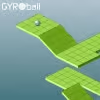
Introduction to Gyroball
Ready to test your balance, reflexes, and patience all at once? Gyroball is a fast, physics-based browser game where you guide a rolling sphere across narrow platforms and tricky ramps to a glowing goal. The hook: precise tilts, clean lines, and a timer that keeps your pulse up. Play Gyroball online right in your browser, no download needed, and enjoy it unblocked wherever permitted. If you love arcade skill challenges with clean physics and tight control, hit Play and see how far you can roll.
About Gyroball
Gyroball is a minimalist physics puzzle and arcade racer hybrid. The objective is simple: keep the ball on the path, avoid falling, and reach the exit as quickly as you can. Levels escalate in complexity with moving platforms, bumpers, friction changes, and tight switchbacks that reward focus and subtle inputs.
History of Gyroball
The concept borrows from classic marble-rolling games and tilt mazes. Over time, Gyroball evolved from early web releases into lightweight HTML5 versions that run smoothly on modern browsers, keeping the addictive roll-to-goal loop intact while improving responsiveness and visual clarity.
Style & Vibe of Gyroball
Expect clean geometric tracks, bright flags, and crisp sound cues when you hit checkpoints. The vibe is calm but intense, a satisfying blend of zen control and split-second corrections. Small touches like subtle shadows and smooth acceleration make Gyroball feel responsive and fair.
Gameplay in Gyroball
Each level starts with your ball perched near the edge. You accelerate, brake, and carve around corners while the camera follows. Physics matter: momentum builds on downhill segments, friction bites on textured tiles, and small overcorrections can send you off the side. The challenge grows with timed gates, narrow rails, and gently moving platforms that force you to read the level and plan micro-lines.
Game Modes
- Classic Levels: Progress through handcrafted stages with increasing difficulty and optional time goals.
- Time Attack: Beat par times for medals or stars, ideal for speedrunners.
- Endless Roll: Survive on a procedurally extended track and chase a distance high score.
- Challenge Packs: Focused sets that introduce one mechanic at a time, like ice tiles or bumpers.
- Practice Mode: Retry tough segments and learn optimal lines without pressure.
How to Play
- Start the level and preview the path for rails, ramps, and hazards.
- Use gentle inputs to build momentum, then feather your turns to stay centered.
- Pause briefly before tight corners to reset your line, then commit.
- Hit checkpoints where available, and keep an eye on the timer for bonus thresholds.
- Reach the glowing goal without falling to finish and log your best time.
Controls for Gyroball
- Arrow Keys or WASD: Roll and steer.
- Space: Quick stop or steady the ball on some versions.
- R: Restart current level instantly.
- P or Esc: Pause menu.
- M: Mute or cycle audio levels.
- Mouse or Touch: On mobile or some builds, a virtual joystick handles tilt.
Device Compatibility & Browser Support for Gyroball
Gyroball runs on modern Chromium-based browsers, Firefox, and Safari. Desktop play offers the most precise control with keyboard. Mobile works well on recent devices, especially if the build includes optimized touch controls and a stable 60 FPS cap.
Mobile vs. Desktop Gameplay
- Desktop: Best for precision, reliable arrow key taps, and consistent frame pacing.
- Mobile: Great for casual sessions, with responsive touch steering and quick retries. Use landscape orientation for a wider view.
Can I Play Offline?
Gyroball is designed for online play. Some HTML5 builds support offline caching if installed as a PWA, but progress sync and leaderboards typically need an active connection.
Can I Play Unblocked?
Many schools and workplaces restrict game sites. Look for an HTML5 version of Gyroball served over HTTPS with minimal external calls. If permitted by local rules, a mirrored unblocked version may load where standard portals do not.
Tips & Tricks for Gyroball
Beginner Tips
- Feather inputs: small taps correct your line without creating swing.
- Center your weight before ramps, then accelerate after landing.
- Walk the camera with short rolls to scout the next bend safely.
- Use edges as guides, hugging the inner rail on hairpins to reduce distance.
- If you fall twice on the same corner, stop earlier, then re-approach with less speed.
Advanced Strategies
- Drift management: enter turns wide, clip the apex, and exit straight to avoid overcorrection.
- Momentum banking: tap-brake on downhills to keep grip for the next chicane.
- Checkpoint routing: sometimes a slower route secures a checkpoint, unlocking riskier speed lines afterward.
- Micro-flicks: quick 10 to 15 millisecond taps can realign without killing speed.
- Camera timing: initiate turns when the camera stabilizes to reduce visual sway.
- Par-time splits: memorize split targets so you know when to reset early.
- Edge saves: if you skid, steer into the slide and reduce input to re-center.
- Practice segments: grind one obstacle until muscle memory forms, then reconnect the full route.
Features of Gyroball
- 🎯 Tight physics that reward precise, low-latency inputs.
- 🛣️ Handcrafted tracks with rails, ramps, and moving platforms.
- ⏱️ Time attack medals and global or local leaderboards.
- 🧊 Terrain variety like ice, rough pads, and bounce tiles.
- 🔁 Instant restarts for rapid practice and speedruns.
- 📱 Cross-device play on desktop and mobile browsers.
- 🔊 Clean sound cues for checkpoints and finishes.
- ⚙️ Lightweight HTML5 engine with quick loading.
Rules in Gyroball
- Stay on the track, falling off resets you to start or the last checkpoint.
- Reach the goal before time expires to record a completion.
- Avoid hazards like bumpers and moving blocks that toss you off-line.
- Use checkpoints in order, skipping one may void time bonuses.
- No rewind during ranked runs, only full restarts keep boards clean.
Unlockables & Secrets in Gyroball
- Cosmetic trails and ball skins for hitting par times across a pack.
- Hidden shortcuts on select levels, often through wider corners or raised rails.
- Expert tracks that appear after clearing standard stages with silver or better.
- Ghost replays once you set a personal best, handy for improving lines.
Cheats & Mods for Gyroball
There are no official cheats. Some community builds include sandbox or slow-motion practice, which help learning lines without affecting leaderboards. Avoid third-party scripts that affect gameplay or timers. Besides fairness concerns, tampering can break saves and cause crashes.
Walkthrough Summary for Gyroball
- World 1: Learn momentum control on wide tracks and basic ramps.
- World 2: Introduces narrow rails, staggered platforms, and early timers.
- World 3: Terrain mix with ice patches and bumpers that force speed discipline.
- World 4: Long chicanes, higher stakes, and tighter par times, ideal for speed lines.
- Final Set: Precision gauntlet with limited checkpoints, where patient micro-inputs win.
Scoring, Records & Progression in Gyroball
Your score reflects clear times, deaths, and optional collectibles. Par thresholds award bronze, silver, or gold, and perfect runs may unlock a diamond tier. Progression opens new level packs and cosmetics. Record chasers focus on clean apexes, minimal braking, and checkpoint splits that track segment pace.
Why Play Gyroball
Gyroball is quick to learn, hard to master, and perfect for short sessions or deep speedrun grinds. It runs smoothly on most devices, the levels teach by doing, and the physics feel great once you dial in your touch.
Pros & Cons of Gyroball
- Pros: responsive physics, instant retries, fair difficulty curve, satisfying time attack chase.
- Cons: precision can be tough on small touch screens, late-game rails may feel punishing for newcomers.
- Use a modern browser with hardware acceleration enabled.
- Close heavy background tabs, keep one window for the game to reduce input delay.
- If frames drop, set system power mode to performance and lower display refresh rate from extreme settings.
- On mobile, disable low power mode during play and lock orientation in landscape.
- Clear site data if controls feel laggy after many retries, then reload.
Similar Games
- Slope: A high-speed downhill runner with endless ramps and tight lane changes that challenge your reflexes in an unblocked browser format.
- Rolling Ball 3D: Guide a marble across floating platforms, collect gems, and chase time bonuses with responsive physics.
- Balance Ball: Classic tilt-maze energy where careful steering and speed control are the keys to survival.
- Run 3: Precision platforming in tunnels that test timing, momentum, and route planning for speedrun fans.
- Rolling Sky: Rhythm-infused obstacle dodging with crisp camera angles and swipe controls on mobile and desktop.
- Color Tunnel: Fast, colorful lanes with pattern recognition and quick direction swaps to keep you in the flow.
- Ballance Classic: A thoughtful 3D puzzle roller that rewards patience, careful rotations, and line choice.
- Marble Blast Online: Arcade marble rolling with bounce pads, collectibles, and time challenges for leaderboard hunters.
- Tilt Maze: Minimalist grid puzzles where your ball slides until it hits a wall, perfect for logic-first players.
- GyroSphere Trials: A sleek roller with momentum-heavy physics and tight checkpoint layouts built for mastery.
- Crazy Ball 3D: Fast tracks, quick resets, and jumps that demand smart speed management.
- Red Ball Adventure: Side-scrolling physics with switches, spikes, and puzzles that keep the action light and fun.
- Marble Run Challenge: Build-and-roll experimentation that teaches momentum and balance across user-made tracks.
- Rolling Orbit: Curved paths and gravity wells where planning lines is just as important as raw reaction.
FAQ
What is Gyroball?
It is a physics-driven browser game where you steer a rolling ball across narrow platforms to reach the goal as fast as possible.
Is Gyroball free to play?
Yes, most HTML5 versions are free to play online with optional cosmetic or level unlocks depending on the build.
Does Gyroball work on school Chromebooks?
Often yes, if WebGL is enabled and game sites are not blocked by your network admin.
How do I get better at tight corners?
Brake before the turn, tap to align, then accelerate out, focusing on early apexes and straight exits.
Is there multiplayer in Gyroball?
Direct head-to-head is rare, but ghost races and leaderboards let you compete asynchronously.
Can I save my progress?
Most versions auto-save locally, and some support cloud sync when logged in.
Why does the game feel slippery?
Certain tiles have reduced friction, so plan earlier braking and smoother steering on those surfaces.
Are there accessibility options?
Some builds include adjustable sensitivity, color contrast tweaks, and reduced camera sway to aid comfort.
Conclusion: Roll Into the Challenge
Gyroball captures the sweet spot between calm focus and high-stakes precision. With tight physics, instant retries, and smart level design, it is the kind of online skill game that keeps you saying just one more run.
Load up your favorite browser, fine-tune your controls, and aim for a new personal best. Whether you are chasing par times or simply cruising through early tracks, Gyroball is ready to roll. Try a few runs, share your top score, and come back to shave another second off your route.

 Loading...
 English
 Shqip
Shqip
 বাংলা
বাংলা
 Български
 简体中文
简体中文
 Hrvatski
 Čeština
 Dansk
Dansk
 Nederlands
 Suomi
Suomi
 Ελληνικά
 हिन्दी
 Magyar
 Bahasa Indonesia
 日本語
日本語
 한국어
한국어
 Lietuvių
 Bahasa Melayu
 Norsk
Norsk
 Polski
 Português do Brasil
 Română
 Slovenčina
 Slovenščina
 Svenska
 ไทย
ไทย
 Türkçe
 Українська
 اردو
اردو
 Tiếng Việt
 isiZulu
 Español
 Français
 Deutsch
 العربية
 Italiano
 فارسی
فارسی
 Русский