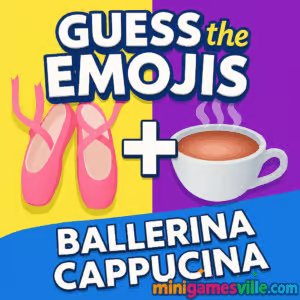
Play Guess the Emojis right now on Minigamesville.com and see how many witty emoji combos you can crack in a row. This fast, free online browser game blends word guessing with visual logic, perfect for quick brain breaks or a full-on puzzle binge. Whether you are on laptop, Chromebook, or phone, Guess the Emojis loads instantly, plays smoothly, and is friendly for unblocked play in many networks. Tap or click the emojis, read the clue, and decode the phrase before the timer bites. Ready to test your emoji IQ and climb the streak ladder? Hit Play and start guessing on Minigamesville.
About Guess the Emojis
Guess the Emojis is a bite-size puzzle experience where pairs or strings of emojis hint at a word, title, meme, or common phrase. Your job is to decode the meaning with limited letters or a short input field. It is light, fast, and perfect for casual puzzle fans who love clever visual wordplay. Expect snappy rounds, quick restarts, and a clean interface designed for modern browsers. If you enjoy emoji quiz challenges and crisp, no-download play, this one fits your queue.
History of Guess the Emojis
Emoji riddles have been a fan favorite across social feeds and puzzle apps for years, and Guess the Emojis brings that energy to a smooth web format. The style draws from classic picture puzzles, trivia, and word games, then packages everything into short rounds that feel great on mobile or desktop.
Style & Vibe
The vibe is bright, casual, and a little cheeky. Clean typography keeps the clues readable, while colorful emojis pop off the screen. Sound effects are subtle, animations are crisp, and each correct answer feels rewarding without slowing down the next challenge.

Gameplay in Guess the Emojis
Each level shows a small set of emojis. You interpret the combo and type or select the matching word or phrase. Levels ramp from easy everyday sayings to trickier cultural references. Hints help you nudge toward the answer, but careful letter use preserves your streak and score. The loop is addicting, and the difficulty curve rewards both quick thinkers and patient puzzlers.
Game Modes
- Classic: Solve sequential emoji puzzles and keep your streak alive.
- Time Attack: Race the clock to solve as many as possible.
- Daily Challenge: A curated set for one-and-done bragging rights.
- Endless Practice: Chill mode for learning patterns without pressure.
How to Play
- Look at the emoji combo and the clue, if provided.
- Think of a word, phrase, movie, or object the emojis represent.
- Type the answer or pick letters to fill the blanks.
- Use a hint if you are stuck, then submit.
- Chain correct answers to build streaks and score multipliers.
Controls
- Desktop: Mouse to select letters and buttons, keyboard to type answers, Enter to submit.
- Mobile: Tap letters, tap Backspace to correct, tap Submit when ready.
Device Compatibility & Browser Support
Guess the Emojis runs in modern browsers on Windows, macOS, Linux, ChromeOS, iOS, and Android. For best performance, use an up-to-date version of Chrome, Edge, Safari, or Firefox with hardware acceleration enabled.
Mobile vs. Desktop Gameplay
- Mobile: Perfect for short bursts, big touch targets, and quick swipes between puzzles.
- Desktop: Faster typing for tougher phrases and longer streak sessions.
Can I Play Offline?
This is an online browser game, so a stable internet connection is required. Keep your tab open during sessions to maintain progress.
Can I Play Unblocked?
Guess the Emojis runs in-browser with no downloads, which helps it stay accessible on many school or work networks. If your network restricts gaming, try a different browser profile or a personal device on a non-restricted connection.
Tips & Tricks
Beginner Tips
- Say it out loud. Speaking the emojis often reveals the phrase.
- Start literal, then pivot to puns or homophones if it feels off.
- Look for order. Left-to-right emojis usually map to word order.
- Use hints only when your streak is at risk.
- Remember categories like food, animals, movies, and common idioms.
Advanced Strategies
- Pattern library: keep mental notes of frequent emoji meanings, like ghost for “boo” or clock for “time.”
- Decompose tough combos into smaller chunks, then recombine.
- Watch plurals and tense. One emoji can imply many forms.
- Skip, then return. Seeing other puzzles can jog the answer.
- Play keyboard-first on desktop for faster letter entry.
Features
- 🧩 Quick-fire emoji riddles with instant feedback
- 🎯 Streaks and multipliers for perfect runs
- ⏱️ Time Attack mode for speed solvers
- 💡 Smart hints that nudge without spoiling fun
- 📱 Smooth play on phones, tablets, and laptops
- 🎨 Clean UI with crisp emoji rendering
- 🔁 Endless rotation of bite-size challenges
- 🔊 Subtle SFX that keep the pace snappy
Unlockables & Secrets
Expect progressive difficulty, optional hint bundles, and hidden phrases that pop only after certain streak thresholds. Keep an eye out for themed mini-sets tied to seasons or pop culture drops.
Cheats & Mods
There are no official cheats for Guess the Emojis. Third-party mods can break performance or put your device at risk. The best edge is practice, pattern recognition, and smart hint management.
Walkthrough Summary
Scan the emojis, test a literal reading, then try wordplay. Type confident letters first to lock structure, and save hints for late-stage puzzles. Build momentum with quick wins and protect your streak for higher scores.
Scoring, Records & Progression
Scores rise with speed, accuracy, and streak length. Misses reset multipliers, so play steady when the combo looks tricky. Aim for daily completions to track long-term improvement.
Why Play Guess the Emojis
It is fast, funny, and great for sharpening lateral thinking. Whether you are a word-nerd or a trivia fan, the emoji format stays fresh and surprisingly deep.
Pros & Cons of Guess the Emojis
- Pros: instant play, clever puzzles, smooth on any device, great for short sessions.
- Cons: harder late-game phrases can feel cryptic, and streak losses can sting.
- Keep your browser current and close heavy background tabs.
- Enable hardware acceleration in settings for smoother animation.
- If assets look stuck, hard refresh the page or clear cached files for the game.
Similar Games to Guess the Emojis
- Emoji Quest — collect and match emojis through puzzle stages with simple one-more-try loops.
- Wordsmith — connect letters to form words while the board reshapes your options.
- Word City Uncrossed — relaxing word links with a gentle difficulty climb.
- Geography Quiz: Flags and Capitals — quick-fire trivia rounds for map and flag fans.
- Brain Test: Tricky Puzzles — brainteasers with playful twists and gotchas.
- Correct Lie — solve oddball riddle scenarios with lateral logic.
- Green — minimalist level-by-level puzzles that reward experimentation.
- Diff — spot-the-difference sessions that train visual focus.
FAQ
What is Guess the Emojis?
It is a free online browser game where emoji combinations hint at words or phrases you must decode.
Is Guess the Emojis really unblocked?
The game runs in-browser with no downloads, which helps it stay accessible on many networks, though access still depends on local rules.
Do I need an account to play?
No account is required to start a session and enjoy quick rounds.
Are there timers or streaks?
Yes, optional timed modes and streak systems keep runs exciting and reward consistent accuracy.
Can I play Guess the Emojis on phone?
Yes, it plays great on mobile browsers with large tap targets and fast loads.
Does the game save my progress?
Progress for ongoing sessions can persist in your current tab, so keep the tab open during play.
Are there ads or in-app purchases?
The web version focuses on instant play. If you want a mobile app experience, you can try the official App Store and Google Play versions listed above.
Is there an official mobile app?
Yes, you can play on iOS via the App Store and on Android via Google Play using the links in the Platforms section.
Conclusion
Guess the Emojis is a speedy, satisfying mix of emoji quiz and word guessing that fits any break. Bite-size levels, playful clues, and a clean interface make it hard to put down.
Ready to flex your visual wordplay skills? Click Play on Minigamesville and dive into Guess the Emojis. Crack a few easy wins, build a streak, and see how far your emoji fluency can go.

 Loading...
 English
 Shqip
Shqip
 বাংলা
বাংলা
 Български
 简体中文
简体中文
 Hrvatski
 Čeština
 Dansk
Dansk
 Nederlands
 Suomi
Suomi
 Ελληνικά
 हिन्दी
 Magyar
 Bahasa Indonesia
 日本語
日本語
 한국어
한국어
 Lietuvių
 Bahasa Melayu
 Norsk
Norsk
 Polski
 Português do Brasil
 Română
 Slovenčina
 Slovenščina
 Svenska
 ไทย
ไทย
 Türkçe
 Українська
 اردو
اردو
 Tiếng Việt
 isiZulu
 Español
 Français
 Deutsch
 العربية
 Italiano
 فارسی
فارسی
 Русский