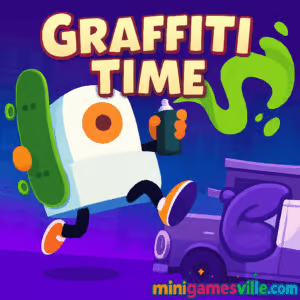
Play Graffiti Time online now on minigamesville.com and start tagging the city in style. Graffiti Time is a slick browser game that blends platforming, stealth, and street art into a creative rush. Sneak past security bots, hop on a mini cruiser board, and spray your mark before the cops show up. If you love fast, flexible platformers and want an unblocked option that runs right in your browser, hit Play and dive in. Paint clean lines, slap stickers, and master each level’s routes to perfect your technique and rack up coins. Ready to leave your tag? Click Play on minigamesville.com and jump into Graffiti Time.
About Graffiti Time
Graffiti Time is an urban platformer where you guide Mr. Fat Cap through compact stages filled with patrols, cameras, and interactive props. Your toolset is simple and satisfying: jump, glide, and spray. The joy comes from timing your movements, finding creative paths, and deciding exactly when and where to paint. Whether you’re new to platform games or a speedrun chaser, Graffiti Time’s bite-sized levels make it easy to try new routes and improve.
History of Graffiti Time
Graffiti Time began as a compact, creator-driven project celebrating street art culture and quick, replayable platforming. It later arrived as an HTML5 browser game so players could enjoy it instantly online with no downloads. The vibe and mechanics point to a mobile-friendly heritage, which explains its snappy level structure, short objectives, and pick-up-and-play pacing.
Style & Vibe
Every stage looks like a miniature city scene, with spots calling for stickers, throw-ups, or freestyle tags. The palette is bold, the animations are punchy, and the sound design nails that satisfying hiss of a spray can. The game leans playful rather than gritty, which keeps runs light and accessible.

Gameplay in Graffiti Time
Each level is a micro-challenge. Scope the patrol routes, hop on the board for speed, and use your paint wisely. You’ll unlock more sticker types and tagging spots as you progress. The physics are tight, double-jumping and hover-gliding feel responsive, and there’s just enough risk to make every successful tag feel earned. Finish fast for better rewards, or clear hidden objectives to maximize your haul.
Game Modes
- Story Levels: Short platform stages with patrol patterns, keys, and tag targets.
- Tag Challenges: Hit specific surfaces and object types in one run.
- Skate Sections: Use the mini cruiser to chain kickflips and grab bonus coins.
- Freestyle Spots: Enter tagging mode and craft a cleaner throw-up on highlighted objects.
How to Play
- Scout the level. Watch the guards and cameras for a few seconds.
- Plan your route to each tag location, saving a safe escape path.
- Move in, hold the paint button to tag, then retreat or continue to the next target.
- Use the board to cross long gaps and collect coins, then head for the exit.
Controls
- Desktop: Arrow keys or WASD to move, hold Up or W to hover or extend a jump, C to paint or enter tagging mode.
- Mobile: On-screen buttons for movement, jump or hover, and paint/tag.
Device Compatibility & Browser Support
Graffiti Time runs in modern browsers on desktop, Chromebook, and mobile. For the smoothest play, use the latest Chrome, Edge, Safari, or Firefox with hardware acceleration enabled. Close heavy background tabs if your device is older.
Mobile vs. Desktop Gameplay
Desktop gives you pixel-precise movement with keys. Mobile is great for casual runs, with larger UI buttons and short levels perfect for on-the-go sessions.
Can I Play Offline?
The browser version needs an internet connection to load and save progress. After the initial load, limited caching may let parts of the level replay if you stay on the page, but true offline play is not supported.
Can I Play Unblocked?
Graffiti Time is an HTML5 browser game. It typically works on school and work networks that allow gaming sites. If your network blocks games, try a different browser, update to the newest version, or play outside restricted networks.
- Browser: Play instantly on minigamesville.com, no download required.
- iOS: Official mobile version is available on the App Store. Download on App Store
- Android: Availability may vary by region. If you cannot find an official Google Play listing, try our suggested alternative below.
No Android on Google Play? Try a similar street-art runner with full mobile support:
Tips & Tricks
Beginner Tips
- Tag from cover. Start with the closest safe spot and retreat to reset patrols.
- Hold jump to glide. Extending airtime helps skip patrol cones and nail longer gaps.
- Use the board to chain coins, but step off before tight platform sections.
- Watch for vertical routes. Vents and stacked crates often hide faster paths.
Advanced Strategies
- Route planning: Plot a loop that minimizes backtracking and ends at the exit.
- Animation cancel: Start a tag, release early if a guard turns, then re-engage once safe.
- Sticker order: Apply higher-value tags first so a mistake costs less time.
- Speed coins: During skate segments, angle jumps to pass through coin arcs while avoiding patrol sightlines.
Features
- 🎨 Freehand tagging mode with clean lines and bold stickers
- 🛹 Mini cruiser board for speed, kickflips, and bonus coins
- 🕶️ Stealth-lite patrols that reward timing and smart routes
- ⚡ Tight, responsive platform controls and short stages
- 🔓 Unlockable stickers, colors, and new tag spots
- 📱 Plays online in your browser on desktop and mobile
- 🏆 Level goals and hidden challenges to master
- 🎵 Crisp effects that make every spray feel satisfying
Unlockables & Secrets
As you progress, you’ll open new sticker sets and special tag surfaces, plus find hidden routes that shave seconds off completion times. Keep an eye on vertical shafts and off-path rooftops for secret coins.
Cheats & Mods
There are no official cheat codes. Third-party mods can break saves or harm performance. For a safer edge, practice glide timing, learn guard cycles, and optimize your route.
Walkthrough Summary
Early levels teach tagging and evasion. Midgame stages add multi-key doors and moving hazards that demand glide control. Late levels combine tight patrol windows with longer skate lines. If you fail, restart quickly and try a different route order.
Scoring, Records & Progression
Your performance is a mix of speed, clean tags, and coins. Perfect runs come from linking tag spots with the shortest, safest line. Track your best times and aim to complete all hidden objectives in each stage.
Why Play Graffiti Time
Graffiti Time is quick to start, easy to grasp, and endlessly replayable. It captures the thrill of getting in, getting up, and getting out, all in compact, creative bursts that fit any schedule.
Pros & Cons of Graffiti Time
- Pros: Fast load, crisp controls, expressive tagging, short levels ideal for repeat runs.
- Cons: Minimal story, small stages can feel short once mastered, no true offline browser mode.
- Use the newest version of Chrome or Edge for stable frame rates.
- Enable hardware acceleration in browser settings.
- Close heavy tabs, streaming, or downloads while playing.
- On mobile, rotate to landscape and disable battery saver for smoother input.
Similar games to Graffiti Time
- Subway Surfers Bali — classic endless runner energy with trains, boosts, and stylish urban vibes.
- Parkour Block 6 — precise voxel jumps that test timing and platform fundamentals.
- Parkour Block 7 — tougher follow-up with trickier layouts and tighter margins.
- My Friend Pedro — acrobatic side-scrolling action with stylish slow-mo routes to master.
- Geometry Dash Lite — rhythm-based platforming where timing is everything.
- Short Life — obstacle-course platforming packed with hazards and cheeky physics.
FAQ
Is Graffiti Time free to play?
Yes, you can play Graffiti Time free online in your browser.
Does Graffiti Time work on Chromebooks?
Yes, the HTML5 version plays in modern Chromebook browsers without downloads.
Can I play Graffiti Time unblocked at school?
If gaming sites are allowed, the game loads in-browser. If blocked, try on a home or mobile network.
Is there a mobile version of Graffiti Time?
An official iOS version exists. Android availability can vary by region, so check your local store.
What are the default controls in Graffiti Time?
Use Arrow keys or WASD to move, hold Up or W to hover longer, and press C to paint or enter tagging mode.
How do I improve my score in Graffiti Time?
Plan a route that minimizes backtracking, tag high-value spots first, and use the board to chain coin lines.
Conclusion
Graffiti Time is a compact burst of creativity, tight movement, and street-art flair. The levels are quick, the controls are sharp, and the tagging loop feels great whether you’re chasing coins or perfect times. If you want a smart platformer that plays beautifully online, this one delivers.
Ready to paint the town your way? Click Play on minigamesville.com, launch Graffiti Time, and start stacking clean tags and fast exits today.

 Loading...
 English
 Shqip
Shqip
 বাংলা
বাংলা
 Български
 简体中文
简体中文
 Hrvatski
 Čeština
 Dansk
Dansk
 Nederlands
 Suomi
Suomi
 Ελληνικά
 हिन्दी
 Magyar
 Bahasa Indonesia
 日本語
日本語
 한국어
한국어
 Lietuvių
 Bahasa Melayu
 Norsk
Norsk
 Polski
 Português do Brasil
 Română
 Slovenčina
 Slovenščina
 Svenska
 ไทย
ไทย
 Türkçe
 Українська
 اردو
اردو
 Tiếng Việt
 isiZulu
 Español
 Français
 Deutsch
 العربية
 Italiano
 فارسی
فارسی
 Русский