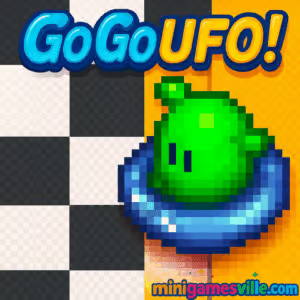
Hit Play and race now. Jump into Go Go UFO! on minigamesville.com and test your reflexes in a speedy arcade browser game built for instant fun. In Go Go UFO!, you pilot a tiny saucer around tight tracks, dodge hazards, and outpace friends in local multiplayer. It is fast, skill based, and perfect when you want an online, unblocked racing fix at school, work, or home. Ready to set a new lap record? Click Play, pick a track, and blast off in Go Go UFO! today.
About Go Go UFO!
Go Go UFO! is a pick up and play party racer with tight physics, minimal controls, and surprising depth. Each round lasts a minute or two, which makes it ideal for quick sessions or head to head showdowns. The camera stays close, the turns feel snappy, and every boost decision matters. The result is a classic-feeling racing arcade experience that shines as an online browser game you can launch in seconds on minigamesville.com.
History of Go Go UFO!
The game channels retro arcade vibes with compact track design, simple inputs, and local couch multiplayer. Its roots are in fast, top down racers where precision steering and risk versus reward boosts decide the podium. That timeless loop is alive here, now playable in modern browsers without downloads.
Style & Vibe
Clean pixel visuals, neon accents, and bouncy SFX make every bump and boost feel lively. The charming UFO racers keep the tone playful, even when split second mistakes cost a win.

Gameplay in Go Go UFO!
Races are short, three lap sprints on compact space tracks. Your saucer drifts with momentum, so feathering turns and timing boosts is key. Meteor shadows warn of incoming hazards, bumpers can ricochet you off line, and narrow bridges punish sloppy angles. Win by clean lines, smooth exits, and boost bursts on straights. Solo players chase best times, while 2 to 4 players can crowd a track for chaotic fun. Go Go UFO! rewards practice, and shaving tenths off your ghost run is incredibly satisfying.
Game Modes
- Time Trial race alone for your best lap and total time, then try to beat your ghost.
- Local Multiplayer 2, 3, or 4 players on one keyboard. First across the line wins after three laps.
- Custom Keys remap controls before the race so everyone gets a comfortable setup.
How to Play
- Click Play on minigamesville.com and select a track.
- Choose Time Trial or the number of players for local multiplayer.
- Optionally rebind keys, then hold boost on the starting beep.
- Feather left and right through corners, release boost when turning tight.
- Use shadows to anticipate meteors and steer clear of impact zones.
- Complete three laps. Beat the clock in solo, or beat your friends in multiplayer.
Controls
- Player 1 Left Z, Right X, Boost C
- Player 2 Left , Right . Boost /
- Player 3 Left 1, Right 2, Boost 3
- Player 4 Left Numpad 1, Right Numpad 2, Boost Numpad 3
Before each race, select Remap to assign different keys if needed.
Device Compatibility & Browser Support
Go Go UFO! runs in modern desktop browsers like Chrome, Edge, Firefox, and Safari. It also loads on many mobile browsers, but local multiplayer and precise three key control shine on desktop. Keep hardware acceleration on and close heavy tabs for the smoothest frame rate.
Mobile vs. Desktop Gameplay
On mobile, single player Time Trial is doable with on screen buttons or a connected keyboard. For competitive 2 to 4 player races, desktop is recommended because everyone can share a full keyboard and enjoy tighter inputs.
Can I Play Offline?
You need an internet connection to load the game page. After it loads, staying online is best for consistent performance and saving high scores in your browser.
Can I Play Unblocked?
Go Go UFO! is an unblocked browser game for most networks. If your school or office filters gaming sites, access can vary. Try using https with minigamesville.com or play on a personal network.
- Browser play Go Go UFO! on minigamesville.com in your web browser.
- Official mobile stores no official iOS or Android version exists at this time.
- Mobile alternative try DATA WING, a slick neon racer:
Tips & Tricks
Beginner Tips
- Lift off boost just before a sharp turn, then punch it on exit.
- Use gentle, short taps to steer. Oversteering causes wobbles and time loss.
- Watch meteor shadows. If one lands ahead, take a wider line or briefly slow.
- Memorize lap markers, then split each track into sections to improve consistency.
- In multiplayer, protect your inside line on corners to avoid being bumped wide.
Advanced Strategies
- Trail braking with tiny opposite taps can straighten exits for quicker boosts.
- Chain micro boosts on short straights to maintain top speed without drifting out.
- Practice time trial until you can hit the same apexes three laps in a row.
- When bumpers are present, approach at a shallow angle so any ricochet still points you forward.
- Assign each player ergonomic keys to reduce finger overlap and input errors.
Features
- 🚀 Fast three lap races with tight, skill based physics
- 👾 Chaotic 2 to 4 player local multiplayer on one keyboard
- 🛸 Simple three key controls, easy to learn and hard to master
- 🛰️ Meteor hazards and bumpers add dynamic track challenges
- ⏱️ Time Trial mode with ghost chasing for personal records
- 🎮 Customizable key bindings for every player
- 🌐 Play instantly in your browser, no download required
- 💡 Short rounds perfect for quick breaks or party play
Unlockables & Secrets
Go Go UFO! focuses on skill progression rather than unlock trees. The real reward is mastering lines and dropping your best time. Try beating your PB on each track without any wall bumps for a self made challenge.
Cheats & Mods
No official cheat codes or mods are supported. For a practice boost, run solo laps and track your splits per section, then set micro goals like perfecting a single corner for five laps in a row.
Walkthrough Summary
Start on the simplest track to learn drift and boost timing. Aim for smooth exits and safe meteor avoidance. Move to the trickier course with bumpers once you can string clean laps. Finish with the multi segment layout, using short boosts to clear gaps without overshooting edges.
Scoring, Records & Progression
Scoring is all about lap and total time in solo, plus finishing position in multiplayer. Keep a small notebook or spreadsheet of your best three lap totals. Chasing those seconds is what keeps Go Go UFO! addictive.
Why Play Go Go UFO!
If you love compact, arcade racing that rewards precision, this browser game nails the loop. Go Go UFO! is quick to learn, endlessly replayable, and perfect for friendly rivalries around one keyboard.
Pros & Cons of Go Go UFO!
- Pros instant play in browser, crisp controls, local 4 player fun, great for short sessions.
- Cons small track roster, keyboard crowding on tiny laptops, best features shine on desktop not mobile.
- Use the latest Chrome, Edge, or Firefox, and enable hardware acceleration.
- Close extra tabs and streaming apps to free CPU and memory.
- If inputs feel laggy, reduce background extensions or try an incognito window.
- On laptops, plug in power to prevent CPU throttling during races.
Similar games to Go Go UFO!
FAQ
Is Go Go UFO! free to play?
Yes, you can play free in your browser on minigamesville.com with no signup required.
Does Go Go UFO! work on school Chromebooks?
In many cases yes, since it runs in the browser. If your network blocks gaming sites, access can vary.
How many players can race at once?
Up to four players can share one keyboard for local multiplayer races.
Can I change the controls?
Yes, use the remap option before a race to assign comfortable keys for each player.
What is the best way to improve lap times?
Practice smooth exits, boost only on straights, and learn meteor timing to avoid slowdowns.
Is there a save system?
Your best times can be kept in the same browser session. To track progress over time, jot down PBs or record screen captures.
Conclusion
Short races, snappy physics, and chaotic local multiplayer make Go Go UFO! a perfect break time thrill. Whether you are chasing a ghost PB or outmaneuvering friends on a tight corner, every lap feels fresh.
Ready to take the inside line and boost to victory? Click Play above to launch Go Go UFO! on minigamesville.com and start setting records right now.

 Loading...
 English
 Shqip
Shqip
 বাংলা
বাংলা
 Български
 简体中文
简体中文
 Hrvatski
 Čeština
 Dansk
Dansk
 Nederlands
 Suomi
Suomi
 Ελληνικά
 हिन्दी
 Magyar
 Bahasa Indonesia
 日本語
日本語
 한국어
한국어
 Lietuvių
 Bahasa Melayu
 Norsk
Norsk
 Polski
 Português do Brasil
 Română
 Slovenčina
 Slovenščina
 Svenska
 ไทย
ไทย
 Türkçe
 Українська
 اردو
اردو
 Tiếng Việt
 isiZulu
 Español
 Français
 Deutsch
 العربية
 Italiano
 فارسی
فارسی
 Русский