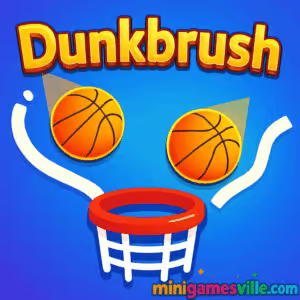
Play Dunkbrush right now on Minigamesville
Tap the Play button above to jump straight into Dunkbrush on Minigamesville and start sketching your way to perfect swishes. Dunkbrush is a fast, physics-driven basketball drawing browser game where you sketch lines to guide the ball into the hoop. If you love quick reflex challenges, precise timing, and one-more-try loops, you will feel right at home. Play Dunkbrush online, chase streaks, and see how long you can keep the combo alive. Prefer school or work breaks? Try Dunkbrush unblocked on your browser and enjoy a lightweight hoops puzzle that loads fast and feels great.
About Dunkbrush
Dunkbrush blends arcade basketball with a clever line-drawing twist. You draw ramps and backboards in real time so the ball bounces, rolls, and arcs into the basket. Every swish adds to your multiplier, every miss resets the pressure. Sessions are bite-size, yet the skill ceiling keeps you coming back. Thanks to responsive physics and snappy round times, Dunkbrush is perfect for quick coffee breaks or longer high-score hunts.
History of Dunkbrush
The game follows the rise of physics-drawing puzzlers and minimalist basketball arcades that became popular on mobile and the web. Dunkbrush focuses that lineage into a clean, browser-first experience with crisp lines, readable obstacles, and instant restarts. It puts precision front and center, rewarding good angles and clean trajectories.
Style & Vibe
Bright backgrounds, bold hoops, and satisfying bounce audio give Dunkbrush an upbeat playground feel. Visual clutter stays low so your lines, star pickups, and hazards remain easy to parse, even on small screens.

Gameplay in Dunkbrush
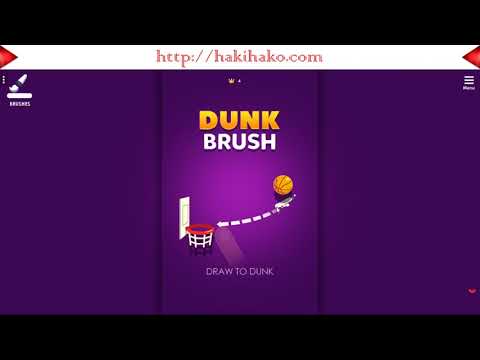
Each round starts with a ball dropping from above. Draw short strokes to create ramps, walls, or soft landings that redirect the ball into the hoop. Keep the ball moving, collect stars when they appear, and avoid hazards like gaps or moving blocks. The physics are fair and predictable, so consistent angles and clean rebounds lead to longer streaks. The core loop is simple: draw, bounce, dunk, repeat. When your streak climbs, the pace tightens and obstacles demand tighter lines.
Game Modes
- Endless: Survive as long as possible while stacking a streak multiplier.
- Challenges: Short, handcrafted setups that test a specific skill like tight arcs or multi-bounce routes.
- Time Attack: Score as many dunks as you can before the clock runs out.
- Practice: No pressure sandbox to master angles, momentum, and soft catches.
How to Play
- Press Play, watch the ball’s spawn path, and plan your first support line.
- Draw small, purposeful strokes under the ball to change its angle.
- Aim for clean arcs that enter the hoop from above for reliable swishes.
- Chain swishes and star pickups to build a score multiplier.
- Adapt quickly as obstacles shift and pace increases.
Controls
- Desktop: Click and hold to draw, release to stop. Right-click or Esc to clear a mistaken stroke between drops if the mode allows.
- Mobile: Tap and drag to draw lines, lift your finger to stop drawing. Two-finger tap to pause.
Device Compatibility & Browser Support
Dunkbrush runs smoothly in modern browsers like Chrome, Edge, Firefox, and Safari. It is optimized for phones, tablets, laptops, and desktops. For best performance, keep your browser updated and enable hardware acceleration.
Mobile vs. Desktop Gameplay
On mobile, drawing feels natural with fingertip swipes and quick micro-adjustments. On desktop, a mouse offers ultra-precise strokes for perfect swish angles. Try both and see which suits your style.
Can I Play Offline?
Dunkbrush is an online browser game. It needs an internet connection to load. After assets cache, some browsers may let a page reload from cache, but a stable connection is recommended for reliable play and saved progress.
Can I Play Unblocked?
Dunkbrush is an online browser game. It needs an internet connection to load. After assets cache, some browsers may let a page reload from cache, but a stable connection is recommended for reliable play and saved progress.
- Web browser: Play free on Minigamesville if you want instant, no-install hoops.
- iOS and Android: There is no official Dunkbrush app at this time.
- Want a similar mobile experience? Try Dunk Shot by Ketchapp on
Google Play
and
App Store.
Tips & Tricks
Beginner Tips
- Draw shorter lines. Small ramps give finer control over the bounce angle.
- Catch the ball early. Gentle support lines reduce wild ricochets.
- Prioritize swishes. Clean entries build confidence and consistent scoring.
- Use backboard angles. A 45-degree ramp near the rim helps controlled bank shots.
- Look ahead. Sketch where the ball will be, not where it is.
Advanced Strategies
- Pre-place micro-ledges so the ball settles before a precise final arc.
- Stack two-step ramps to convert horizontal speed into a soft vertical drop.
- Route through stars when the angle barely changes, preserving the swish line.
- Practice “feather draws,” tiny strokes that correct mid-air descents.
- When pace increases, stop over-drawing. Less ink, more intention.
Features
- 🏀 Satisfying draw-to-dunk physics with clean, readable motion
- ✏️ Precise line drawing for ramps, backboards, and soft landings
- ⭐ Star pickups and streak multipliers for high-score chasers
- 🎯 Swish bonuses that reward perfect arcs and timing
- ⚙️ Multiple modes, from endless runs to bite-size challenges
- 📱 Smooth on mobile, pixel-sharp on desktop
- ⚡ Instant restarts to keep the one-more-try loop going
- 🔊 Crisp bounce and net sounds that make every dunk pop
Unlockables & Secrets
Expect cosmetic ball skins, hoops, and themes as you hit score milestones or complete challenge sets. Hidden routes can snag multiple stars on one pass. Mastering soft drops often reveals safer lines through tight obstacle patterns.
Cheats & Mods
Dunkbrush relies on fair browser physics, so external cheats or mods risk breaking saves or causing crashes. Stick to in-game practice. Your best “cheat” is learning consistent angles and short-stroke control.
Walkthrough Summary
Start by cushioning the first drop, then build a gentle ramp into the hoop. As speed picks up, place tiny corrective lines rather than long platforms. When stars appear, nudge the route toward them if it does not compromise a clean dunk. Keep your eyes ahead, plan two bounces at a time, and focus on swish consistency.
Scoring, Records & Progression
Score rises with each made basket, and streak multipliers reward consecutive swishes. Stars add bonus points or progress toward unlocks. High scores save in your browser storage, so clearing cookies may reset local records. Aim for long swish chains to climb the site leaderboard and set personal bests you can beat later.
Why Play Dunkbrush
Dunkbrush hits that perfect sweet spot between relaxing and demanding. The rules are simple, the execution is deep, and every clean dunk feels great. Whether you have 60 seconds or 30 minutes, it is easy to hop in and chase a cleaner run.
Pros & Cons of Dunkbrush
- Pros: Tight physics, instant restarts, great on any device, satisfying scoring loop.
- Cons: High-score chasing can be addictive, later speed spikes can feel punishing until you master angles.
- Keep your browser updated and enable hardware acceleration.
- Close heavy background tabs and screen recorders during play.
- On laptops, plug in for better CPU boost performance.
- If assets stall, hard refresh the page or clear the site cache.
Similar games to Dunkbrush
- Basketball Stars — real-time basketball duels with quick fakes and flashy shots.
- Street Ball Jam — arcade dunking with stylish moves and score-stacking combos.
- Head Basketball — one-on-one court battles with quirky power-ups and big heads.
- Basket Champs — tournament-style free throws where timing rules the scoreboard.
- Head Soccer — a soccer twist with the same pick-up-and-play arcade spirit.
FAQ
What is Dunkbrush?
Dunkbrush is a physics-based basketball drawing game you play online in your browser. You sketch ramps and guides to dunk the ball and chain swishes for high scores.
Is Dunkbrush free to play?
Yes, you can play Dunkbrush free in your web browser without any downloads.
Does Dunkbrush work on mobile?
Yes, it works great on modern iOS and Android browsers. Use portrait orientation for the most comfortable drawing angles.
How do I get higher scores?
Focus on clean swishes, short corrective lines, and routes that collect stars without disrupting your dunk angle.
Can I play Dunkbrush unblocked at school?
If your network allows gaming sites, the game should load. Always follow your school’s policies and use a modern browser with HTTPS.
Does Dunkbrush save my progress?
High scores and unlocks typically save to your browser’s local storage. Clearing cookies or using incognito may reset data.
Is there an official app for Dunkbrush?
There is no official mobile app for Dunkbrush. For a similar mobile feel, try Dunk Shot on Google Play or App Store.
Why did my game lag?
Heavy background tabs, power-saving modes, or disabled hardware acceleration can cause stutters. Close extras and update your browser.
Can I mute the sound?
Yes, toggle sound in the in-game settings or mute the browser tab.
Conclusion
Dunkbrush delivers a slick blend of drawing puzzle and arcade basketball, with physics that reward skill and a loop that feels endlessly replayable. It is quick to learn, satisfying to master, and perfect for short sessions or serious score hunting.
Ready to sketch the perfect arc and chain those swishes? Hit Play and enjoy Dunkbrush on Minigamesville. Bring your best angles, keep the streak alive, and post a score your friends will chase all week.

 Loading...
 English
 Shqip
Shqip
 বাংলা
বাংলা
 Български
 简体中文
简体中文
 Hrvatski
 Čeština
 Dansk
Dansk
 Nederlands
 Suomi
Suomi
 Ελληνικά
 हिन्दी
 Magyar
 Bahasa Indonesia
 日本語
日本語
 한국어
한국어
 Lietuvių
 Bahasa Melayu
 Norsk
Norsk
 Polski
 Português do Brasil
 Română
 Slovenčina
 Slovenščina
 Svenska
 ไทย
ไทย
 Türkçe
 Українська
 اردو
اردو
 Tiếng Việt
 isiZulu
 Español
 Français
 Deutsch
 العربية
 Italiano
 فارسی
فارسی
 Русский