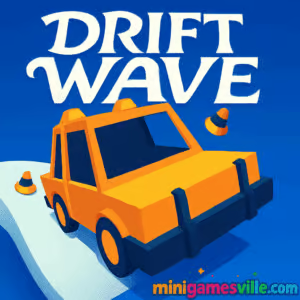
About Driftwave
Driftwave blends arcade racing, precision drifting, and clever level design. Each course asks you to launch, swing the tail, and thread through tight turns while managing speed and angle. The loop is simple: set your line, hold your drift, and chase cleaner exits for faster times. It’s a compact browser experience that feels great with mouse or touch, ideal for short bursts or long leaderboard grinds.
History of Driftwave
The design DNA points to a small indie prototype that grew into a polished web racer. What began as a minimal, input-driven drifting idea now shines as a sleek, replayable HTML5 release with multiple levels, crisp feedback, and a satisfying risk-reward rhythm. If you enjoy modern drifting games that value flow and timing, you’ll feel right at home.
Style & Vibe
Expect bold neon palettes, clean UI, and effects that pop when you nail a corner. The synthy aesthetic supports the sensation of speed without visual clutter, so you can focus on line choice and drift angle.

Gameplay in Driftwave
Every run starts with a launch, then quick inputs to swing the rear and follow the road. The physics sit between arcade and skill-based: easy to start, rewarding to master. Obstacles punish sloppy lines, so smooth inputs and early setups are key. As tracks escalate, tighter chicanes and trickier angles test your consistency. Chase faster splits, unlock cosmetic goodies, and strive for perfect no-hit clears.
Game Modes
- Levels: Progress through handcrafted tracks with rising difficulty and tighter time goals.
- Time Chase: Replay levels to shave milliseconds and set new records.
- Challenges: Optional objectives like no collisions or limited drifts to earn extra rewards.
How to Play
- Launch: Click and drag or swipe forward to set your initial push.
- Drift: While moving, hold and drag to steer the slide through corners.
- Adjust: Drag farther for a tighter arc, release gently to stabilize exit speed.
- Finish: Cross the line cleanly to bank your time and move on.
Controls
- Mouse or Touch: Click/press and drag to launch, hold and drag to drift, release to brake and settle the car.
- Keyboard optional: Some browsers map arrow keys or WASD to steering in certain builds, but Driftwave shines with drag steering.
Device Compatibility & Browser Support
Driftwave runs in modern browsers like Chrome, Edge, Firefox, and Safari. It’s built for instant play on desktop and mobile. For the best performance, enable hardware acceleration and keep extra tabs closed while you chase records.
Mobile vs. Desktop Gameplay
- Mobile: Great for on-the-go runs. Short levels and swipe steering feel natural on touch screens.
- Desktop: Mouse control offers very fine angle adjustments. Larger displays help with early line reads.
Can I Play Offline?
Driftwave is an online browser game, so you need an internet connection to load and play.
Can I Play Unblocked?
Many schools and workplaces allow lightweight HTML5 games. Whether Driftwave is unblocked depends on local network rules, but it requires no downloads and runs directly in the browser, which helps.
- Web: Play Driftwave in your browser at minigamesville.com.
- Mobile apps: No official Google Play or App Store listing confirmed for Driftwave at this time.
- Want a mobile drift fix? Try Drift Max Pro with official store links:
Tips & Tricks
Beginner Tips
- Launch straight, then start your first drift a beat earlier than you think.
- Feather the drag distance. Small input changes make big angle changes.
- Prioritize clean exits. A tidy exit speed saves more time than a wild mid-corner slide.
- Replay early levels to lock in muscle memory before chasing harder tracks.
Advanced Strategies
- Pre-rotate: Begin drift input before the corner apex to keep a smooth arc.
- One-swing lines: Connect multiple bends with a single controlled slide for massive time gains.
- Micro-corrections: Short, shallow drags stabilize the tail without killing speed.
- Route scouting: Use a sighting run to spot choke points, then attack with a committed line.
Features
- 🎯 Precision drag-to-drift controls
- 🏁 Short, replayable levels with tight time targets
- 💡 Clean neon visuals that keep the track readable
- 🚗 Unlockable cars and cosmetic upgrades
- 📈 Addictive time chasing and personal best tracking
- ⚡ Smooth performance on desktop and mobile
- 🔁 Instant restarts for grind-free practice
- 🌐 Play online in your browser, no download required
Unlockables & Secrets
Clear levels to earn currency for new rides and skins. Some tracks reward alternate lines, so try wider entries to discover safer exits or faster apexes. Watch for sections where a single long slide can replace two separate drifts.
Cheats & Mods
There are no built-in cheats, and third-party hacks can break saves or hurt performance. For the best experience, stick to the vanilla browser game and focus on cleaner lines and better timing.
Walkthrough Summary
Start with early tracks to master launch, drift input, and exit control. Move into mid tiers where back-to-back bends demand one smooth slide. In later courses, reduce overcorrection and plan exits two corners ahead. Save your cleanest attempts for time chasing once the layout is memorized.
Scoring, Records & Progression
Your goal is simple: finish fast and clean. Faster times unlock more content and bragging rights. Replays help you spot where to start drifts earlier, trim angle mid-corner, or exit with better throttle for a stronger split into the next turn.
Why Play Driftwave
Driftwave nails the fun part of drifting in a compact, instantly playable format. Whether you have five minutes or fifty, the loop of launch, slide, and improve invites one more run. It’s a polished online browser game that feels fresh, responsive, and satisfying to master.
Pros & Cons of Driftwave
- Pros: Tight drag-to-drift controls, quick restarts, readable tracks, great pick-up-and-play loop.
- Cons: Demands precision, later levels can be punishing until lines are learned.
- Use a modern browser with hardware acceleration on.
- Close heavy tabs and background video before record attempts.
- On mobile, disable low power mode to keep input responsive.
- If inputs feel laggy, clear cache or try an incognito window for a clean session.
Similar games to Driftwave
- Drive Mad — physics-based vehicle challenges where throttle control wins races.
- Parking Fury 3D: Night Thief — stealthy city driving with tight maneuvers under pressure.
- Stock Car Hero — oval racing sprints with drafting and smart lane choices.
- Speed King — arcade street runs focused on reaction time and clean lines.
- Midnight Drive — chill night cruising that rewards smooth timing and rhythm.
FAQ
Is Driftwave free to play?
Yes, Driftwave is a free online browser game you can play instantly with no download.
Does Driftwave work on phones?
Yes, it runs in mobile browsers and supports touch controls for drag-to-drift steering.
How do I reduce input lag?
Enable hardware acceleration, close extra tabs, and keep battery saver off while playing.
Can I play Driftwave unblocked at school?
Unblocked access depends on your network, but the game runs directly in the browser and needs no installer.
How do I improve my times?
Start drifts earlier, use gentler drag distances for finer angles, and focus on clean exits over flashy slides.
Is there any offline mode?
Driftwave is designed for online browser play, so an internet connection is required.
Conclusion
Driftwave captures the thrill of drift racing with quick restarts, sharp handling, and tracks that invite endless optimization. It’s the kind of browser game that hooks you with one perfect corner, then dares you to string ten of them together.
Slide into the driver’s seat and chase your next personal best. Hit play above to start Driftwave on minigamesville.com, keep the lines clean, and let the drift carry you to the finish.

 Loading...
 English
 Shqip
Shqip
 বাংলা
বাংলা
 Български
 简体中文
简体中文
 Hrvatski
 Čeština
 Dansk
Dansk
 Nederlands
 Suomi
Suomi
 Ελληνικά
 हिन्दी
 Magyar
 Bahasa Indonesia
 日本語
日本語
 한국어
한국어
 Lietuvių
 Bahasa Melayu
 Norsk
Norsk
 Polski
 Português do Brasil
 Română
 Slovenčina
 Slovenščina
 Svenska
 ไทย
ไทย
 Türkçe
 Українська
 اردو
اردو
 Tiếng Việt
 isiZulu
 Español
 Français
 Deutsch
 العربية
 Italiano
 فارسی
فارسی
 Русский