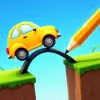
Introduction to Draw Bridge Puzzle
Draw Bridge Puzzle is a bite-size physics drawing game that turns your cursor or fingertip into an engineer’s pencil. Sketch a bridge, guide the tiny car past hazards, and reach the flag without crashing. It is quick to learn, hard to master, and perfect for a browser game session during a break. Play Draw Bridge Puzzle online right in your window, no download required, and try the unblocked version where allowed so you can test your problem solving skills anywhere.
About Draw Bridge Puzzle
At its core, Draw Bridge Puzzle blends logic, physics, and creativity. You are given a start point, a finish flag, and one or more obstacles. Your job is to draw a stable path that lets the vehicle roll safely to the goal. Every stroke becomes a real object with weight, friction, and balance, so good geometry and clean lines matter.
History of Draw Bridge Puzzle
Drawing physics puzzles have been popular since the early HTML5 era, and Draw Bridge Puzzle carries that legacy with cleaner visuals, snappier physics, and touch-friendly controls. Many versions began as mobile titles, then moved to the web where instant play and quick level retries shine.
Style & Vibe of Draw Bridge Puzzle
Expect minimal UI, crisp colors, and satisfying sketch effects as your lines drop into place. The vibe is light and playful, with gentle sound effects and short levels that beg for one more attempt. It feels like a smart toy, not a lecture, making it an easy pick for all ages.
Gameplay in Draw Bridge Puzzle
Each level in Draw Bridge Puzzle starts with a clear start point and finish. You draw a single continuous line, or a few allowed segments, to form ramps, arches, and braces. When you release, gravity kicks in, the car rolls, and the game checks your design. The challenge escalates: moving platforms, spikes, gaps with strange angles, and limited ink that forces clever shapes. The fun comes from quick iteration, creative problem solving, and those fist-pump moments when an unlikely sketch just works.
Game Modes
- Level Pack: A curated path of increasingly tricky brain teasers with optional star goals.
- Challenge Stages: Special layouts with strict ink limits or time targets.
- Endless or Sandbox: Test crazy contraptions and learn the physics without pressure.
- Time Trial: Beat the clock with efficient line work and clean launches.
How to Play
- Press Play, view the start point, goal flag, and hazards.
- Click or tap and drag to draw your bridge or ramp. Keep lines smooth and connected.
- Release to drop your sketch into the world, then watch the car roll.
- If it fails, tap Retry, adjust your drawing, and try again.
- Aim for stable shapes, minimal ink, and a clean path to the flag.
Controls for Draw Bridge Puzzle
- Mouse: Click and hold to draw, release to simulate, R or on-screen button to restart.
- Touch: Tap and drag to draw, lift to simulate, use on-screen buttons to undo or reset.
- Optional: Mute, level select, and hint buttons vary by embed.
Device Compatibility & Browser Support for Draw Bridge Puzzle
This HTML5 title runs in modern browsers on desktop and mobile. Chrome, Edge, Firefox, and Safari are recommended. Chromebooks play it well, which makes it a handy classroom-friendly brain game where permitted.
Mobile vs. Desktop Gameplay
On mobile, your finger gives natural sketch control, perfect for quick swipes. On desktop, a mouse delivers precision for tight supports and fine angles. Tablets split the difference and feel great for longer sessions.
Can I Play Offline?
Most web embeds need an internet connection to load assets and levels. If the publisher offers a progressive web app, you may get limited offline play after the first load, but expect to be online for best results.
Can I Play Unblocked?
Many school or office networks restrict gaming. Look for Draw Bridge Puzzle unblocked on secure HTTPS pages with no downloads and minimal permissions. Availability depends on local filters, so results vary by network policy.
Tips & Tricks for Draw Bridge Puzzle
Beginner Tips
- Start simple: a gentle ramp beats a complex lattice.
- Use triangles for strength. A-frame supports prevent sagging.
- Keep angles smooth so the car does not snag on sharp corners.
- Place short braces under long spans to stop droop.
- Draw from the goal backward if you are stuck, then connect to the start.
- Mind momentum. A small drop can create the speed you need.
- Watch replays and note where the collapse begins, then add support there.
- Conserve ink. Short, smart strokes often work better than long bridges.
Advanced Strategies
- Preload tension: slight arches distribute weight efficiently.
- Use bumpers: tiny vertical pegs keep the car on track at edges.
- Create catch nets below risky jumps to salvage near-misses.
- Chain shapes: connect curves with micro-triangles for flexible strength.
- Control speed with small speed humps before hazards.
- Exploit pivots: if physics allows, draw pins that act like hinges for smooth landings.
- Study failure lines and reinforce only the weak zone to stay under ink limits.
- When time is scored, draw a minimal line to trigger motion, then refine on the next run.
Features of Draw Bridge Puzzle
- 🧠 Clean physics that reward real problem solving and creative sketches.
- ✏️ Intuitive draw-to-build controls for mouse, touch, and stylus.
- 🚗 Quick level resets for rapid iteration and satisfying improvement loops.
- 🎯 Star and ink challenges that push efficiency and precision.
- 📱 Seamless play on mobile, tablet, desktop, and Chromebook.
- 🔊 Crisp sound effects with optional mute for quiet spaces.
- 🌈 Optional skins and pen colors in some versions for personal flair.
- 🧩 Fresh obstacle types that keep each stage feeling new.
Rules in Draw Bridge Puzzle
- Reach the flag without the car falling, flipping, or touching hazards.
- Only drawn lines become solid. Gaps remain gaps.
- Ink or line length is often limited, so plan before you draw.
- Supports must connect securely to ground or stable shapes.
- Level ends when the car fully passes the finish line or fails the attempt.
Unlockables & Secrets in Draw Bridge Puzzle
- Perfect clears with minimal ink can unlock bonus stars.
- Hidden objectives sometimes reward creative solutions or alternate paths.
- Cosmetic unlocks like vehicle skins or pen colors appear in certain builds.
- Secret levels may open after streaks of perfect scores.
Cheats & Mods for Draw Bridge Puzzle
There are no meaningful cheats that improve learning or long-term fun. Scripted mods or hacked clients can harm performance and may violate terms. Stick to built-in hints, level skips where provided, and the strategies above. Winning legitimately keeps the physics challenge engaging and fair.
Walkthrough Summary of Draw Bridge Puzzle
Early stages teach ramps and small arches. Mid-game introduces moving platforms, spikes, and tight angles that require smooth curves and balanced braces. Later levels mix limited ink with awkward gaps. Think like an engineer: triangulate long spans, keep slopes gentle, and add anchors where the car lands. When stuck, reset and sketch a shorter, stronger idea rather than patching a weak design.
Scoring, Records & Progression in Draw Bridge Puzzle
Most versions track stars, time, and ink used. Fewer strokes and faster completions raise your score. Aim for clean one-line solutions to set personal records. Revisit earlier levels after you learn new tricks, since smarter arches often shave ink and earn top ratings.
Why Play Draw Bridge Puzzle
If you enjoy physics puzzles, sketching solutions, and quick wins, this is a perfect fit. It is relaxing, replayable, and great for bite-size sessions. The challenge scales smoothly so both kids and adults find a satisfying groove.
Pros & Cons of Draw Bridge Puzzle
- Pros: Fast resets, intuitive drawing, satisfying physics, short levels for casual play.
- Pros: Works as an unblocked browser game on many networks, touch friendly, low barrier to entry.
- Cons: Some layouts may feel trial and error until the right brace clicks.
- Cons: Ink limits can frustrate perfectionists on first attempts.
- Use a modern browser and keep it updated for smoother canvas performance.
- Enable hardware acceleration in browser settings.
- Close heavy tabs, pause streaming, and disable ad-heavy extensions on the play page.
- On mobile, switch off battery saver, increase brightness, and lock orientation for steadier lines.
- If input feels laggy, try an incognito window or another browser to rule out extensions.
Similar Games to Draw Bridge Puzzle
- Happy Glass: A physics drawing game where you guide water into a glass, perfect for quick online brain workouts.
- Love Balls: Draw lines to bring two balls together, a charming logic puzzle with simple touch controls.
- Line Rider: Sketch tracks and watch a sledder ride your creation, great for creative physics experimentation.
- Build a Bridge: Plan trusses, test with vehicles, and learn real bridge geometry through playful simulation.
- Cut the Rope: Feed candy to Om Nom with smart physics cuts and rope timing in a polished browser-friendly package.
- Where’s My Water: Carve paths for flowing water, mixing fluid physics with clever level design.
- Brain Test: Tricky Puzzles: Lateral thinking riddles that twist expectations and reward curiosity.
- Happy Wheels: A physics obstacle course with wild vehicles and timing-based challenges.
- Draw Climber: Sketch legs for a cube and adapt shapes to climb, sprint, and roll through courses.
- Bridge Builder Puzzle: Classic bridge engineering with budgets, stress tests, and realistic break points.
- Sand Balls: Dig channels to funnel balls into a truck, a tactile physics diversion for short sessions.
- Stickman Hook: Momentum and timing puzzle-platforming with easy one-tap swings.
- Water Sort Puzzle: Calm color sorting with rising difficulty, great for a low-stress logic break.
- Parking Mania: Precision driving with tight angles and collision rules, a skill-based browser game.
- Poly Bridge 2: A deeper bridge simulator with stress visualization for players who want full engineering challenges.
FAQ
Is Draw Bridge Puzzle free to play?
Yes, it is a free browser game and loads directly in your web window with no download.
Can I play Draw Bridge Puzzle online on mobile?
Yes, it runs on iOS Safari and Android Chrome with smooth touch drawing.
Does Draw Bridge Puzzle have an unblocked version?
Many embeds are accessible on restricted networks, but availability depends on local filters and policies.
How do I get three stars in levels?
Use less ink, keep slopes smooth, and finish quickly to hit top thresholds.
Why does my bridge collapse?
Long spans sag without support, add triangular braces and connect to solid anchor points.
Is there an undo button?
Some versions include undo, others require a quick restart, both encourage rapid iteration.
Does Draw Bridge Puzzle save progress?
Progress often saves locally in your browser storage, clearing cache or switching devices may reset it.
Are there hints in Draw Bridge Puzzle?
Certain builds include hints or ghost lines, but relying on them reduces the learning fun.
What browsers work best?
Chrome, Edge, Firefox, and Safari are recommended for stable HTML5 canvas performance.
Can I play with a stylus?
Yes, a stylus on tablets offers extra precision for tight supports and clean arcs.
Conclusion about Draw Bridge Puzzle
Draw Bridge Puzzle delivers the sweet spot between creativity and logic. You sketch, test, improve, and celebrate when your clever little ramp carries the car to victory. Sessions are short, progress feels steady, and the physics keep your brain engaged.
Press Play above to start building bridges right now. Whether you are chasing perfect stars or just want a fun unblocked puzzle while you sip coffee, Draw Bridge Puzzle is a standout pick for quick, satisfying problem solving.

 Loading...
 English
 Shqip
Shqip
 বাংলা
বাংলা
 Български
 简体中文
简体中文
 Hrvatski
 Čeština
 Dansk
Dansk
 Nederlands
 Suomi
Suomi
 Ελληνικά
 हिन्दी
 Magyar
 Bahasa Indonesia
 日本語
日本語
 한국어
한국어
 Lietuvių
 Bahasa Melayu
 Norsk
Norsk
 Polski
 Português do Brasil
 Română
 Slovenčina
 Slovenščina
 Svenska
 ไทย
ไทย
 Türkçe
 Українська
 اردو
اردو
 Tiếng Việt
 isiZulu
 Español
 Français
 Deutsch
 العربية
 Italiano
 فارسی
فارسی
 Русский