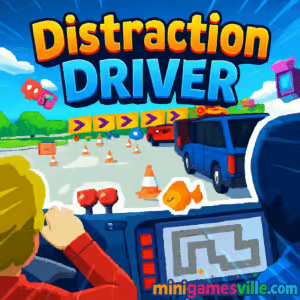
Press Play and dive into Distraction Driver right here on minigamesville.com. This quick-hit driving arcade is a fast, funny, and chaotic browser game where your biggest enemy is distraction. Play online instantly, no download needed, and see how long you can keep your cool as hazards, pop ups, and visual pranks flood the road. Distraction Driver squeezes racing thrills into short sessions that are perfect for a study break or coffee pause. Ready for an unblocked, focus-testing challenge that anyone can pick up in seconds?
About Distraction Driver
Distraction Driver turns everyday driving into a hilarious obstacle course. You pilot a speedy car along compact tracks, weaving through traffic, dodging meme-y distractions, and grabbing coins for cosmetic upgrades. The tone is playful, the runs are brisk, and the physics feel snappy enough to reward clean lines and clever jukes. It is an ideal online browser game for casual players who still crave high-score tension.
History of Distraction Driver
Built in the spirit of bite-size arcade racers, this indie-style project riffs on the modern hazard of losing focus at the wheel. The concept is simple on purpose: short levels, escalating distractions, and clear feedback on how your reactions improve from run to run. That design DNA makes it a natural fit for the web, where instant play and quick retries shine.
Style & Vibe
Bright colors, chunky UI, and cheeky road gags set a lighthearted mood. Visual distractions are the star of the show, but they never feel unfair. Audio stingers and coin chimes punctuate razor-close near misses, nudging you to chase one more run.

Gameplay in Distraction Driver
Every run starts with a sprint to the finish. You accelerate, steer through lanes, and react to sudden blockers like cones, buses, or oncoming billboards that steal your attention. Coins collected on the road unlock new rides and skins. The handling is responsive with just enough drift to make precision matter, and each track adds a small twist that tests your ability to refocus after a surprise.
Game Modes
- Arcade Races Short, learnable tracks where you aim for clean, distraction-free lines and faster times.
- Endurance Run Survive as long as possible while distractions stack up and traffic density rises.
- Time Trial Beat target times to earn bonus coins and bragging rights.
- Daily Challenges Rotating modifiers keep your reflexes fresh and scores climbing.
How to Play
- Press Play and wait for the countdown.
- Accelerate smoothly, then weave through traffic while reading the road ahead.
- Grab coins on safe lines, not risky ones, to avoid clipping obstacles.
- When distractions pop, shift your eyes back to your car first, then the road edges.
- Finish the track to bank coins and unlock new cosmetic options.
Controls
- Desktop W or Up Arrow to accelerate, S or Down Arrow to brake, A/D or Left/Right Arrows to steer.
- Mobile Tap or hold to accelerate, swipe or on-screen arrows to steer, lift to ease speed.
Device Compatibility & Browser Support
Distraction Driver runs in modern browsers like Chrome, Edge, Firefox, and Safari. It plays great on Windows, macOS, Chromebooks, Android, and iOS devices. Keep your browser updated for the smoothest frame rate.
Mobile vs. Desktop Gameplay
- Mobile Perfect for quick runs during breaks. Touch steering is sensitive, so small swipes win.
- Desktop Keyboard steering gives the tightest control for time trials and high-score attempts.
Can I Play Offline?
No, this is an online browser game that needs an active internet connection to load and save progress.
Can I Play Unblocked?
Distraction Driver loads directly in the browser on minigamesville.com, which helps in many networks. If your school or workplace blocks gaming sites, try a modern browser over HTTPS, close VPNs that throttle, or switch to a permitted network. Always follow your local network rules.
- Browser Play on minigamesville.com in your desktop or mobile browser.
- Official mobile apps There are no official Google Play or App Store versions of Distraction Driver at this time.
- Want a mobile fix? Try the award-winning traffic puzzler Does Not Commute:
Tips & Tricks
Beginner Tips
- Keep your eyes on your car, then scan outward. Regain focus after each distraction.
- Feather the throttle. A tiny lift before a tight gap prevents oversteer.
- Hug the inside of gentle curves to shorten distance and buy reaction time.
- Prioritize safe coins. Skip risky clusters until your lines are consistent.
Advanced Strategies
- Use micro-corrections, not big swings. Small inputs keep momentum and stability.
- Chain near misses for style, but only if the escape path is clear.
- Memorize spawn points for frequent blockers to pre-position your lane.
- When vision gets noisy, shift your focus to road edges and shadow cues.
Features
- 🚗 Snappy arcade handling with quick restarts
- 🎯 Distraction-based hazards that test pure focus
- 💰 Coins to unlock cars, colors, and skins
- 🕹️ Play instantly in your browser, no download
- 📱 Smooth on mobile and desktop
- 🥇 Leaderboard-friendly runs and time trials
- 🔄 Short sessions, high replay value
- 🎵 Punchy sound effects that reward clean driving
Unlockables & Secrets
Collect coins to open up new car bodies and paint schemes. Look for safe coin lines near guardrails. Near misses often drop extra coins, so threading the needle can pay off when the exit is clear.
Cheats & Mods
There are no official cheats or mods. Third-party scripts can harm performance or your device. The fastest path to upgrades is clean driving, safe coin routes, and consistent finishes.
Walkthrough Summary
Start with conservative lines and lift before tight traffic. Learn where blockers appear, then attack coins on laps two and three of your practice. When distractions intensify, lock your gaze on your bumper and pre-plan your next two lane changes. Finish the run, cash in coins, and apply a new skin for style points.
Scoring, Records & Progression
Your session score is a mix of distance, time saved, and coins collected. Clean sections without collisions earn better times. Unlocks are cosmetic, so leaderboards still come down to reaction time and course knowledge.
Why Play Distraction Driver
It nails the sweet spot between silly and skillful. Runs are short, the challenge ramps smoothly, and you always feel one try away from a personal best. Distraction Driver is built for anyone who wants pick-up-and-play racing with real depth.
Pros & Cons of Distraction Driver
- Pros: instant play, responsive controls, clever distraction mechanics, satisfying unlocks.
- Cons: no offline mode, late-game distractions can feel brutal until you learn the patterns.
- Close unused tabs and background streams before playing.
- Enable hardware acceleration in your browser settings.
- Update to the latest Chrome, Edge, Safari, or Firefox for best FPS.
- On mobile, switch to portrait or landscape based on comfort and visibility, then stick with it for muscle memory.
Similar games to Distraction Driver
- Parking Fury — Slide into tight spaces and master precision parking under pressure.
- Traffic Mania — Manage intersections and keep cars flowing without a crash.
- Swerve — One-button lane switching with razor-close timing.
- Superbike Hero — High speed motorcycle racing with tight drafting lines.
- Wheelie Bike — Balance and throttle control on an endless stunt ride.
- Eggy Car — Gentle driving with fragile cargo and hilly physics.
- Moto X3M Bike Race Game — Explosive time trials across trap-filled tracks.
- Bus Parking 3D — Maneuver a big rig through cones and tight turns.
FAQ
Is Distraction Driver free to play?
Yes, you can play free in your browser on minigamesville.com with no download required.
Can I play Distraction Driver on my phone?
Yes, it runs in mobile browsers. For best results, use an up-to-date Chrome, Safari, or Edge.
Does Distraction Driver have different cars?
You can unlock new car styles and skins using coins earned during runs.
What if the game feels laggy?
Close extra tabs, update your browser, and make sure battery saver and heavy extensions are off.
Are there official mobile apps for Distraction Driver?
No official apps exist. If you want a mobile driving puzzler, try Does Not Commute on iOS and Android using the links above.
Is Distraction Driver unblocked?
It is playable on many networks since it runs right in the browser. If your network blocks gaming sites, follow local rules and try from a permitted connection.
Conclusion
Distraction Driver turns the art of focus into a laugh-out-loud racing challenge. Tight controls, short stages, and cheeky hazards make every run a fresh story of close calls and clutch saves. Whether you have two minutes or twenty, it is easy to jump in and chase a better time.
Ready to test your reflexes and your attention span at the same time? Hit Play and run a few laps of Distraction Driver on minigamesville.com. Collect coins, unlock a slick new ride, and show those distractions who is driving.

 Loading...
 English
 Shqip
Shqip
 বাংলা
বাংলা
 Български
 简体中文
简体中文
 Hrvatski
 Čeština
 Dansk
Dansk
 Nederlands
 Suomi
Suomi
 Ελληνικά
 हिन्दी
 Magyar
 Bahasa Indonesia
 日本語
日本語
 한국어
한국어
 Lietuvių
 Bahasa Melayu
 Norsk
Norsk
 Polski
 Português do Brasil
 Română
 Slovenčina
 Slovenščina
 Svenska
 ไทย
ไทย
 Türkçe
 Українська
 اردو
اردو
 Tiếng Việt
 isiZulu
 Español
 Français
 Deutsch
 العربية
 Italiano
 فارسی
فارسی
 Русский