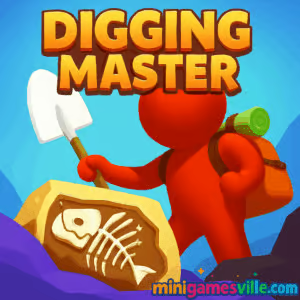
Play Digging Master on minigamesville.com now. Dive into the dirt, uncover fossils, and grow a bustling museum, all inside your browser. Digging Master is a fast, satisfying simulation and idle-style browser game that blends mining, archaeology, and tycoon vibes into one smooth online experience. If you want a quick coffee-break run or a longer collecting session, click Play and start assembling dinosaurs while your ticket sales climb. It loads right in your tab, unblocked on most networks that allow gaming sites, and it feels great on both desktop and mobile browsers. Ready to become a Digging Master and show off your rare bones collection?
About Digging Master
Digging Master puts you in charge of an excavation site next to your museum. You mine soil, unearth bones and artifacts, assemble full skeletons, and then open exhibits to earn coins. The loop is clean and rewarding, typical of the best casual simulation and idle games. Expect breezy mining physics, quick upgrades, and a steady drip of new discoveries that keep your collection growing. It is an easy pick for players who enjoy mining games, tycoon management, and accessible browser gameplay.
History of Digging Master
Digging Master gained traction as a casual sim with a strong fossil-collecting hook, then found an eager audience as a browser game. The web version keeps the core loop intact, making it simple to jump in from any device without downloads. Over time the experience has been tuned for short, satisfying sessions, making it a great fit for quick online play.
Style & Vibe
The look is bright, friendly, and readable. Fossils pop against earthy tiles, and your museum fills up with charming displays that feel rewarding to complete. Upgrades clearly change how fast you dig, while visitors bring energy to your growing venue.

Gameplay in Digging Master
Each run starts with simple digging. Tunnel through dirt, collect bones and valuables, then haul everything back to the museum to assemble exhibits. As revenue rolls in, invest in stronger tools, faster movement, larger carry capacity, and support staff. The flow is approachable: dig, deliver, upgrade, repeat. Light physics make carving paths satisfying, and the pace ramps up as your museum grows. New excavation zones introduce fresh fossils and layouts, while the economy encourages smart upgrade order for maximum returns.
Game Modes
- Career Museum Mode: The main loop. Dig for fossils, assemble exhibits, and expand your museum floor by floor.
- Free Dig Sessions: Jump in for quick mining bursts to farm coins or finish a skeleton piece you are missing.
- Timed Targets: Occasional time-bound goals that reward efficient routes and smart upgrade timing.
How to Play
- Press Play and start digging through the first soil layer.
- Collect fossil fragments and valuables while managing your carry capacity.
- Return to the museum to assemble skeletons and open exhibits.
- Use earned coins to upgrade speed, power, and storage, then hire helpers.
- Unlock new dig sites and repeat the loop to grow your museum and income.
Controls
- Desktop: Move with WASD or arrow keys. You can also click and drag with the mouse to guide your digger.
- Mobile/Tablet: Tap and hold to steer. Swipe to change direction, then release to stop.
- General: Use on-screen UI to assemble fossils, purchase upgrades, and manage exhibits.
Device Compatibility & Browser Support
Digging Master runs in modern browsers on desktop, laptop, tablet, and phone. For the smoothest experience, use the latest version of Chrome, Edge, Firefox, or Safari. Close unused tabs, keep your browser updated, and ensure hardware acceleration is enabled if your device supports it.
Mobile vs. Desktop Gameplay
- Mobile: One-finger steering makes quick sessions easy, perfect for short breaks.
- Desktop: Keyboard control is precise, helpful for threading tight tunnels and optimizing routes.
Can I Play Offline?
The browser version requires an internet connection. If you want on-the-go play without a tab open, see the official mobile versions in the Platforms section below.
Can I Play Unblocked?
Digging Master is a browser game that loads directly in your tab. If your school or workplace allows access to minigamesville.com, you can usually play without extra steps. If your network blocks gaming sites, check your local policies before trying again on a different connection.
Tips & Tricks
Beginner Tips
- Upgrade carry capacity early so you make fewer trips to the surface.
- Prioritize dig power next. Faster clearing means more bones per minute.
- Carve clean vertical shafts with short horizontal branches to reach deeper layers quickly.
- Complete one skeleton at a time to open exhibits and stabilize your income.
- Save a small coin buffer to buy time-limited offers or key upgrades when they appear.
Advanced Strategies
- Create efficient loops: descend, scoop fragments along a planned path, ascend near your museum entrance.
- Use chokepoints. Narrow tunnels reduce backtracking and guide you straight to high-value pockets.
- Balance upgrades. If movement feels fine, invest in value multipliers or automated helpers.
- Track diminishing returns. When a layer is picked clean, unlock a new zone rather than over-mining.
- Optimize exhibit order to maximize ticket flow before tackling rare, slow-to-finish skeletons.
Features
- 🦕 Fossil collecting and full skeleton assembly that feels rewarding
- 🏛️ Museum management with real revenue growth and exhibit upgrades
- ⛏️ Satisfying digging physics and snappy controls on desktop and mobile
- 💸 Idle-friendly loop that keeps coins flowing between sessions
- 🧭 Multiple dig sites with new layouts and discovery sets
- 👷 Hireable helpers and upgrade paths for speed, power, and storage
- 🎯 Bite-size goals that guide progression without heavy grind
- 🌐 Instant play online as a lightweight browser game
Unlockables & Secrets
Completing skeleton sets unlocks new exhibits and fresh zones to dig. Keep an eye out for rare fragments tucked behind tougher dirt. Some layers hide clustered pieces that finish a skeleton faster than surface scavenging.
Cheats & Mods
There are no official cheats or mods for the browser version. Third-party extensions can harm performance or your device. For the best experience, play on minigamesville.com or use the official mobile apps listed above.
Walkthrough Summary
Start in the shallow layer and collect easy bones to finish your first display. Invest in carry capacity and dig power, then open the museum to visitors. Use your steady income to unlock the next site, where deeper tunnels and rarer fossils await. Repeat the loop, fine-tune your routes, and scale into a multi-exhibit showcase.
Scoring, Records & Progression
Progress is measured by exhibit count, museum expansion, and upgrade milestones. Many players set personal records for coins earned per minute, number of complete skeletons, and deepest cleared layer. Try speed-focused runs to push your best times between exhibit unlocks.
Why Play Digging Master
If you like mining games, idle upgrades, and clean management loops, Digging Master hits a sweet spot. It respects your time, works perfectly in a browser, and turns each fossil fragment into a satisfying step toward a museum you built yourself.
Pros & Cons of Digging Master
- Pros: Quick to learn, great digging feel, constant upgrades, smooth on most devices, perfect for short sessions.
- Cons: Repetition can set in on older layers, and perfectionists may feel compelled to clear every tile before moving on.
- Keep your browser current and close unused tabs to reduce input lag.
- On laptops, plug in for better CPU performance during long dig sessions.
- Disable heavy background downloads or streaming when you want the smoothest frame rate.
Similar games to Digging Master
- Babel Tower — Idle build-up game where each upgrade lifts your tower higher and speeds resource flow.
- Village Builder — Relaxing builder that rewards smart placement and steady expansion.
- Fisherman Life — Casual management loop focused on catching, upgrading, and selling for profit.
- Rooster Booster — Lighthearted farm clicker with upgrades that scale your earnings fast.
- Merge Zoo — Merge, manage, and unlock new animals in a satisfying idle-merge cycle.
- Tower Merge — Merge units, push waves, and optimize your upgrade path for steady gains.
FAQ
Is Digging Master free to play online?
Yes, you can play Digging Master free in your browser on minigamesville.com.
Does Digging Master save my progress?
Progress usually saves to your browser or device, so avoid clearing site data if you want to keep your museum.
What devices work best for Digging Master?
Modern phones, tablets, laptops, and desktops run it well. A recent version of Chrome, Edge, Firefox, or Safari is recommended.
Are there official mobile versions of Digging Master?
Yes, you can install it on Android from Google Play and on iOS from the App Store using the links above.
Can I play Digging Master unblocked at school or work?
If your network allows access to minigamesville.com, the game typically plays unblocked in your browser.
How long is a typical session?
You can complete a quick dig in a few minutes or settle in for longer sessions to finish entire skeletons and unlock new areas.
Conclusion
Digging Master delivers that satisfying dig-and-upgrade loop that mining and tycoon fans love, all in a clean browser package. It is easy to learn, rewarding to master, and perfect when you want a quick hit of progress without a long setup.
Ready to start unearthing fossils and building your dream museum? Click Play on minigamesville.com, fire up Digging Master, and let the bones roll in.

 Loading...
 English
 Shqip
Shqip
 বাংলা
বাংলা
 Български
 简体中文
简体中文
 Hrvatski
 Čeština
 Dansk
Dansk
 Nederlands
 Suomi
Suomi
 Ελληνικά
 हिन्दी
 Magyar
 Bahasa Indonesia
 日本語
日本語
 한국어
한국어
 Lietuvių
 Bahasa Melayu
 Norsk
Norsk
 Polski
 Português do Brasil
 Română
 Slovenčina
 Slovenščina
 Svenska
 ไทย
ไทย
 Türkçe
 Українська
 اردو
اردو
 Tiếng Việt
 isiZulu
 Español
 Français
 Deutsch
 العربية
 Italiano
 فارسی
فارسی
 Русский