Introduction
Click Play and jump into Crazy Party on minigamesville.com right now. Crazy Party is a free online browser game that blends cute town management with a wild collection of party mini games. Build your cozy hub, challenge neighbors, and grind coins by winning quick-fire rounds like Sumo, Ice Racing, Tug of War, and more. Looking for an unblocked time-killer at school or work, or a casual game night pick on desktop and mobile browsers, this one delivers fast matches, low friction, and big laughs. Hit play to compete solo or with friends, then keep upgrading your town as you master each challenge.
About Crazy Party
This party game mixes short, skill-based mini games with a lightweight progression loop. Between matches you manage a tiny village, accept challenges, and spend winnings on cosmetics and upgrades. It works great as a pickup-and-play web game, no download required, and rounds are tuned for quick sessions that still feel competitive.
History of Crazy Party
The game emerged as an HTML5 title built for modern browsers, then gained traction thanks to its bite-size competitive modes, approachable physics, and cheerful art. Over time it received performance tweaks and more mini game variety, keeping it fresh for returning players.
Style & Vibe
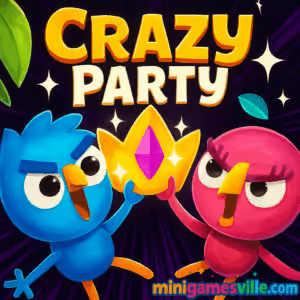
Expect colorful, toy-like visuals, bouncy physics, and upbeat audio cues that make every near-miss feel dramatic. The tone is silly in the best way, with wins and fails that are equally shareable.

Gameplay in Crazy Party
Each session starts in your town hub where you pick a neighbor’s challenge or queue up a mini game. Rounds last under a minute or two, so momentum stays high. Physics are approachable, timing matters, and hazards escalate in later tiers. Match wins earn coins and sometimes bonus rewards, which you invest in cosmetic items and village upgrades. The loop is simple, the mastery curve sneaks up as you learn map layouts and perfect input timing.
Game Modes
- Sumo: stay on the platform while shoving rivals off the edge.
- Bite the Butt: tag-and-dodge chaos with sudden reversals.
- Ice Racing: slick surfaces, tight turns, smart braking wins.
- Tug of War: mash timing and team coordination decide the pull.
- Rocket Battle: steer projectiles and predict opponent paths.
- Fishing: timing-based catch mini game with risk and reward.
- Jump the Rope: rhythm and reaction, one mistake ends a streak.
- FoFrogger: traffic dodging, lane reads, and quick footwork.
How to Play
- Press Play, then choose a challenge from your town hub.
- Read the quick on-screen rules for the selected mini game.
- Use movement and action inputs to outscore or outlast opponents.
- Collect coins, return to town, upgrade cosmetics, and accept new challenges.
- Repeat to unlock more items, higher difficulty, and bragging rights.
Controls
- Desktop: Arrow keys or WASD to move, Space or mouse click for actions where applicable, mouse to navigate menus.
- Mobile browser: On-screen joystick and action buttons, tap to navigate menus.
Device Compatibility & Browser Support
The game runs in modern browsers on Windows, macOS, ChromeOS, iOS, and Android. For best results use the latest Chrome, Edge, Firefox, or Safari. Enable hardware acceleration, keep only essential tabs open, and make sure any aggressive content blockers whitelist the site.
Mobile vs. Desktop Gameplay
Desktop offers tighter control for precision modes and fast camera reads. Mobile is perfectly playable for most mini games, and touch aims can feel natural in rhythm or timing-based rounds. Try both and pick what fits your play style.
Can I Play Offline?
No. This is an online browser game and needs an active internet connection to load and save progress.
Can I Play Unblocked?
Many school and office networks allow access to minigamesville.com, but access depends on local filters. If you see a block page, try a different browser, switch from HTTP to HTTPS, or play later on a home or mobile network. Always follow your network’s rules.
- Play in your browser on minigamesville.com, no install needed.
- No official App Store or Google Play app exists for this exact title at the moment.
- Want a similar mobile party royale you can install, try Stumble Guys:
Tips & Tricks
Beginner Tips
- Learn the camera. Pan early to spot hazards and safe routes.
- Play every mode once to understand scoring win conditions.
- In push or sumo rounds, aim center mass and use edges as bait.
- In ice levels, feather inputs, small taps beat full tilts.
- Bank coins for one cosmetic set first, then expand.
Advanced Strategies
- Route planning: memorize two lines per map, a safe route and a risky shortcut.
- Opponent reading: watch input rhythm to predict dodges in versus modes.
- Micro positioning: stop short of edges to absorb shoves without falling.
- Frame timing: in jump-rope or rhythm modes, count beats, not visuals.
- Economy optimization: complete high-yield challenges before cosmetic splurges.
Features
- 🎉 Fast, party-ready mini games with zero download
- 🧠 Easy to learn, surprisingly high skill ceiling
- 🌈 Cute art, upbeat sound, satisfying physics
- 🏘️ Town hub progression with cosmetic unlocks
- 👥 Solo and friend challenges in your browser
- ⚙️ Smooth performance on desktop and mobile
- ⏱️ Short rounds perfect for quick breaks
- 🔁 High replay value across varied modes
Unlockables & Secrets
Win matches to stack coins, then unlock skins and town decorations. Keep an eye out for rotating challenges that award bonus currencies. Some modes hide safer side paths that trade speed for near-guaranteed finishes, ideal for consistent farming.
Cheats & Mods
There is no need for downloads or extensions. Third-party mods or scripts can break performance or get your session flagged. Play fair for the best experience and stable saves.
Walkthrough Summary
Start in town, accept a challenge, learn each mode’s win condition, then refine routes. Bank early coins for one full cosmetic set, master a few high-yield modes, and rotate through dailies to keep rewards flowing.
Scoring, Records & Progression
Most modes score by survival, speed, or successful actions. Wins give the best coin returns. Track personal bests by finishing faster and failing less, then convert progress into cosmetic flex and a tidier, happier town hub.
Why Play Crazy Party
If you want rapid-fire party challenges that run on any device, this browser game nails it. It is approachable for newcomers, with enough nuance to keep competitive players engaged.
Pros & Cons of Crazy Party
- Pros: instant play online, varied mini games, friendly physics, cosmetic progression, runs on most devices.
- Cons: always online, short matches can feel quick to end, some modes favor precision that is easier on desktop than mobile.
- Keep your browser current and enable hardware acceleration.
- Close heavy tabs, pause streaming video in the background, and whitelist the site in ad or script blockers.
- On mobile, reduce motion in OS settings if sensitive to effects and lower power mode only after a match to avoid frame drops.
Similar games to Crazy Party
- House of Hazards — Local multiplayer chaos with traps, timing, and hilarious sabotages.
- Ping Pong Chaos — Wobbly physics duels where positioning beats power.
- Totems of Tag — Bite-size arena tag with snappy rounds and crowd-pleasing chases.
- Drive Mad — Stunt driving precision with crunchy physics and checkpoint mastery.
- Blumgi Castle — Aim-and-launch battles where ricochets and power control win.
- Balance Duel — Edge control and momentum management in quick head-to-head bouts.
- Double Bounce — Cooperative timing challenges that reward clean rhythm.
FAQ
Is the game free to play?
Yes, you can play it free in your browser on minigamesville.com.
Do I need to create an account?
No account is required to start. Just load the page and play.
Does it work on school Chromebooks?
It runs in Chrome on most Chromebooks, but availability depends on your network’s filter rules.
How long is a typical match?
Most mini games finish in under two minutes, perfect for quick sessions.
What if the game feels laggy?
Close extra tabs, switch to a wired connection on desktop if possible, or move closer to Wi-Fi on mobile.
Can I use a controller?
Keyboard and touch are standard, some browsers accept gamepads, but support can vary by device.
Will my progress carry between devices?
This is a browser-based experience, progress is tied to your session and may not sync across different devices or browsers.
Conclusion
Short, punchy mini games, a cheerful vibe, and instant play make this a standout pick for quick fun. Whether you have five minutes or a full break, the mix of modes and friendly physics keeps you coming back.
Ready to dive in, hit Play and enjoy Crazy Party on minigamesville.com. Build your town, master each challenge, and show friends how party games are done.

 Loading...
 English
 Shqip
Shqip
 বাংলা
বাংলা
 Български
 简体中文
简体中文
 Hrvatski
 Čeština
 Dansk
Dansk
 Nederlands
 Suomi
Suomi
 Ελληνικά
 हिन्दी
 Magyar
 Bahasa Indonesia
 日本語
日本語
 한국어
한국어
 Lietuvių
 Bahasa Melayu
 Norsk
Norsk
 Polski
 Português do Brasil
 Română
 Slovenčina
 Slovenščina
 Svenska
 ไทย
ไทย
 Türkçe
 Українська
 اردو
اردو
 Tiếng Việt
 isiZulu
 Español
 Français
 Deutsch
 العربية
 Italiano
 فارسی
فارسی
 Русский