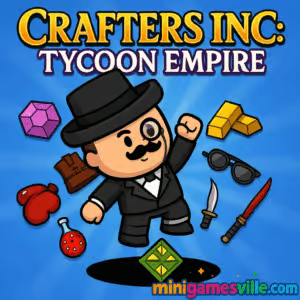
Ready to build, craft, and scale an empire? Click Play above to jump into Crafters Inc: Tycoon Empire on minigamesville.com. Crafters Inc: Tycoon Empire is a clicker tycoon and management browser game where you turn raw materials into high value gear, hire managers, and snowball revenue. Play online in your browser, enjoy quick sessions, and come back to prestige for bigger multipliers. If you’re searching for an unblocked, free-to-play crafting tycoon with satisfying upgrades, you’re in the right workshop. Build momentum fast, then optimize every conveyor and sale to become a legend.
About Crafters Inc: Tycoon Empire
Crafters Inc: Tycoon Empire blends idle clicker speed with strategy sim depth. You start small, crafting simple items, then unlock new stations, automate production, and reinvest profits. Smart upgrade paths and manager synergies keep each run fresh. It’s perfect for players who like incremental progress, resource management, and that sweet tick of rising coins per second.
History of Crafters Inc: Tycoon Empire
The game arrived on the web in 2024 with a focus on approachable crafting loops, quick upgrades, and mobile-friendly play in the browser. Since launch it has grown into a fan favorite for anyone who enjoys shopkeeping, crafting chains, and light optimization inside an easy to learn, hard to master framework.
Style & Vibe
Clean UI, chunky icons, and snappy animations sell every click. Tooltips are informative without getting in your way, and the sound effects give each upgrade a satisfying punch. The vibe is upbeat and productive, like running a cozy fantasy workshop that accidentally turned into a booming enterprise.

Gameplay in Crafters Inc: Tycoon Empire
The loop is simple and addictive: craft base items, sell to earn cash, upgrade stations, then unlock new product lines. Managers automate steps so your empire keeps humming while you plan the next bottleneck fix. Expect to:
- Craft tiered items and discover recipes that feed into each other.
- Hire and level managers to automate production and sales.
- Balance station throughput, storage, and delivery timing.
- Spend profits on speed, quality, and value multipliers.
- Prestige to reset parts of your factory in exchange for permanent boosts.
Game Modes
- Main Progression: Expand your factory, unlock stations, and push into higher value crafts.
- Prestige Runs: Reset for permanent multipliers that accelerate future growth.
- Timed Goals: Beat mini objectives within a session for bonus currency or boosts.
- Optional Expeditions: Send helpers to fetch resources or temporary buffs while you build.
How to Play
- Press Play and let the intro guide highlight your first crafting station.
- Click or tap the item panel to produce goods, then sell to earn cash.
- Buy upgrades that increase speed, value, and automation.
- Unlock the next station and sync its output with sales to avoid bottlenecks.
- Hire managers, hit production milestones, and reinvest in your best ROI upgrades.
- Prestige when growth slows to carry permanent buffs into your next run.
Controls
- Mouse/Touch: Click or tap to craft, purchase upgrades, and navigate menus.
- Hold Press: On mobile, long press can speed through some actions if supported.
- Scroll/Swipe: Move through tabs, product lines, and upgrade lists.
Device Compatibility & Browser Support
Crafters Inc: Tycoon Empire runs in modern browsers on desktop, Chromebook, tablets, and phones. For the smoothest experience, use the latest Chrome, Edge, Safari, or Firefox, enable hardware acceleration, and keep a stable connection for saving progress.
Mobile vs. Desktop Gameplay
- Mobile: Great for quick taps and short sessions, easy thumb-driven upgrades.
- Desktop: Best for marathon optimizing, precise menu work, and multitasking.
Can I Play Offline?
Progress is stored locally in your browser, but you still need an internet connection to load and play the online version on this page. Playing offline in the browser is not supported.
Can I Play Unblocked?
Crafters Inc: Tycoon Empire is a browser game that usually works on most networks. If your school or workplace blocks gaming sites, it may be restricted. Try playing at home or on a personal network for the best unblocked experience.
You can play Crafters Inc: Tycoon Empire right here on minigamesville.com in your browser.
- Browser: Play on this page, no download needed.
- Official mobile stores: There are currently no official App Store or Google Play versions of Crafters Inc: Tycoon Empire.
- Want a similar mobile crafting tycoon? Try Shop Titans: Crafting Tycoon on Google Play and App Store.
Tips & Tricks
Beginner Tips
- Always fix the slowest step first. Buff your bottleneck station, not the fastest one.
- Buy early automation. Managers pay for themselves by freeing clicks and smoothing output.
- Stack value multipliers before unlocking a pricey new line to amplify earnings.
- Keep storage balanced. Too small and you stall, too big and you sink cash into dead capacity.
- Prestige when upgrades feel expensive and progress plateaus.
Advanced Strategies
- Create upgrade breakpoints. Push stations to thresholds where cycle times neatly align.
- Use ROI math. If +20 percent speed returns more cash per minute than a new station, buy speed first.
- Time boosts around sales spikes to avoid stockouts during multipliers.
- Rotate focus. Surge one product line to hit a milestone, then pivot to the next.
- Save a cash buffer so you can instantly buy an automation tier when it unlocks.
Features
- 🛠️ Crafting chains that scale from simple kits to premium gear
- 📈 Idle income with smart automation and manager synergies
- ⚙️ Deep upgrade trees for speed, value, and quality
- 🏭 Satisfying factory flow with bottleneck-hunting gameplay
- 💼 Prestige resets that supercharge long term growth
- 📊 Clean UI, clear tooltips, and quick menu navigation
- 🧩 Optional goals and milestones that reward efficient planning
- 📱 Smooth play on desktop, Chromebook, and mobile browsers
Unlockables & Secrets
Expect tiered stations, higher grade materials, and late game multipliers that change your optimal path. Hidden efficiencies appear when you sync cycle times between crafting, storage, and sales. Keep experimenting and watch your revenue curve bend upward.
Cheats & Mods
There are no official cheats or mods for the browser version. Third party scripts can break saves or cause poor performance. For the most stable experience, play the standard build here on minigamesville.com and use in-game systems like managers, boosts, and prestige.
Walkthrough Summary
Kick off by crafting starter items, then buy your first automation. Increase value multipliers before expanding into a new line. When profits slow, prestige and reinvest in core stations. Repeat this loop, always targeting the bottleneck. By the time you unlock top tier crafts, your factory will feel like a well oiled machine.
Scoring, Records & Progression
There’s no score in the classic sense. Track success by revenue per minute, total lifetime cash, and how quickly you reach each milestone after a prestige. Set personal records for time to first automation, fastest route to a new station, or highest single sale value.
Why Play Crafters Inc: Tycoon Empire
If you love clickers with a brain, this is your playground. Crafters Inc: Tycoon Empire rewards planning, makes every upgrade feel meaningful, and keeps sessions short and satisfying. It’s easy to learn, rewarding to optimize, and perfect for quick breaks or long strategy sprints.
Pros & Cons of Crafters Inc: Tycoon Empire
- Pros: Fast start, clean interface, smart automation, great on both desktop and mobile browsers.
- Cons: Requires an online connection to play in browser, and min maxers may reach soft caps without prestige.
- Keep your browser updated and enable hardware acceleration for smoother WebGL rendering.
- Close extra tabs and background-heavy extensions to avoid memory dips on long sessions.
- Allow cookies or local storage so your progress saves correctly.
- If input feels laggy, set your display to 60 Hz or lower animations in system settings to stabilize frames.
Similar games to Crafters Inc: Tycoon Empire
- Babel Tower — Idle incremental builder where you stack floors, upgrade workers, and automate resource chains.
- Village Builder — Relaxing city builder that rewards smart placement and steady expansion.
- Dana: Relics for Sale — Run a quirky relic shop, fulfill requests, and manage inventory flow.
- Bunny Bistro — Lighthearted restaurant management with speedy service and upgrade choices.
- Merge Zoo — Merge and manage adorable creatures while optimizing habitats and income.
- The Sort Agency — Satisfying sorting sim that scratches the organization and efficiency itch.
- Brainrot Clicker — Tap for upgrades, stack multipliers, and chase that perfect idle curve.
FAQ
Is Crafters Inc: Tycoon Empire free to play?
Yes, you can play the full online browser game for free on minigamesville.com.
Does Crafters Inc: Tycoon Empire work on a school Chromebook?
It runs in modern browsers, so many Chromebooks can play it. If your network blocks gaming sites, access may be restricted.
Will my progress save?
Progress saves locally in your browser. Clearing cookies or using private mode can erase saves.
Is there an unblocked version?
The game is web based and often unblocked on home networks. If your school blocks it, try playing off campus.
Are there ads or timers?
You may encounter optional boosters or breaks between sessions. The core loop stays fast and upgrade driven.
What genre is it?
Crafters Inc: Tycoon Empire is a clicker, idle, tycoon, and management hybrid.
Conclusion
Crafters Inc: Tycoon Empire nails the feeling of building a small workshop into a thriving empire. The crafting chain is clear, upgrades are meaningful, and each prestige run gets punchier. If you enjoy online management games with quick wins and long term goals, this browser game belongs in your rotation.
Ready to craft your legacy? Hit Play, start your first item, and grow Crafters Inc: Tycoon Empire on minigamesville.com today. Keep the taps rolling, chase those multipliers, and watch your empire soar.

 Loading...
 English
 Shqip
Shqip
 বাংলা
বাংলা
 Български
 简体中文
简体中文
 Hrvatski
 Čeština
 Dansk
Dansk
 Nederlands
 Suomi
Suomi
 Ελληνικά
 हिन्दी
 Magyar
 Bahasa Indonesia
 日本語
日本語
 한국어
한국어
 Lietuvių
 Bahasa Melayu
 Norsk
Norsk
 Polski
 Português do Brasil
 Română
 Slovenčina
 Slovenščina
 Svenska
 ไทย
ไทย
 Türkçe
 Українська
 اردو
اردو
 Tiếng Việt
 isiZulu
 Español
 Français
 Deutsch
 العربية
 Italiano
 فارسی
فارسی
 Русский