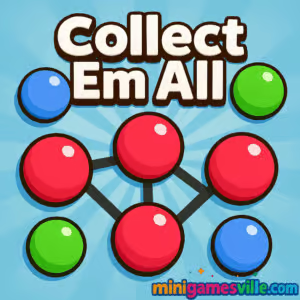
Ready to relax and pop some dots? Click Play to jump into Collect Em All right here on minigamesville.com. Collect Em All is a colorful connect-the-dots puzzle browser game where you swipe through chains of same-colored balls, trigger satisfying explosions, and chase high scores. If you love casual match and connect puzzles you can play online with no installs, you are in the right place. Dive in now, enjoy quick levels, and come back anytime for another run. Play Collect Em All online on minigamesville.com and see how long a chain you can make.
About Collect Em All
Collect Em All is a fast, friendly puzzle designed for coffee breaks and marathon sessions alike. The goal is simple: connect adjacent dots of the same color, clear the board, and hit the objective within a limited number of moves. Smart planning matters, because larger chains spawn boosters that blast rows, columns, or shuffle the grid. This easy-to-learn, hard-to-master loop makes Collect Em All a perfect pick for fans of match, merge, and connect puzzles played in the browser.
History of Collect Em All
Collect Em All began as a mobile hit and quickly found an audience among puzzle fans thanks to its clean visuals, smooth swipe controls, and hundreds of bite-size levels. The experience translates neatly to the web, so you can play a quick round from any modern browser without a download.
Style & Vibe
Bright candy tones, playful motion, and crisp sound effects make every chain pop feel rewarding. The interface stays minimal, so your eyes stay on the board and the next satisfying connection.

Gameplay in Collect Em All
Each level gives you an objective, like clearing a color quota or breaking through blockers, plus a cap on moves. You swipe to connect two or more matching dots in straight or turning paths. Longer chains are the secret to scoring big, because they create rockets, bombs, and color shuffles that wipe large sections of the board. As you progress, new tile types appear, from sturdy blockers to locked cells that require adjacent clears. The game’s physics feel snappy, with pieces cascading smoothly so you can plan the next chain on the fly.
Game Modes
- Level Progression: Beat objectives with limited moves to unlock the next stage.
- Timed Challenges: Short events that reward quick chain-making and efficient clearing.
- Daily Goals: Bite-size tasks that top up coins and boosters.
- Events and Seasons: Rotating mini-modes that spice up the core connect gameplay.
How to Play
- Scan the board for your longest potential chain of the same color.
- Press or click the first dot, then drag through adjacent matches to extend the chain.
- Release to clear and charge your booster meter.
- Use rockets, bombs, or shuffles at the right time to reach the objective.
- Finish with moves to spare for bonus points and extra rewards.
Controls
- Desktop: Click and hold the first dot, drag across adjacent matching dots, release to clear. Click boosters to activate.
- Mobile: Tap and hold, slide your finger through matching dots, lift to pop. Tap boosters to use them.
Device Compatibility & Browser Support
Collect Em All runs smoothly as an HTML5 browser game on recent versions of Chrome, Firefox, Safari, and Edge. It works on Windows, macOS, iOS, and Android through the browser. For best performance, keep only one game tab open and enable hardware acceleration in your browser settings.
Mobile vs. Desktop Gameplay
On desktop, a mouse makes long chains easy to draw, great for precision clears. On phones or tablets, finger swipes feel natural and quick, perfect for short sessions. Your progress saves in the same browser profile, so you can hop back in later.
Can I Play Offline?
The browser version of Collect Em All requires an internet connection to load and save progress. For true offline play, use the mobile app on your device.
Can I Play Unblocked?
Collect Em All on minigamesville.com is a lightweight, secure online puzzle that often works on filtered networks. Access depends on your school or workplace policy, so if a firewall blocks games, try a personal device or a different connection.
If you prefer mobile, the official App Store and Google Play versions deliver the same connect-the-dots core with thousands of levels.
Tips & Tricks
Beginner Tips
- Always hunt for a 6+ chain before clearing small pairs.
- Save rockets and bombs for blockers or when you need to reach distant colors.
- Clear near the top to trigger longer cascades and new matches below.
- Check objectives first. If you need blues, build around that color early.
- Leave easy matches for later, spend moves setting up mega chains.
Advanced Strategies
- Pre-plan two turns: create a chain that also positions dots for your next clear.
- Focus on board control. Remove isolated colors that clog potential paths.
- Use a shuffle when you have multiple dead zones or when the objective color is scattered.
- Rocket direction matters. Aim along rows or columns that free the most locked tiles.
- When a color quota is close, switch to high-value clears to score bonus stars.
Features
- 🎯 Satisfying connect-the-dots puzzle loop with limited moves.
- 💥 Chain-powered boosters: rockets, bombs, and shuffles.
- 🧩 Hundreds of handcrafted levels with fresh twists and blockers.
- 📈 Score chases and star ranks for replay value.
- 🎨 Clean visuals and smooth animations that make every pop feel great.
- 📱 Playable in the browser on desktop and mobile.
- 🕒 Quick sessions, perfect for short breaks.
- 🔊 Snappy audio cues that reward smart moves.
Unlockables & Secrets
Long chains spawn powerful boosters. Clear entire rows or columns, blast clusters, or reshuffle tricky boards. Keep an eye on seasonal events for extra rewards and time-limited cosmetics.
Cheats & Mods
There are no legitimate cheats for Collect Em All. Third-party mods or hacked APKs risk account and device security. Stick to the official browser game on minigamesville.com or the verified store apps for a safe, reliable experience.
Walkthrough Summary
Open each level by scanning for the longest color chain. Build toward the objective with one or two setup moves, then detonate a big chain to spawn a booster and break through blockers. Use a shuffle when the board stalls and finish with a high-value clear to secure bonus stars.
Scoring, Records & Progression
Scoring rewards chain length, smart booster use, and leftover moves. Stars unlock new stages and occasional bonus rounds. Returning daily keeps your coin balance healthy for booster refills during tough spots.
Why Play Collect Em All
If you want a relaxing online puzzle that still rewards planning, Collect Em All fits perfectly. It plays great in a browser, it is easy to pick up, and every mega chain delivers that sweet endorphin pop.
Pros & Cons of Collect Em All
- Pros: quick levels, slick controls, big chain payoffs, runs smoothly in a browser.
- Cons: later levels can be tough without smart booster management, objectives get tight on moves.
- Refresh the page between long sessions to keep memory usage low.
- Close other heavy tabs while playing to reduce input lag.
- On laptops, plug in for maximum CPU and GPU performance.
- On mobile, enable full-screen and do not disturb for uninterrupted swiping.
Similar games to Collect Em All
- Bee Sort by Sam — Sort buzzing bees by color to clear jars with logic and planning.
- Green — Minimalist level-by-level puzzles where every screen hides a fresh solution.
- Tap It Away — Clear stacked blocks by tapping in the right order to free the cube.
- Robot Awake — Route laser beams to activate robots with clever mirror placement.
- Sudoblocks — Merge Sudoku rules with block drops for satisfying board clears.
- Bubbles 2 — Aim and pop bubbles to set up chain reactions and combos.
- Emoji Quest — Light puzzle adventure where you connect icons to solve each stage.
FAQ
Is Collect Em All free to play in the browser?
Yes, you can play Collect Em All online on minigamesville.com for free in any modern browser.
Does the game save my progress?
Your progress saves to your current browser profile, so use the same device and browser to continue where you left off.
What counts as a valid chain?
A chain is two or more adjacent dots of the same color connected by straight or turning paths without skipping cells.
How do I get more boosters?
Create longer chains to earn rockets and bombs, finish levels with moves to spare, and complete daily goals for extra items.
Why am I running out of moves near the end?
Plan around the objective color early and save a booster to break through blockers on your last two turns.
Can I mute sound effects?
Yes, use the in-game settings or your device volume controls to silence effects and music.
Is Collect Em All safe for kids?
The puzzle gameplay is friendly, but always review settings and play with supervision based on your family’s preferences.
Do the mobile apps work offline?
Mobile versions let you play many levels without a connection after the initial download, while the browser game requires internet to load.
Conclusion
When you want a relaxing puzzle that still rewards smart planning, Collect Em All hits the spot. Big chains feel great, boosters add flair, and levels fit perfectly between tasks or during a quick break. Whether you play on desktop or phone, the browser version keeps it simple and satisfying.
Ready to pop some dots? Tap Play and enjoy Collect Em All on minigamesville.com, or grab the mobile app for on-the-go sessions. Line up a mega chain and watch the fireworks.

 Loading...
 English
 Shqip
Shqip
 বাংলা
বাংলা
 Български
 简体中文
简体中文
 Hrvatski
 Čeština
 Dansk
Dansk
 Nederlands
 Suomi
Suomi
 Ελληνικά
 हिन्दी
 Magyar
 Bahasa Indonesia
 日本語
日本語
 한국어
한국어
 Lietuvių
 Bahasa Melayu
 Norsk
Norsk
 Polski
 Português do Brasil
 Română
 Slovenčina
 Slovenščina
 Svenska
 ไทย
ไทย
 Türkçe
 Українська
 اردو
اردو
 Tiếng Việt
 isiZulu
 Español
 Français
 Deutsch
 العربية
 Italiano
 فارسی
فارسی
 Русский