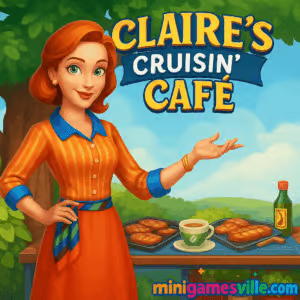
Play Claire’s Cruisin’ Café online on Minigamesville
Jump in and play Claire’s Cruisin’ Café on minigamesville.com right now. This fast, flavorful time management browser game blends cooking chaos with food-truck strategy, perfect when you want quick, satisfying play sessions in your browser, unblocked and ready to go. Claire’s road-trip adventure serves up tap-to-serve action, upgrade decisions, and combo-chasing fun. If you love cooking, restaurant, and casual simulation games, click Play and start serving in Claire’s Cruisin’ Café today.
About Claire’s Cruisin’ Café
Claire’s rolling kitchen is on a coast-to-coast tour. Each stop introduces new recipes, customer types, and service layouts that keep you thinking on your feet. The loop is snappy: prep, cook, deliver, collect tips, then invest in smart upgrades to beat tougher rushes. Whether you are on a laptop or phone, Claire’s Cruisin’ Café is an easy-to-learn, hard-to-master online experience that rewards speed, planning, and precision.
History of Claire’s Cruisin’ Café
The Cruisin’ Café series hit the scene in the early 2020s, quickly earning a following among fans of classic diner and café management games. Subsequent entries expanded Claire’s journey with fresh locations, faster flows, and extra challenges, while sticking to the same approachable, click-first control scheme players love.
Style & Vibe
Bright, clean UI and cheerful animations make every level pop. The food looks tasty, the customers are expressive, and upgrade visuals make progress feel tangible. Expect upbeat music that matches the pace of a busy service, plus satisfying sizzle and ding effects when orders go out on time.

Gameplay in Claire’s Cruisin’ Café
Each level lasts a few minutes and plays like a tight puzzle. Queue actions, cook in the right order, and deliver before patience bars run out. Build chains by serving back-to-back without mistakes to boost your score. Spend earnings on upgrades like faster grills, extra prep stations, and décor that increases tips. Claire’s Cruisin’ Café rewards clean routing, clever batching, and proactive restocking.
Game Modes
- Story levels: progress across multiple venues with escalating difficulty and new recipes.
- Challenge stages: time-based targets or limited-resources scenarios that test consistency.
- Score chase: replay completed levels to perfect routes and farm three-star finishes.
How to Play
- Scan the queue and prioritize long-cook items first.
- Prep base components while the grill or oven runs.
- Assemble exact orders, then deliver quickly to maintain chains.
- Restock ingredients before they hit zero, especially during rushes.
- After the level, invest in upgrades that remove your biggest bottleneck.
Controls
- Desktop: Left click to prep, cook, assemble, and serve. Click and hold for batch actions where available.
- Mobile: Tap to select stations and items. Multi-touch works on many devices for rapid queues.
- Quality of life: Queue multiple actions on the same station when it is safe to do so.
Device Compatibility & Browser Support
Claire’s Cruisin’ Café runs as a browser game. For the smoothest performance, use the latest version of Chrome, Edge, Firefox, or Safari. Close heavy tabs, keep battery saver off during play, and enable hardware acceleration in your browser settings for steadier frame times.
Mobile vs. Desktop Gameplay
- Mobile: Great for quick sessions. Larger UI touch targets and one-hand play feel natural.
- Desktop: Best for high scores. A mouse makes fast chaining and micro-optimizations easier.
Can I Play Offline?
Claire’s Cruisin’ Café loads content through your browser, so you need an internet connection to start a session. Once loaded, you may continue until the page refreshes, but full offline play is not supported.
Can I Play Unblocked?
Yes, many players enjoy Claire’s Cruisin’ Café unblocked at school or work where casual gaming is allowed. Minigamesville serves the game over secure HTTPS and keeps required requests lean, which helps with common filters. Always follow your local network rules.
- Play in your browser on Minigamesville using the iframe above.
- Desktop download versions exist on PC platforms. If you prefer mobile, this exact title does not have official App Store or Google Play pages at this time.
- Looking for a similar mobile experience? Try Cooking Fever on:
Tips & Tricks
Beginner Tips
- Start long-cook proteins first, then fill downtime with quick-prep sides.
- Deliver in batches that finish near the same time to keep chain bonuses alive.
- Upgrade speed before capacity. Faster stations amplify every other improvement.
- Memorize two or three high-frequency recipes to eliminate misclicks.
Advanced Strategies
- Shadow queueing: click the next action while the current animation plays.
- Anchor orders: always keep one simple order ready to stabilize your chain when a complex recipe lingers.
- Pathing discipline: complete actions in a clockwise or counterclockwise loop to reduce cursor travel.
- Selective upgrades: if patience bars drop, invest in décor before buying a second grill.
Features
- 🍔 Fast, snackable levels that fit any break
- 🚚 Food-truck theme with fresh venues and layouts
- 🧠 Smart time management puzzles in every rush
- 💡 Upgrades that remove real bottlenecks
- 🎯 Score chains and tip multipliers for skillful play
- 📈 Replayability with three-star targets per stage
- 🔊 Crisp sizzle, ding, and serve audio feedback
- 🎨 Bright visuals and readable UI on all screens
Unlockables & Secrets
Earn stars to open new venues and recipes. Hidden achievements often trigger when you keep long chains or serve tricky combos without errors. Max décor upgrades lift base tips, which can quietly push you over tough score thresholds.
Cheats & Mods
There are no built-in cheats in the browser version, and third-party mods are risky for your device and save data. For easier clears, tune your upgrade path and replay earlier levels to master optimal routes.
Walkthrough Summary
Open with proteins on the grill, queue sides, then assemble two orders in parallel. Deliver the fastest one first to secure the chain, drop restocks during serve animations, and finish with a décor tip boost to clear the target score. Repeat this rhythm, and Claire’s Cruisin’ Café becomes a flow state.
Scoring, Records & Progression
Stars come from final score, which factors speed, accuracy, and chain length. Avoid waste, maintain queues, and prioritize upgrades that increase serve speed. Track personal bests by replaying levels and shaving seconds off each cycle.
Why Play Claire’s Cruisin’ Café
It is the sweet spot between cozy cooking and tight optimization. You can unwind with simple taps or chase perfect routes for high scores. Claire’s Cruisin’ Café fits five minutes or fifty, and it runs right in your browser without downloads.
Pros & Cons of Claire’s Cruisin’ Café
- Pros: responsive click controls, quick levels, meaningful upgrades, satisfying chains.
- Cons: late-game spikes can require replays, perfectionists may grind for three stars.
- Keep only one game tab open to reduce memory pressure.
- Disable heavy extensions on your game tab or use a clean profile.
- On laptops, plug in for higher CPU boost clocks during rushes.
- Mobile Safari users: switch to landscape for larger touch targets.
Similar games to Claire’s Cruisin’ Café
- Bunny Bistro — cute café time management with speedy serving and cozy upgrades.
- Cooking Korean Lesson — assemble iconic Korean dishes while learning step order and timing.
- Yummy Waffle Ice Cream — dessert-building fun with toppings and presentation goals.
- Papa’s Cheeseria — grill, assemble, and serve sandwiches under pressure with score-based grading.
- Papa Louie 2 — a food-themed adventure that still scratches the restaurant-lover itch with familiar charm.
- Papa Louie 3 — platforming with tasty personalities for fans of culinary worlds.
FAQ
Is Claire’s Cruisin’ Café free to play on Minigamesville?
Yes, you can play this browser game free on Minigamesville with no download required.
Does Claire’s Cruisin’ Café save my progress?
Progress typically saves in your browser storage. Avoid clearing site data or switching devices if you want to keep your stars and upgrades.
What genre is Claire’s Cruisin’ Café?
It is a cooking and restaurant time management game with light strategy and upgrade elements.
Can I pause during a level?
You can pause between levels. During rushes, pausing may not be available until the current action completes.
Is Claire’s Cruisin’ Café appropriate for kids?
Yes, it uses friendly visuals and simple mechanics. Reading basic prompts is helpful for younger players.
Why does the game feel harder later on?
New recipes and faster queues raise the challenge. Invest in speed upgrades and practice efficient routing to keep up.
Conclusion
Ready to cook, click, and conquer the lunch rush? Claire’s Cruisin’ Café delivers quick-fire fun, bright visuals, and that addictive time management flow. It is ideal for short breaks or a full session of score chasing.
Fire up the grill and hit Play above to start Claire’s Cruisin’ Café on Minigamesville. Your next perfect three-star run is only a few taps away.

 Loading...
 English
 Shqip
Shqip
 বাংলা
বাংলা
 Български
 简体中文
简体中文
 Hrvatski
 Čeština
 Dansk
Dansk
 Nederlands
 Suomi
Suomi
 Ελληνικά
 हिन्दी
 Magyar
 Bahasa Indonesia
 日本語
日本語
 한국어
한국어
 Lietuvių
 Bahasa Melayu
 Norsk
Norsk
 Polski
 Português do Brasil
 Română
 Slovenčina
 Slovenščina
 Svenska
 ไทย
ไทย
 Türkçe
 Українська
 اردو
اردو
 Tiếng Việt
 isiZulu
 Español
 Français
 Deutsch
 العربية
 Italiano
 فارسی
فارسی
 Русский