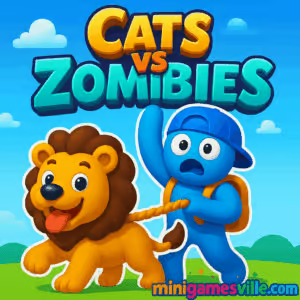
Play Cats vs Zombies right now on Minigamesville and jump into a fast, funny wave-defense challenge in your browser. Cats vs Zombies is a free online browser game that blends idle progression with snappy tower defense and light action. Build a feline squad, blast goofy undead, and keep the pressure on as the horde keeps coming. Hit Play above, then scroll for tips, modes, and strategies to help you dominate Cats vs Zombies on minigamesville.com.
About Cats vs Zombies
Cats vs Zombies mixes arcade defense with breezy clicker upgrades. Rounds are quick, enemies escalate, and your kitties power up fast. Whether you want a low-stress idle defense loop or to micro-manage every zombie wave, the game scales to your style. It runs right in your browser with no download, perfect for quick sessions at work, school, or on the couch. If you love cat games, zombie games, or simple tower defense blends, Cats vs Zombies will feel instantly familiar and refreshingly fun.
History of Cats vs Zombies
This HTML5 release channels the spirit of classic browser defense games, streamlined for modern WebGL performance. Expect bite-sized levels, clear upgrade paths, and a focus on instant feedback, which makes Cats vs Zombies ideal for short, repeatable sessions.
Style & Vibe
Bright colors, chunky animations, and a playful cartoon tone keep the action light even when the undead swarm. Sound effects pop, upgrades feel impactful, and every new cat unit has personality to spare.

Gameplay in Cats vs Zombies
You start with a small squad of heroic cats and a trickle of coins. Each wave sends zombies shambling toward your defenses. Defeat them to earn currency, then invest in damage, fire rate, health, and special abilities. As waves climb, new enemy types appear with shields, speed bursts, or ranged attacks. The loop is simple: survive, upgrade, repeat. What makes Cats vs Zombies click is how quickly upgrades stack, letting you feel stronger every wave without heavy grind.
Game Modes
- Endless Defense: Survive as long as possible while difficulty scales. Great for coin farming and testing builds.
- Stage Challenges: Fixed waves with clear win conditions and bonus rewards for clean runs.
- Boss Encounters: Occasional mini-bosses test your DPS and timing.
- Time Attack: Clear waves under a clock to earn extra coins and bragging rights.
How to Play
- Press Play in the iframe above to load Cats vs Zombies.
- Start the first wave and eliminate zombies to earn coins.
- Open the upgrade panel between waves and boost damage, fire rate, health, or special skills.
- Unlock new cat units and place them to cover lanes efficiently.
- Use abilities during spikes to stop fast or shielded zombies.
- Repeat waves, refine your build, and push for higher records.
Controls
- Desktop: WASD or Arrow keys to move or navigate, mouse to aim and click buttons, space or on-screen icons to trigger abilities.
- Mobile: Tap to select, drag to place, and use on-screen buttons for abilities.
Device Compatibility & Browser Support
Cats vs Zombies is an HTML5 browser game. It runs on modern Chromium-based browsers, Firefox, and Safari. For the best performance, keep one tab active, enable hardware acceleration, and close heavy background apps.
Mobile vs. Desktop Gameplay
- Mobile: Tap-friendly UI, quick sessions, ideal for casual, on-the-go waves.
- Desktop: Smoother frame rates, precise aiming with mouse, easier micromanagement in late-game waves.
Can I Play Offline?
The game loads from the web, so you need an internet connection to start. Once loaded, some sessions may continue briefly if the tab remains open, but plan on being online for reliable progress saving.
Can I Play Unblocked?
Cats vs Zombies is playable unblocked on many networks because it runs directly in the browser. If your school or workplace restricts gaming, try a different browser, update to the latest version, or access via a personal network.
- Browser: Play free on minigamesville.com, no download required.
- Mobile Stores: There is no official Google Play or App Store release for this exact browser version of Cats vs Zombies.
- Want a similar mobile experience? Try Plants vs Zombies 2 by PopCap and EA:
Tips & Tricks
Beginner Tips
- Prioritize base damage and fire rate early to smooth out the first 10 waves.
- Place units so their ranges overlap at choke points to multiply DPS.
- Save a small coin buffer to react to sudden difficulty spikes.
- Focus upgrades on two or three core cats rather than spreading thin.
Advanced Strategies
- Use ability timing to delete shielded or sprinting zombies before they breach.
- Build hybrid lanes: one high-DPS carry plus support cats with slows or armor shred.
- During Endless, alternate incremental upgrades with key power spikes to stay ahead of scaling.
- If crit chance exists, hit breakpoints where crit plus fire rate outperforms flat damage.
Features
- 🐱 Charming cat heroes with unique roles and upgrades
- 🧟 Varied zombie types that force smart lane coverage
- ⚙️ Fast, satisfying upgrade loop from wave to wave
- 🎯 Idle-friendly progression for relaxed grinding
- 📈 Endless mode for record chasers and min-maxers
- 🖱️ Click or tap controls, easy to learn in seconds
- 🌐 Runs in-browser, no download required
- 🧰 Accessible on desktop and mobile devices
Unlockables & Secrets
Push deeper into waves to unlock new cats, damage types, and passive buffs. Some milestones award bonus coins or cosmetic flair. Experiment with different upgrade paths to reveal hidden synergies.
Cheats & Mods
There are no built-in cheats. Avoid third-party mods or tampering, which can break saves or trigger security flags. The fastest legit power boost is optimizing upgrade order and ability timing.
Walkthrough Summary
Open with core DPS upgrades, secure your first choke point, and add a support cat to slow or debuff. Bank coins between waves to grab big power spikes before mini-bosses. Rotate abilities to delete priority targets, then reinvest rewards into range and survivability for late-game scaling.
Scoring, Records & Progression
Track your deepest wave cleared and fastest stage times. Use Endless to farm resources and test builds. Set personal goals, like no-damage clears or time-based challenges, to keep runs fresh.
Why Play Cats vs Zombies
Quick to start, satisfying to master, and endlessly replayable, Cats vs Zombies hits the sweet spot for casual defense fans and optimization nerds alike. It is an online, unblocked-friendly browser game you can play anytime.
Pros & Cons of Cats vs Zombies
- Pros: Snappy progression, cute art, simple controls, great in-browser performance.
- Cons: Waves can feel similar if you ignore build variety, and late-game scaling may require grindy optimization.
- Use the latest browser version and enable hardware acceleration.
- Close unused tabs and background streams to stabilize frame rate.
- On mobile, lower screen brightness and disable battery saver during long runs to reduce throttling.
Similar games to Cats vs Zombies
- Clash of Tanks — lane-based tank duels with upgrade-driven strategy.
- Raft Wars — aim-and-fire projectile battles with smart physics.
- Shot Trigger — tap-timing action where perfect shots decide the mission.
- Zoom-Be 2 — zombie-themed platform puzzles that reward teamwork and timing.
- Tiny Archer — hold, aim, and release for satisfying long-range takedowns.
- Stickman Army Team Battle — squad tactics and upgrades in quick skirmishes.
- Battle Tank — classic arcade armor fights with power-up momentum.
FAQ
Is Cats vs Zombies free to play?
Yes, you can play Cats vs Zombies free in your browser here on minigamesville.com.
What genre is Cats vs Zombies?
It is a hybrid of tower defense, idle progression, and light action.
Does Cats vs Zombies work on mobile?
Yes, it runs in mobile browsers. For the smoothest sessions, keep only one tab open.
How long is a typical session?
Most stages take a few minutes, while Endless mode can run as long as you can survive.
Will my progress save?
Progress is saved locally in your browser storage, so using the same device and browser helps keep your data intact.
Are there paywalls?
No downloads or purchases are required to enjoy the full browser experience.
Conclusion
Cats vs Zombies is easy to pick up, hard to put down, and perfect for quick hits of wave-defense fun. Cute cats, cheeky zombies, and a clean upgrade loop make every run satisfying.
Ready to claw your way up the leaderboards? Press Play above to dive into Cats vs Zombies on minigamesville.com, then use the tips in this guide to push deeper, earn bigger upgrades, and keep those zombies meowing for mercy.

 Loading...
 English
 Shqip
Shqip
 বাংলা
বাংলা
 Български
 简体中文
简体中文
 Hrvatski
 Čeština
 Dansk
Dansk
 Nederlands
 Suomi
Suomi
 Ελληνικά
 हिन्दी
 Magyar
 Bahasa Indonesia
 日本語
日本語
 한국어
한국어
 Lietuvių
 Bahasa Melayu
 Norsk
Norsk
 Polski
 Português do Brasil
 Română
 Slovenčina
 Slovenščina
 Svenska
 ไทย
ไทย
 Türkçe
 Українська
 اردو
اردو
 Tiếng Việt
 isiZulu
 Español
 Français
 Deutsch
 العربية
 Italiano
 فارسی
فارسی
 Русский