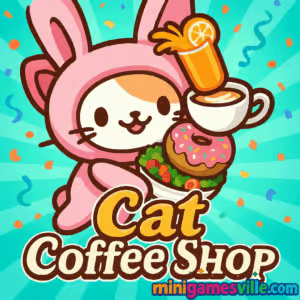
Play Cat Coffee Shop on MiniGamesVille now: tap the big Play button above and jump straight into Cat Coffee Shop on minigamesville.com. This cozy online browser game lets you run a purrfect café, serve speedy drinks, and upgrade your shop without downloads. If you’re looking for a cute management title that’s unblocked in most schools and workplaces, Cat Coffee Shop is ready to brew.
Introduction
Cat Coffee Shop is a charming cat café management game that blends idle progression with light time-management. You dash between coffee machines and tables, collect coins, and reinvest profits into upgrades and helper cats. It plays instantly in your browser, runs great on desktop or mobile, and is perfect when you want a relaxing, casual session that still rewards efficient play. Click Play above to start Cat Coffee Shop on MiniGamesVille, then come back here for pro tips, controls, and a quick guide to getting top earnings in this unblocked online game.
About Cat Coffee Shop
In Cat Coffee Shop you start small, with one machine and a couple of seats. Within minutes you are cleaning tables, brewing espresso, and hiring adorable assistants who keep the café humming while you sprint to your next task. Smart routing, timely upgrades, and a keen eye for bottlenecks turn your tiny cart into a bustling kitty café.
History of Cat Coffee Shop
This title arrives from the recent wave of cozy, management-lite browser games where short sessions and smooth progression matter. Over time, the core loop has been refined around quick actions, upgrade choices, and feel-good cosmetics, making Cat Coffee Shop an easy pick for anyone who loves coffee culture, cats, and low-friction play directly in the browser.
Style & Vibe
Expect warm colors, clean UI, and bouncy animations that make every pour, pickup, and upgrade feel satisfying. The soundtrack leans chill and the pacing invites you to optimize routes without stress.

Gameplay in Cat Coffee Shop
Each round, customers queue for drinks. You brew, deliver, collect coins, and wipe tables. Earnings funnel into upgrades like faster brewing, bigger tips, extra speed, and auto-helpers that keep the revenue flowing when you’re cleaning or carrying. The fun is in reading the floor: reduce walking distance, clear tables before the next rush, and invest in upgrades that solve your current bottleneck. Cat Coffee Shop rewards flow, not grinding, so steady improvements quickly snowball into a thriving café.
Game Modes
- Endless Shift: a continuous loop where earnings and upgrades scale over time.
- Rush Moments: periodic customer surges that test your routing and table turnover.
- Upgrade Progression: unlock helpers, speed boosts, and machine tiers as you earn.
How to Play
- Press Play in the iframe above to launch Cat Coffee Shop on MiniGamesVille.
- Move to the machine, interact to brew, then deliver to waiting customers.
- Collect coins and clean tables to free seats for the next guests.
- Open the shop menu to buy upgrades: movement speed, brew speed, and helper cats.
- Repeat the loop, reinvesting earnings to keep lines short and tables clean.
Controls
- Desktop: WASD or Arrow Keys to move, Mouse click to interact, click-and-drag on some actions.
- Mobile: Tap to move and interact, swipe to adjust pathing where available, on-screen buttons for upgrades.
Device Compatibility & Browser Support
Cat Coffee Shop runs in modern browsers on desktop, laptop, tablet, and phone. For best performance use the latest Chrome, Edge, Safari, or Firefox and close heavy background tabs. Hardware acceleration on helps smooth animation on lower-end devices.
Mobile vs. Desktop Gameplay
Desktop gives you finer pathing with keyboard plus mouse, which helps during rushes. Mobile is wonderfully pick-up-and-play with tap controls and short bursts. Progress feels great either way.
Can I Play Offline?
Cat Coffee Shop is a browser game, so you need an internet connection to load and save reliably. Some assets may cache after first load, but plan to stay online for a stable session.
Can I Play Unblocked?
Cat Coffee Shop on MiniGamesVille is designed for quick, instant access. If your network blocks gaming sites, try a different browser or your mobile connection. In most cases, it plays unblocked right in the browser.
- Browser: Play Cat Coffee Shop here on MiniGamesVille.
- iOS: There is an App Store version titled “Cat Coffee Shop.” Get it on App Store.
- Android: There is no verified Google Play listing for this exact title at the time of writing. If you want a cat café experience on mobile, try the official “Pokémon Café ReMix” on App Store or Google Play.
Tips & Tricks
Beginner Tips
- Upgrade movement speed early to shorten every trip you take.
- Buy one helper cat fast, then shift to brew speed and extra tables.
- Clear tables immediately after pickups to keep the line moving.
- Stand between machine and busiest table cluster to reduce steps.
- Save a small coin buffer so you can buy key upgrades during a rush.
Advanced Strategies
- Route in triangles: machine to nearest table to coin pickup, then back.
- Stagger upgrades: alternate speed and automation to avoid new bottlenecks.
- Time purchases right before a surge so benefits land when demand spikes.
- Prioritize assistants that complement your weakness, like cleaning during delivery.
- Track your longest queue and invest where wait times are growing.
Features
- 🐾 Adorable helper cats that automate cleaning and service
- ☕ One-tap brewing and satisfying delivery animations
- 💨 Movement and brew speed upgrades for snappier flow
- 🪑 Table expansions that unlock bigger earnings per minute
- 📈 Idle-friendly income when assistants are active
- 🎨 Cozy visuals and UI made for quick sessions
- 📱 Smooth browser performance on mobile and desktop
- 🔓 Progressive unlocks that keep the loop fresh
Unlockables & Secrets
Expect new machine tiers, faster service perks, extra seating, and helper cats that change how you route the floor. Watch for upgrade breakpoints where your brew time drops by a whole step, since those are huge power spikes.
Cheats & Mods
There are no official cheats for Cat Coffee Shop. Avoid third-party mods or extensions that claim infinite coins, since they can break saves or harm your device. You do not need cheats to progress quickly if you invest in speed and assistants.
Walkthrough Summary
Start with speed, buy your first helper, then brew speed. Add another table and keep cleaning instantly after coin pickups. Between surges, open the shop and buy upgrades that fix your longest wait. Repeat the loop and your café scales smoothly.
Scoring, Records & Progression
Your soft goals are coins per minute and queue length. Track how often customers leave and aim for zero drop-offs. A good milestone is reaching a point where one helper keeps tables clear during a full brew-deliver-collect cycle.
Why Play Cat Coffee Shop
Cat Coffee Shop captures that feel-good micro-management loop: tiny optimizations create visible gains, upgrades feel meaningful, and the whole experience is calm, cute, and snackable. It is perfect between tasks, on the couch, or during a short break.
Pros & Cons of Cat Coffee Shop
- Pros: Instant play in browser, cozy art, smart upgrade loop, great on mobile.
- Cons: Simple objectives by design, occasional rushes can feel tight on small screens until you upgrade speed.
- Update your browser to the latest version for smoother frame times.
- Enable hardware acceleration in settings if disabled.
- Close extra tabs and heavy extensions while you play.
- On mobile, switch to Wi-Fi for steadier input and loading.
Similar games to Cat Coffee Shop
- Bunny Bistro — a cute café builder where you serve hungry bunnies with quick prep and upgrades.
- Papa’s Cheeseria — classic restaurant time-management with deep order customization and rush-hour juggling.
- Cooking Korean Lesson — learn and cook iconic dishes while mastering timing and plating.
- Merge Zoo — merge-to-grow mechanics with adorable animals and steady idle progression.
- Babel Tower — incremental building where smart upgrades boost production over time.
- Tower Merge — quick merge decisions and compounding growth for satisfying upgrades.
- Funny Kitty Care — pet care mini-games starring lovable cats, perfect for short breaks.
- Yummy Waffle Ice Cream — dessert crafting fun with speedy serving and sweet visuals.
FAQ
Is Cat Coffee Shop free to play?
Yes, you can play Cat Coffee Shop free in your browser on MiniGamesVille.
Does Cat Coffee Shop work on phones?
Yes, it runs in mobile browsers and supports tap controls for brewing, delivering, and upgrades.
What are the best first upgrades in Cat Coffee Shop?
Movement speed, one helper cat, then brew speed give the biggest early gains.
How do I earn coins faster?
Keep tables clean, minimize walking distance, and buy upgrades that remove your slowest step.
Will Cat Coffee Shop save my progress?
Your progress is stored in the browser. Using the same device and browser helps keep your save consistent.
Can I pause Cat Coffee Shop?
You can step away safely between surges. On mobile, switch apps when you are not mid-delivery to avoid losing rhythm.
Is there an app for Cat Coffee Shop?
There is an iOS version on the App Store. If you need Android, try Pokémon Café ReMix on both App Store and Google Play.
Conclusion
Cat Coffee Shop nails the cozy café fantasy with quick rewards, tidy animations, and a loop you can enjoy in five minutes or for an hour. Upgrades feel great, helpers are adorable, and the vibe is as warm as a fresh latte.
Ready to brew, serve, and grow your cutest business yet? Hit Play above to start Cat Coffee Shop on minigamesville.com, then use the tips here to keep those cats caffeinated and your coins climbing.

 Loading...
 English
 Shqip
Shqip
 বাংলা
বাংলা
 Български
 简体中文
简体中文
 Hrvatski
 Čeština
 Dansk
Dansk
 Nederlands
 Suomi
Suomi
 Ελληνικά
 हिन्दी
 Magyar
 Bahasa Indonesia
 日本語
日本語
 한국어
한국어
 Lietuvių
 Bahasa Melayu
 Norsk
Norsk
 Polski
 Português do Brasil
 Română
 Slovenčina
 Slovenščina
 Svenska
 ไทย
ไทย
 Türkçe
 Українська
 اردو
اردو
 Tiếng Việt
 isiZulu
 Español
 Français
 Deutsch
 العربية
 Italiano
 فارسی
فارسی
 Русский