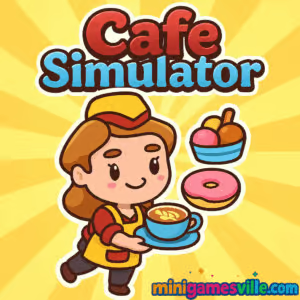
Click Play to jump into Cafe Simulator on minigamesville.com and start serving your first latte right now. If you love time-management and tycoon challenges, Cafe Simulator is the cozy, fast-paced browser game you’ve been craving. Build a bustling cafe, balance orders, and keep customers smiling in this online, unblocked experience that runs straight in your browser. Whether you’re a speed runner chasing perfect shifts or a chill manager optimizing profits, Cafe Simulator delivers a flavorful mix of strategy and cooking simulation. Ready to pour, plate, and profit? Press Play above to launch Cafe Simulator and brew up your dream coffee shop.
About Cafe Simulator
Cafe Simulator blends restaurant management, light strategy, and quick-click service into a satisfying loop. You will manage queues, upgrade equipment, and unlock recipes while juggling timers and customer patience. It is a streamlined cafe management browser game designed for instant play, clean UI, and snackable sessions that still reward smart planning. Expect a smooth learning curve, escalating rush hours, and that “one more day” pull as you hunt for perfect scores.
History of Cafe Simulator
Modern cafe sims trace their roots to classic Flash time-management games, then evolved into slick HTML5 titles that run anywhere. Cafe Simulator follows that tradition with intuitive touch and mouse controls, faster loading, and quality-of-life upgrades like smart queues and adaptive difficulty. It captures the joy of running a cafe without big downloads or steep learning walls.
Style & Vibe
The vibe is warm and welcoming, with bright counters, crisp UI, and tasty food art that makes every order feel rewarding. UI prompts are readable at a glance, so you can glide through rushes while planning your next upgrade.

Gameplay in Cafe Simulator
Each in-game day starts with a calm trickle of customers and ramps into a lively rush. You take orders, prep drinks and pastries, and deliver before patience runs out. Earn coins and tips, then invest in faster machines, extra stations, and menu unlocks. Small choices, like when to prioritize VIPs or batch-prep items, add surprising depth. The physics are snappy and responsive, so misclicks are rare and multitasking feels great. By the late game, efficient routing and upgrade timing turn your cafe into a well-oiled service line.
Game Modes
- Career Days: Progress day by day, unlock recipes, expand stations, and grow profits.
- Rush Challenges: Short, high-intensity shifts that test multitasking and menu memory.
- Endless Service: A chill, longer session for practicing flow and order batching.
- Time Attack: Beat target goals under a strict timer to earn bonus rewards.
How to Play
- Press Play above to load Cafe Simulator in your browser.
- Watch the first orders arrive, then tap or click each customer to view their request.
- Queue the correct machine, wait for the indicator to finish, then serve while it is hot.
- Stack simple orders during rushes, and prioritize high-tip or VIP customers.
- Use your earnings to upgrade speed, add extra stations, and unlock new recipes.
Controls
- Desktop: Mouse to select customers, machines, and serve. Number keys may quick-select stations if enabled. Esc to pause.
- Mobile/Tablet: Tap to select, swipe where prompts appear, hold to accelerate certain actions when available.
Device Compatibility & Browser Support
Cafe Simulator is an HTML5 browser game that runs on modern Chromium-based browsers, Safari, and Firefox. It plays smoothly on Windows, macOS, iOS, Android, and Chromebooks with no downloads required.
Mobile vs. Desktop Gameplay
- Mobile: Bigger touch targets, great for quick sessions and on-the-go play.
- Desktop: Precision mouse control and wider screen real estate for peak multitasking.
Can I Play Offline?
Cafe Simulator is an online browser game, so an active connection is required to load and play.
Can I Play Unblocked?
Yes, Cafe Simulator is unblocked for most players because it runs in-browser without extra plugins. If your network restricts gaming, try a different browser, use HTTPS, or play from a personal network.
- Browser: Play free on minigamesville.com.
- Mobile equivalents: This exact browser game does not have official mobile store apps. Prefer playing on phone? Try these similar cafe management hits:
Tips & Tricks
Beginner Tips
- Memorize top sellers. Your first upgrades should speed up the most requested items.
- Serve by patience, not arrival. Prioritize nearly impatient customers to avoid refunds.
- Batch craft. Queue two or three identical drinks to reduce station idle time.
- Save early coins for one big speed upgrade instead of many tiny ones.
Advanced Strategies
- Create a rush routine: take two orders, start the longest prep first, serve the fastest item to calm the queue.
- Use upgrade breakpoints. Many machines hit noticeable time cuts at specific levels that change your whole rhythm.
- Route efficiency: position frequently paired stations side by side to minimize cursor travel.
- VIP math: serve VIPs during rush for bigger tips, but never at the expense of multiple near-timeout customers.
Features
- ☕ Snappy, satisfying service loops with escalating rushes
- 🧁 Unlockable recipes and menu variety for replay value
- ⚡ Smart upgrades that transform your shift flow
- 📈 Day-by-day progression with clear goals
- 🎯 Optional challenge modes for score chasers
- 📱 Smooth play on desktop, mobile, and Chromebook
- 🔊 Crisp audio cues that help you multitask
- 🏆 Session ratings that reward perfect service
Unlockables & Secrets
New menu items appear as you hit revenue milestones. Hidden bonus orders sometimes appear after flawless streaks. Keep an eye on icon hints, they often tease the next recipe tier.
Cheats & Mods
There are no built-in cheats, and third-party scripts can break saves or performance. For the best experience, stick to the base game and earn upgrades the legit way.
Walkthrough Summary
Start by upgrading your slowest core station. During early days, focus on accuracy and minimal queue drops. Midgame, expand stations and unlock a balanced menu. Late game, refine your rush routine and chase perfect daily ratings.
Scoring, Records & Progression
Daily scores are driven by speed, accuracy, and customer satisfaction. Perfect streaks grant tip multipliers. Long-term progression unlocks recipes, decor, and faster workflows, helping you set new personal records.
Why Play Cafe Simulator
If you want a fast, friendly cafe management online game that you can boot instantly, Cafe Simulator nails it. The service rhythm feels great, upgrades are meaningful, and sessions are flexible for both quick breaks and longer grinds.
Pros & Cons of Cafe Simulator
- Pros: Instant browser access, clean UI, addictive rushes, meaningful upgrades, mobile-friendly controls.
- Cons: Requires internet, late-game scores demand tight memorization, no deep narrative arcs.
- Use the latest Chrome, Edge, Safari, or Firefox for best frame pacing.
- Close heavy tabs, disable aggressive ad-blockers on the play page, and enable hardware acceleration.
- On mobile, set your device to high performance mode and keep battery saver off while playing.
Similar games to Cafe Simulator
- Bunny Bistro — whip up adorable dishes in a cute cafe setting with speedy service.
- Papa’s Cheeseria — grill, stack, and serve gourmet melts with classic time-management flair.
- Cooking Korean Lesson — learn tasty recipes while mastering quick kitchen tasks.
- Yummy Waffle Ice Cream — craft sweet treats fast to keep dessert lovers happy.
- Village Builder — expand a thriving settlement with resource planning and upgrades.
- Babel Tower — a satisfying clicker-builder loop with upgrades and steady growth.
FAQ
Is Cafe Simulator free to play?
Yes, you can play Cafe Simulator free in your browser with no downloads.
Does Cafe Simulator work on school Chromebooks?
Yes, it is a browser game and usually unblocked on Chromebooks. If blocked, try a different browser profile or network.
Will my progress save?
Most browsers keep local progress as long as you do not clear site data. Using the same device and browser is recommended.
What should I upgrade first?
Target the slowest high-demand station to reduce bottlenecks, then add extra slots for rushes.
Is there controller support?
Cafe Simulator is optimized for mouse and touch. Some browsers map basic navigation to controllers, but it is not required.
Conclusion
Cafe Simulator serves up quick, rewarding cafe management that fits perfectly into your day. The mix of speedy service, smart upgrades, and clean interface keeps each session fresh, whether you are practicing routes or chasing perfect ratings.
Ready to open doors and wow your first customers? Tap Play above to start Cafe Simulator on minigamesville.com, build your menu, and turn your tiny coffee counter into a neighborhood favorite.

 Loading...
 English
 Shqip
Shqip
 বাংলা
বাংলা
 Български
 简体中文
简体中文
 Hrvatski
 Čeština
 Dansk
Dansk
 Nederlands
 Suomi
Suomi
 Ελληνικά
 हिन्दी
 Magyar
 Bahasa Indonesia
 日本語
日本語
 한국어
한국어
 Lietuvių
 Bahasa Melayu
 Norsk
Norsk
 Polski
 Português do Brasil
 Română
 Slovenčina
 Slovenščina
 Svenska
 ไทย
ไทย
 Türkçe
 Українська
 اردو
اردو
 Tiếng Việt
 isiZulu
 Español
 Français
 Deutsch
 العربية
 Italiano
 فارسی
فارسی
 Русский