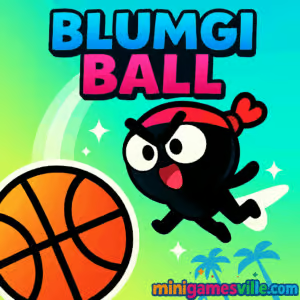
Play Blumgi Ball online now on Minigamesville
Ready to shoot, sling, and teleport your way to satisfying swishes? Hit Play above and jump straight into Blumgi Ball on Minigamesville. This physics-based basketball puzzle browser game blends precision shots with clever platforming and a unique teleport mechanic for stylish dunks. Whether you are at home, in class during a break, or on the go, Blumgi Ball online runs fast in your browser, no installs required. Try the unblocked version on Minigamesville, master the sling-to-hoop rhythm, and chase perfect three-star clears right now.
About Blumgi Ball
Blumgi Ball is a colorful physics puzzler dressed as an arcade basketball challenge. You aim, drag, and release to fire the ball, then blink next to it to chain trick shots, wall bounces, and last‑second saves. Levels grow from simple layups into elaborate obstacle courses with moving platforms, spike traps, springs, and portals. The big hook is momentum: learning power curves, angles, and teleport timing turns each stage into a miniature skill playground. If you enjoy quick‑restart challenges and leaderboard‑chasing, this browser game brings that one‑more‑try energy in spades.
History of Blumgi Ball
Created by the indie team behind the wider Blumgi series, Blumgi Ball quickly became a fan favorite for its tight physics, clean art, and snackable level design. It fits neatly alongside other Blumgi hits that mix platforming, sports, and puzzle DNA. The game’s steady updates and community appeal helped it spread across web portals as a go‑to basketball puzzle you can play in seconds.
Style & Vibe
Bright palettes, bouncy sound effects, and charming character skins create a cheerful arcade feel. Visual clarity stays front and center, so you always read angles, obstacles, and rebound arcs at a glance.

Gameplay in Blumgi Ball
Each stage asks a simple question: can you sink the ball efficiently? You drag to set power and angle, then release. After the shot, you can instantly teleport beside the ball to redirect it, create alley‑oops, or recover a miss. The core loop rewards careful aim, creative rebounds, and minimal shots. Obstacles evolve, introducing moving hoops, spring pads, switches, and one‑way platforms that force you to plot multi‑step routes. The faster you solve and the fewer attempts you use, the better your score and the quicker you unlock new skins.
Game Modes
- Level Campaign: Progress through handcrafted stages with escalating mechanics and trick‑shot opportunities.
- Time Challenges: Beat the clock with aggressive teleports and confident angles.
- Score/Shot Limits: Clear the hoop using as few attempts as possible to maximize stars.
How to Play
- Drag from the ball to set aim and power, release to shoot.
- Watch the trajectory, then teleport next to the ball midair to adjust angles or dunk.
- Use walls, platforms, and bumpers for bank shots and combo paths.
- Finish the level by dropping the ball cleanly through the hoop.
- Replay to cut shots, improve time, and unlock cosmetic rewards.
Controls
- Desktop: Click and drag to aim, release to shoot. Press Space to teleport beside the ball.
- Mobile: Tap and drag to aim, release to shoot. Tap the on‑screen teleport button to blink to the ball.
Device Compatibility & Browser Support
Blumgi Ball is an HTML5 browser game that runs smoothly on modern versions of Chrome, Firefox, Edge, and Safari. It plays great on laptops, Chromebooks, iOS and Android devices. For best results, keep your browser updated and close heavy background tabs.
Mobile vs. Desktop Gameplay
On mobile, the touch drag feels natural for quick arcs and micro‑adjustments. On desktop, mouse control offers ultra‑precise aiming for speed clears. Both playstyles support instant restarts and short sessions, perfect for quick wins.
Can I Play Offline?
No. Because levels and progress data load in the browser, you need an active internet connection to play Blumgi Ball on Minigamesville.
Can I Play Unblocked?
Yes. The game is lightweight and runs in‑browser, which helps it work on many school and work networks. If your network blocks gaming sites, try switching to a different browser or network as allowed by your local policies.
- Browser: Play right here on Minigamesville in any modern browser.
- Official mobile apps: There is no official Blumgi Ball app on iOS or Android at this time.
- Similar mobile pick: Prefer a dedicated basketball arcade on your phone? Try Dunk Shot by Ketchapp:
Tips & Tricks
Beginner Tips
- Learn your baseline arc. Do five practice shots at the same power to feel the curve.
- Teleport late, not early. Let the ball reveal its bounce before you blink to it.
- Bank smarter. A shallow angle into a wall often sets up an easy dunk.
- Reset quickly. Quick restarts keep your rhythm and help you iterate toward a cleaner route.
Advanced Strategies
- Two‑touch routes: Plan a first shot that intentionally sets an ideal teleport angle for the finish.
- Momentum carries: Use a soft first shot, teleport, then micro‑nudge for precise floaty layups.
- Obstacle exploitation: Springs and sliders can replace a shot if you time teleports to ride them.
- Perfect clears: Optimize for the fewest shots first, then replay for time once your line is solved.
Features
- 🏀 Sling‑and‑shoot basketball puzzles with crisp physics
- 🌀 Instant teleport mechanic for flashy alley‑oops
- 🧩 Handcrafted stages that reward creative routing
- 💥 One‑tap restarts for rapid practice loops
- 🎨 Unlockable character skins to show your style
- 📱 Mobile and desktop friendly with smooth controls
- ⚡ Quick sessions, perfect for short breaks
- 🌈 Bright visuals and upbeat arcade audio
Unlockables & Secrets
Earn points by clearing stages efficiently to unlock fresh character skins. Hidden lines in some levels allow zero‑bounce dunks or stylish ricochets. Keep experimenting with wall banks and late teleports to discover shortcut routes.
Cheats & Mods
There are no official cheats. Avoid third‑party downloads or extensions claiming unlimited power or auto‑aim. They risk account or device security and can ruin the challenge that makes Blumgi Ball fun.
Walkthrough Summary
- Scout the level. Identify walls, hazards, and any moving parts.
- Plot a two‑step plan: a setup shot and a finishing teleport.
- Use soft arcs for control, hard arcs for speed when gaps are wide.
- Teleport at peak usefulness, usually right after a bounce.
- Repeat to trim shots and time until you hit a clean, fast route.
Scoring, Records & Progression
Your performance improves as you cut shots, reduce retries, and chain stylish finishes. Aim to beat your personal best clears per world, and revisit earlier levels to collect faster times once you know the optimal line.
Why Play Blumgi Ball
If you love tight physics puzzles, quick restarts, and the pure joy of a perfect swish, Blumgi Ball delivers. It is easy to learn, deeply replayable, and a great fit for bite‑size browser sessions. The combination of sling shots and teleports keeps every level fresh.
Pros & Cons of Blumgi Ball
- Pros: snappy controls, clever level variety, instant restarts, strong mobile feel.
- Cons: later levels can be tough without practice, perfectionists may replay stages many times to master lines.
- Keep your browser up to date and close heavy tabs for smoother frames.
- Enable hardware acceleration in browser settings for stronger performance.
- On mobile, switch off battery saver while playing for steadier input response.
- If something feels off, refresh the page to clear a stalled state and re‑sync the physics.
Similar games to Blumgi Ball
FAQ
What is Blumgi Ball?
It is a physics‑based basketball puzzle browser game where you sling shots and teleport to sink stylish dunks.
Is Blumgi Ball free to play?
Yes, you can play for free in your browser on Minigamesville.
Does Blumgi Ball have an official mobile app?
No, there is no official app right now. If you want a dedicated mobile basketball arcade, try Dunk Shot on the App Store and Google Play using the links above.
How do teleports work?
After you shoot, tap Space on desktop or the on‑screen button on mobile to blink right next to the ball and influence its path.
Can I play Blumgi Ball unblocked at school?
Many networks allow it since it runs in the browser. If your network blocks gaming sites, follow your local rules and try again on a permitted network.
Is progress saved?
Your browser may save progress locally. Clearing cookies or switching devices can reset your data.
Is there multiplayer?
Blumgi Ball focuses on single‑player levels and leaderboard‑style personal bests.
Any accessibility tips?
On mobile, increase touch sensitivity in system settings. On desktop, try full screen for clearer angles and larger aiming arcs.
Conclusion
From the first satisfying bank shot to the final split‑second teleport dunk, Blumgi Ball nails quick, clever fun. It is the kind of online game you learn in seconds and keep chasing for perfect routes and faster clears.
Ready to sling another swish? Scroll up, press Play, and enjoy Blumgi Ball on Minigamesville. Tight physics, instant restarts, and bite‑size challenges are waiting for you.

 Loading...
 English
 Shqip
Shqip
 বাংলা
বাংলা
 Български
 简体中文
简体中文
 Hrvatski
 Čeština
 Dansk
Dansk
 Nederlands
 Suomi
Suomi
 Ελληνικά
 हिन्दी
 Magyar
 Bahasa Indonesia
 日本語
日本語
 한국어
한국어
 Lietuvių
 Bahasa Melayu
 Norsk
Norsk
 Polski
 Português do Brasil
 Română
 Slovenčina
 Slovenščina
 Svenska
 ไทย
ไทย
 Türkçe
 Українська
 اردو
اردو
 Tiếng Việt
 isiZulu
 Español
 Français
 Deutsch
 العربية
 Italiano
 فارسی
فارسی
 Русский