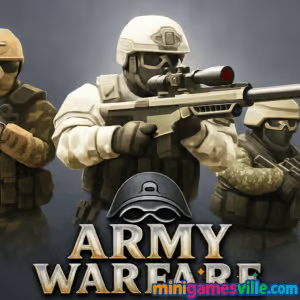
Play Army Warfare on MinigamesVille now. Step into the command seat and launch Army Warfare right here on minigamesville.com. This fast-loading browser game drops you into bite-sized tactical battles that you can enjoy online, unblocked in most networks, with no downloads or sign-ups required. If you like quick-strike strategy, base defense, and smart unit management, Army Warfare delivers tight, satisfying combat you can play in your browser during a break or a grind session. Hit the big Play button above and test your tactics in Army Warfare today.
About Army Warfare
Army Warfare is a snappy, round-based strategy experience built for the browser. You deploy units, control lanes, balance your economy, and outmaneuver opponents with timing and terrain awareness. The result is a lean, approachable war game with surprising depth. Sessions are short, upgrades are meaningful, and the action ramps up quickly, which makes Army Warfare perfect for online play at home, school, or work. If you have been searching for a lightweight army strategy browser game that still rewards skill, Army Warfare hits the mark.
History of Army Warfare
While Army Warfare embraces modern HTML5 performance, its design pays homage to classic web strategy, blending the pick-up-and-play feel of tower defense with the tactical choices of RTS skirmishes. Expect streamlined unit counters, simple resource loops, and clear visual feedback that keeps you focused on the battlefield.
Style & Vibe
The look favors clean silhouettes and readable effects. Explosions pop, armor feels weighty, and projectiles track clearly so you can parse the fight at a glance. Audio cues reinforce threat levels and successful plays without overwhelming the mix.

Gameplay in Army Warfare
Each match of Army Warfare unfolds across lanes and control zones. You earn resources per tick, invest in unit production, then push, hold, or rotate pressure based on the opponent’s build. Armor counters small arms, artillery softens entrenched lines, and utility units swing fights with slows, shields, or range boosts. Smart timing wins games: scout an opening, stack buffs, then commit before the enemy economy stabilizes. The physics keep projectile arcs and splash damage readable, so positioning matters and friendly fire risks are clear.
Game Modes
- Skirmish: Classic attack and defend with escalating waves and tech unlocks.
- Challenge Runs: Pre-set modifiers like low-eco starts or sudden-death pushes.
- Endless Defense: Hold lanes as difficulty climbs and chase high scores.
- Time Attack: Win objectives under a strict clock for bonus medals.
How to Play
- Begin with a balanced squad, then secure early resources without overcommitting.
- Probe with light infantry to reveal counters, then queue the right tech response.
- Use artillery or specials to break fortified positions before your main push.
- Retreat damaged units when possible and rotate lanes to split enemy focus.
- Close out by syncing power spikes: unit upgrades, global buffs, and capture timing.
Controls
- Mouse: Left click to select units or slots, right click to move or target, wheel to zoom if supported.
- Keyboard: Number keys to quick-select squads or build tabs, WASD or arrow keys to pan, Space to center camera, Esc to open settings.
- Touch on mobile browsers: Tap to select and place, pinch to zoom, drag to pan.
Device Compatibility & Browser Support
Army Warfare runs in modern Chromium-based browsers, Firefox, and Safari. It loads quickly on mid-range laptops and recent phones. For best results, keep one tab active, enable hardware acceleration, and use an updated browser version.
Mobile vs. Desktop Gameplay
Desktop offers the best multitasking and hotkey speed. Mobile is great for casual sessions, using tap-to-place and auto-pathing. If you favor competitive scores, desktop hotkeys will give you tighter execution.
Can I Play Offline?
Army Warfare is a browser game and requires an internet connection to load assets and track progress. Once loaded, some stages may continue during brief drops, but a stable connection is recommended.
Can I Play Unblocked?
Yes, in most cases. Army Warfare runs directly in the browser on minigamesville.com and typically works on standard school or office networks. If your network restricts gaming sites, check with your administrator.
- Browser: Play Army Warfare on minigamesville.com.
- Official mobile stores: There are no official Google Play or App Store releases for Army Warfare at this time.
- Want a similar mobile RTS? Try World War Armies on
Google Play or
App Store.
Tips & Tricks
Beginner Tips
- Open with two income upgrades before fielding heavy armor to avoid starved pushes.
- Mix unit types early. Single-tech rushes are easy to counter.
- Save a small reserve to react to surprise artillery or air support.
- Use terrain edges and cover to reduce incoming damage on approach.
Advanced Strategies
- Tempo swaps: Fake a lane push, then instantly rotate to an exposed flank.
- Economy denial: Harass resource points, not just units, to slow enemy tech.
- Staggered specials: Chain disables and splash in short intervals to avoid overkill waste.
- Counter-scouting: Hide key units behind tanks to mask your tech path.
Features
- ⚔️ Fast, tactical lane battles with satisfying counters
- 💣 Artillery, shields, and specials that turn the tide
- 🛡️ Upgrade trees that reward smart planning
- 📈 Score chasing in Endless and Time Attack
- 🎯 Clean visuals, crisp impacts, readable effects
- 🧠 Short matches that still reward strategy depth
- 📱 Smooth in-browser performance on mobile and desktop
- 🔧 Quality settings for low-spec devices
Unlockables & Secrets
Earn medals by finishing matches under time, preserving units, or capturing all objectives. Hidden bonus crates can appear during extended waves, granting temporary buffs or resources. Completing weekly challenges unlocks cosmetic banners for your army.
Cheats & Mods
There are no built-in cheat codes for Army Warfare. Unofficial mods and scripts can break saves or trigger security flags. For a fair and stable experience, stick to the default client and focus on optimal builds and timing.
Walkthrough Summary
Early game: Secure income, scout with light infantry, and hold choke points. Mid game: Tech into artillery or armor based on what you scouted. Late game: Sync your strongest units with global buffs, stagger specials, and collapse lanes for the win.
Scoring, Records & Progression
Army Warfare tracks your best times, wave counts, and win streaks. Higher difficulties multiply score and unlock unique badges. Daily milestones grant currency for upgrades, while clean runs with minimal losses improve your leaderboard position.
Why Play Army Warfare
Army Warfare blends fast matches with real strategic choice. It is easy to learn, tough to master, and perfect for quick browser sessions. Whether you want an online warm-up or a long score grind, it keeps the action tight and the decisions impactful.
Pros & Cons of Army Warfare
- Pros: Quick load times, clear counters, satisfying upgrades, flexible difficulty.
- Cons: No offline mode, limited macro compared to full RTS, touch controls are simpler than hotkeys.
- Enable hardware acceleration in your browser settings.
- Close heavy tabs and background streams for steadier frame pacing.
- Toggle in-game quality to Medium on older laptops or budget phones.
- Clear cache if assets fail to load after a patch.
Similar games to Army Warfare
- Clash of Tanks — Head-to-head tank lanes with smart timing and counters.
- Battle Tank — Drive, aim, and blast through waves in arcade-style armor duels.
- Stickman Army Team Battle — Deploy squads and capture positions in quick tactical skirmishes.
- Raft Wars — Lighthearted artillery physics with upgradeable shots and tricky angles.
- Protect the Hangar — Station defenses and repel incoming threats to hold the line.
- Shot Trigger — Stylish slow-mo shooting challenges that reward precision.
FAQ
Is Army Warfare free to play?
Yes, Army Warfare is free to play in your browser on MinigamesVille.
Do my upgrades carry across modes?
Core unlocks and medals persist, while mode-specific modifiers reset each run to keep balance.
How long is a typical match?
Most Army Warfare rounds last 3 to 8 minutes, perfect for quick sessions.
Does Army Warfare support controllers?
Army Warfare is optimized for mouse and keyboard or touch. Some browsers map basic controller inputs, but hotkeys remain fastest.
Will Army Warfare work on school Wi-Fi?
Usually yes. If the network blocks gaming sites, you may need admin approval.
Conclusion
Army Warfare nails the sweet spot between quick arcade action and satisfying strategy. It plays great in a tab, looks sharp, and gives you constant room to improve through smarter timing and better unit mixes.
Ready to test your tactics? Scroll up and launch Army Warfare on MinigamesVille. Deploy your squad, capture the objective, and prove you are the commander to beat in this online, unblocked browser game.

 Loading...
 English
 Shqip
Shqip
 বাংলা
বাংলা
 Български
 简体中文
简体中文
 Hrvatski
 Čeština
 Dansk
Dansk
 Nederlands
 Suomi
Suomi
 Ελληνικά
 हिन्दी
 Magyar
 Bahasa Indonesia
 日本語
日本語
 한국어
한국어
 Lietuvių
 Bahasa Melayu
 Norsk
Norsk
 Polski
 Português do Brasil
 Română
 Slovenčina
 Slovenščina
 Svenska
 ไทย
ไทย
 Türkçe
 Українська
 اردو
اردو
 Tiếng Việt
 isiZulu
 Español
 Français
 Deutsch
 العربية
 Italiano
 فارسی
فارسی
 Русский