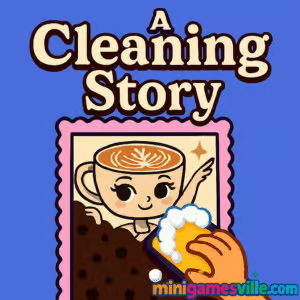
Ready to relax and tidy up? Click Play to start A Cleaning Story on MiniGamesVille and enjoy a cozy cleaning simulation right in your browser. This satisfying online experience delivers quick, pick-up fun with zero downloads, perfect for players who love casual, unblocked browser game sessions.
Introduction
A Cleaning Story is a charming, bite-size cleaning game that blends casual simulation, light puzzle elements, and time-management vibes into a soothing browser experience. Play A Cleaning Story online here on MiniGamesVille to unwind as you sweep, sort, and shine your way through compact rooms and cluttered corners. The loop is simple and satisfying: clear the mess, chase a high score, and level up your cleaning flow. Prefer to play unblocked at school or work? A Cleaning Story loads fast in modern browsers and runs smoothly on most devices. Tap the big Play button above, then start scrubbing for a spotless win.
About A Cleaning Story
A Cleaning Story focuses on everyday tasks that feel zen when gamified: pick up items, group similar objects, vacuum dust bunnies, and polish surfaces for bonus points. Short levels make it perfect for quick breaks, while clean visuals and crisp sound effects keep your focus on the tidy goal ahead. If you enjoy satisfying progress bars and clean-sweep finishes, A Cleaning Story will scratch that itch.
History of A Cleaning Story
Built with lightweight web tech for instant play, A Cleaning Story follows the modern wave of cozy sims and satisfying sorters. The emphasis is on minimal menus, quick loading, and intuitive mechanics you can learn in seconds. It feels right at home on MiniGamesVille, where short, feel-good browser games shine.
Style & Vibe
Expect soft colors, playful animations, and tactile audio queues that make every swipe and click feel rewarding. Rooms go from messy to magazine-clean in minutes, which is a big part of the charm.

Gameplay in A Cleaning Story
The moment a level starts, A Cleaning Story asks you to triage the mess. Drag or click to collect clutter, snap objects into the right spots, then vacuum or wipe zones to bump your cleanliness percentage. There is light physics when items slide into place, plus a timer that nudges you to plan a route. Score multipliers kick in for fast streaks, and bonus objectives reward deep cleans, like finishing with no leftover dust or perfectly sorted shelves.
Game Modes
- Story Levels: Tackle short, themed rooms with goals like 100 percent clean or time targets.
- Time Attack: Beat the clock for the best star rating and leaderboard bragging rights.
- Free Clean: No timer, just therapeutic tidying for a calm session.
- Challenge Rooms: Extra-messy setups with tricky object placement and combo potential.
How to Play
- Press Play above to launch A Cleaning Story on MiniGamesVille.
- Scan the room, then start with the largest clusters of clutter to open pathways.
- Drag or click objects into the correct zones, then vacuum or wipe to finalize.
- Chain actions quickly to trigger combo multipliers and earn bonus stars.
- Complete all objectives, then advance to the next room.
Controls
- Desktop: Mouse to click and drag items, right-click or space to toggle cleaning tool if available, ESC for pause.
- Keyboard: Optional WASD or arrow keys to pan camera in larger rooms.
- Mobile: Tap and hold to drag, two-finger pinch to zoom when supported.
Device Compatibility & Browser Support
A Cleaning Story runs in modern browsers like Chrome, Edge, Firefox, and Safari. It plays smoothly on Windows, macOS, Chromebooks, iOS, and Android. For best performance, keep only one game tab open, enable hardware acceleration, and close heavy background apps.
Mobile vs. Desktop Gameplay
On mobile, tap-drag controls feel natural for sorting and swiping. Desktop offers finer precision with a mouse, plus easier camera panning in bigger layouts. Both deliver quick loading and snappy performance.
Can I Play Offline?
You need an internet connection to load A Cleaning Story. Once loaded, keep the tab open to finish a session. For repeat play, reconnect to refresh levels and save progress reliably.
Can I Play Unblocked?
Yes, A Cleaning Story is a web-based title with no downloads, which often helps it remain unblocked on school and office networks. If your network restricts gaming, try a different browser or play at home where access is open.
- Web browser: Play A Cleaning Story on MiniGamesVille, no download required.
- Mobile stores: There is no official Google Play or App Store version of A Cleaning Story at this time.
- Want a similar mobile pick? Try Clean Up 3D:
Google Play |
App Store
Tips & Tricks
Beginner Tips
- Start with large clusters to unlock space, then sweep smaller items for a clean path.
- Group similar objects first. Sorting reduces backtracking and boosts combo time.
- Leave far corners for last so you finish near the exit or final objective.
- Keep an eye on the timer, but do not rush into dead ends.
Advanced Strategies
- Create “lanes” by pushing clutter to walls, then clear center paths for speed.
- Stack combos by chaining quick object drops before vacuum passes.
- Prioritize bonus tasks like spotless counters or zero dust to secure 3-star runs.
- Use short, repeated sweeps instead of long drags to maintain control and accuracy.
Features
- 🧹 Satisfying clean-sweep mechanics with light physics
- 🧼 Short levels suited for quick breaks or longer streaks
- ⏱️ Time and combo multipliers for score chasers
- 📦 Smart sorting that rewards tidy planning
- 🎧 Crisp audio feedback for every swipe and place
- 🔁 Free Clean mode for no-pressure play
- 🌐 Instant, browser-based loading with no download
- 📱 Smooth on mobile and desktop alike
Unlockables & Secrets
Expect cosmetic variations and bonus rooms that appear after consistent high scores. Keep clearing with 3 stars to reveal extra challenges and visual upgrades that make each run feel fresh.
Cheats & Mods
A Cleaning Story saves to your browser and is designed for fair play. Avoid third-party extensions or mod files, which can break saves or introduce security risks. The best way to progress is to master routes, optimize sorting, and chase multipliers.
Walkthrough Summary
Open with a quick scan, clear a lane, group similar items, then sweep surfaces. Hit bonus tasks in the last 20 percent of the timer, finish with a vacuum pass, and exit while your combo is active. Repeat for reliable 3-star clears.
Scoring, Records & Progression
Scores hinge on speed, accuracy, and combo chains. Cleanliness percent, no-mistake bonuses, and special objectives push your total higher. Track personal bests per room, then try to beat your time with tighter routes.
Why Play A Cleaning Story
If you love cozy, satisfying loops, A Cleaning Story is a perfect break-time pick. The pace is relaxing, the feedback is punchy, and the browser format keeps it unblocked and easy to launch anywhere.
Pros & Cons of A Cleaning Story
- Pros: Instant play online, smooth controls, quick levels, satisfying clean-up feedback.
- Cons: Short stages can feel brief for marathon sessions, timing windows may be tight on smaller screens.
- Use an up-to-date Chrome, Edge, Firefox, or Safari for best results.
- Enable hardware acceleration and close heavy tabs to reduce input lag.
- On mobile, disable low-power mode during play for steadier frame pacing.
- Clear cached data if you notice stutter after many sessions.
Similar games to A Cleaning Story
- Color Water Sort 3D — pour and sort hues into perfect stacks for a deeply satisfying puzzle flow.
- Nose Hospital — a hygiene-themed sim that turns cleaning into quirky, hands-on tasks.
- Foot Hospital — clean, mend, and treat feet in a clinic setting with quick mini-challenges.
- Bubble Pop Adventures — clear colorful boards for that same neat-and-tidy satisfaction.
- Thief Puzzle — a physics puzzler where careful planning and object interaction win the day.
- Puzzle Blocks Classic — place blocks to clean the grid and chase high scores.
FAQ
What is A Cleaning Story?
A Cleaning Story is a casual browser game about tidying rooms, sorting items, and sweeping surfaces to reach 100 percent clean.
Where can I play A Cleaning Story online?
You can play A Cleaning Story right here on MiniGamesVille in your web browser with no download.
Is A Cleaning Story unblocked at school?
Since it runs in the browser, A Cleaning Story is often unblocked, though access depends on your network’s rules.
Does A Cleaning Story have multiple modes?
Yes, you will find quick story levels, time-based runs, and a relaxed Free Clean option for chill play.
Can I save progress in A Cleaning Story?
Your progress is stored in browser storage, so using the same device and browser helps keep your data intact.
Is there an official mobile app?
No, A Cleaning Story does not have an official app. If you want a mobile alternative, try Clean Up 3D on Android or iOS.
What are the best tips for high scores?
Plan your route, group similar objects first, and chain fast actions to keep combos active.
Conclusion
A Cleaning Story turns everyday chores into a calm, satisfying browser game. Quick levels, comfy visuals, and snappy feedback make it a great pick when you need a relaxing reset. Whether you are sorting shelves or sweeping dust, each clean finish feels great.
Ready to play A Cleaning Story online unblocked? Tap the Play button above on MiniGamesVille, tidy the room, and chase your next spotless 3-star run. Have fun, and happy cleaning.

 Loading...
 English
 Shqip
Shqip
 বাংলা
বাংলা
 Български
 简体中文
简体中文
 Hrvatski
 Čeština
 Dansk
Dansk
 Nederlands
 Suomi
Suomi
 Ελληνικά
 हिन्दी
 Magyar
 Bahasa Indonesia
 日本語
日本語
 한국어
한국어
 Lietuvių
 Bahasa Melayu
 Norsk
Norsk
 Polski
 Português do Brasil
 Română
 Slovenčina
 Slovenščina
 Svenska
 ไทย
ไทย
 Türkçe
 Українська
 اردو
اردو
 Tiếng Việt
 isiZulu
 Español
 Français
 Deutsch
 العربية
 Italiano
 فارسی
فارسی
 Русский