Play Pink right now on Minigamesville.com. Tap the Play button above and dive into Pink, a clever color-based puzzle browser game that turns quick logic into irresistible micro challenges. If you like brain teasers and minimalist design, Pink online is your next favorite coffee-break companion. Keep reading for tips, controls, and performance tweaks, then jump back in to keep the screen, well, pink.
Introduction
Pink is a stylish logic puzzle that asks a simple question: can you turn every screen pink using only what you see? Each bite-size level hides a different trick, rewarding curiosity, pattern spotting, and a bit of lateral thinking. Whether you are solving during class-free minutes or winding down at night, this unblocked-style browser game runs instantly in your tab with no downloads. Ready to test your wits? Hit Play above to start Pink on Minigamesville.com and see how many puzzles you can solve in a row.
About Pink
Pink is part of a beloved color-themed puzzle lineage where every stage is a self-contained riddle. Instead of long tutorials, the game nudges you to experiment: click, drag, hold, rotate, type, or toggle until the logic clicks. The vibe is clean and upbeat, the feedback is immediate, and each solution feels like a small aha moment. Pink plays beautifully as an online browser game and is perfect for short sessions that still scratch a deep puzzle itch.
History of Pink
Pink belongs to a series of minimalist color puzzles from an indie creator known for elegant, learn-by-doing design. Fans of these color challenges will feel right at home with Pink’s playful twists, musical cues, and visual humor. If you enjoy compact levels that teach through discovery, Pink fits the bill.
Style & Vibe
Expect crisp shapes, bold typography, and cheeky visual motifs tied to the color palette. Pink balances chill and cheeky, sometimes leaning into neon signage or cute character touches to sell the theme without clutter.

Gameplay in Pink
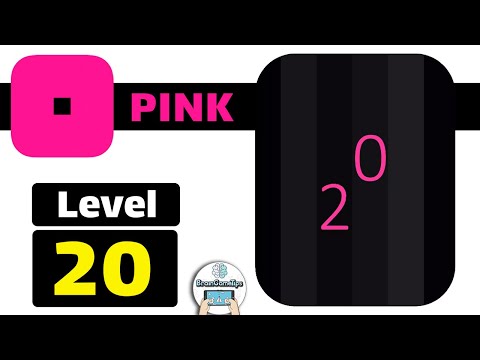
Every level in Pink is a fresh idea. One screen might respond to rhythmic clicks, another to a hidden slider, and the next to keyboard inputs or rotational symmetry. The core loop stays consistent: observe the screen, test a hypothesis, get feedback, iterate, and paint everything pink. Difficulty ramps through variation rather than complexity, which keeps momentum high and frustration low. Because solutions rely on logic and perception, Pink is welcoming for newcomers yet satisfying for seasoned puzzlers.
Game Modes
- Level Play: Tackle sequential micro puzzles, each with a unique mechanic.
- Replay Hunting: Revisit cleared screens to speed run solutions or teach a friend.
- Optional Hints: Use on tough stages if you want a nudge without spoilers.
How to Play
- Study the screen. Read any symbols, numbers, or visual patterns.
- Interact. Try clicking, dragging, holding, or pressing keys. Watch what reacts.
- Follow the feedback. Successful interactions usually animate or fill areas with pink.
- Refine your approach. If an idea partially works, adjust sequence or timing.
- Finish the fill. When all required elements turn pink, the next level unlocks.
Controls
- Mouse or touch: Click, tap, press-and-hold, drag, or swipe when the design suggests it.
- Keyboard: Some levels may respond to arrow keys or letters. Try gentle inputs before rapid presses.
- Audio: Keep sound on if you like subtle feedback cues, though it is not required.
Device Compatibility & Browser Support
Pink runs in modern browsers and performs smoothly on most desktops, Chromebooks, laptops, tablets, and phones. For the best experience, keep one tab focused on the game, close heavy downloads, and disable aggressive script-blocking extensions during play.
Mobile vs. Desktop Gameplay
On desktop, precise mouse control and keyboard access can make input puzzles snappy. On mobile, touch gestures feel natural for sliding or swiping mechanics. Both play great, so choose the device you have handy.
Can I Play Offline?
In-browser play requires an internet connection. If you prefer offline play, install the official mobile version on your device and enjoy on the go.
Can I Play Unblocked?
Pink on Minigamesville.com is an HTML5 browser game that often works on school and work networks. Access still depends on local policies. If your network blocks gaming, try a different browser, use a personal hotspot where allowed, or play on mobile.
Tips & Tricks
Beginner Tips
- Read the screen. Shapes and text often hint at the rule.
- Try one input at a time. Click, then drag, then hold, then keys.
- Count beats. Some puzzles respond to rhythm, not speed.
- Think symmetry. Mirrored layouts usually want mirrored actions.
- Use hints sparingly. A small nudge preserves the aha moment.
Advanced Strategies
- Map patterns on paper if a sequence repeats or rotates.
- Reverse engineer feedback. When part of the screen turns pink, ask why that action worked.
- Change context. If clicks fail, try click-and-hold, long press, or dragging across the whole screen.
- Watch timing. Some stages key off delay or tempo rather than quantity of taps.
- Reset the idea, not the level. Take a breath, then approach from a new angle.
Features
- 🧩 Dozens of bite-size logic puzzles with zero filler
- 🎨 Monochrome art direction that keeps the goal crystal clear
- 🎵 Catchy sound cues that reward correct interactions
- ⚡ Instant load, no downloads in the browser
- 📱 Smooth on mobile and desktop devices
- 💡 Optional hint system when you want a nudge
- 🔁 Quick restarts and fast level transitions
- 👌 Clean UI with intuitive, distraction-free design
Unlockables & Secrets
Pink is all about discovery. Hidden interactions, clever wordplay, and playful thematic elements often act as the key. Try poking at UI elements that do not look clickable, experiment with sequences, and keep an eye on subtle animations that signal progress.
Cheats & Mods
No official cheats or mods exist for the browser version. The built-in hint system is the best way to get unstuck without spoiling the fun.
Walkthrough Summary
Approach each level with fresh eyes. Observe motifs, test simple inputs, then escalate: click, long press, drag, swipe, keys. Look for order, rhythm, directionality, or symmetry. If visual clues feel abstract, step back and search for numbers, arrows, or text hints woven into the design.
Scoring, Records & Progression
Pink focuses on completion rather than points. Your progress typically saves in the browser, so you can come back later and continue. If you clear cache or switch devices, you may need to replay a few levels. Speed runners enjoy revisiting solved screens to find the most efficient input path.
Why Play Pink
Pink is puzzle joy distilled. It respects your time, rewards curiosity, and stays fresh by reinventing the rules every screen. If you enjoy clean design and clever logic, Pink delivers satisfying wins at a steady clip.
Pros & Cons of Pink
- Pros: Elegant puzzles, zero clutter, quick sessions, fair hint system, great on any device.
- Cons: A few levels may stump beginners, and completion-focused players might wish for post-game extras.
- Use a modern browser and keep one window focused on the game.
- Enable hardware acceleration in browser settings for smoother animation.
- Temporarily pause heavy background tabs, downloads, and VPNs.
- If inputs feel off, refresh the page to re-sync interaction timing.
Similar games to Pink
- Green — Another color-first logic puzzle with satisfying aha moments.
- Robot Awake — Program simple command chains to light up tiles and solve grid riddles.
- Arrower — Guide blocks using arrow rules and careful path planning.
- Tap It Away — Clear panels in the correct order by reading the tiny visual cues.
- Sudoblocks — A fusion of sudoku logic and block placement that rewards foresight.
- DIFF — Sharpen observation skills with clean spot-the-difference puzzles.
- Mini Train — Build simple contraptions to help a tiny locomotive reach the goal.
FAQ
What is Pink?
Pink is a minimalist logic puzzle where each self-contained level challenges you to make the entire screen pink using observation and interaction.
Is Pink free to play?
Yes, you can play Pink free in your browser here on Minigamesville.com, and you can optionally install the official mobile versions.
Does Pink work on Chromebook and school laptops?
Yes, Pink is an HTML5 browser game, so it runs on most Chromebooks and laptops that allow access to gaming websites.
Can I play Pink offline?
The web version needs an internet connection. After installing the mobile app, you can play on your device without a connection.
Are there hints in Pink?
Yes, if you want a nudge, use the in-game hint system to get progressive clues.
What devices and browsers does Pink support?
Pink runs on modern versions of Chrome, Edge, Firefox, and Safari across desktop and mobile.
Is Pink unblocked?
Availability depends on your network. Many players can access the game at school or work, but that is controlled by local rules.
Where can I download Pink on mobile?
Grab it from Google Play or the App Store.
Conclusion
If you love clean visuals, clever ideas, and quick wins, Pink is your kind of puzzle. The browser version is perfect for snackable sessions, while the mobile app is great for playing anywhere. No fluff, just satisfying logic and that signature all-pink payoff.
Ready to paint the screen your new favorite color? Click Play to start Pink on Minigamesville.com, solve a few levels, then come back for tips whenever you want a gentle nudge. Happy puzzling.

 (1 votes, average: 4.00 out of 5)
 Loading...
 English
 Shqip
Shqip
 বাংলা
বাংলা
 Български
 简体中文
简体中文
 Hrvatski
 Čeština
 Dansk
Dansk
 Nederlands
 Suomi
Suomi
 Ελληνικά
 हिन्दी
 Magyar
 Bahasa Indonesia
 日本語
日本語
 한국어
한국어
 Lietuvių
 Bahasa Melayu
 Norsk
Norsk
 Polski
 Português do Brasil
 Română
 Slovenčina
 Slovenščina
 Svenska
 ไทย
ไทย
 Türkçe
 Українська
 اردو
اردو
 Tiếng Việt
 isiZulu
 Español
 Français
 Deutsch
 العربية
 Italiano
 فارسی
فارسی
 Русский