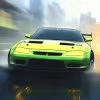
Turbo Race 3D: Introduction
Rev your engines and dive into Turbo Race 3D, a fast, flashy online racing browser game built for instant fun. With crisp 3D graphics, tight handling, and punchy arcade physics, it puts you on the track in seconds with no downloads. Whether you want quick time trials on lunch break or a full evening of drifting and upgrades, Turbo Race 3D delivers speed with style. Hit Play, pick your ride, and chase new records. Looking for unblocked racing at school or work? This lightweight WebGL experience loads quickly and runs right in your browser, so you can start driving right away.
About Turbo Race 3D
This racer blends classic arcade vibes with modern browser tech, giving you silky frame rates, responsive controls, and tracks packed with ramps, traffic, and risk-reward shortcuts. Expect straightforward progression, satisfying vehicle tuning, and a clear path from rookie to leaderboard regular.
History of Turbo Race 3D
Turbo Race 3D follows the rise of lightweight WebGL driving titles that prioritize instant access, low friction, and cross-device play. It leans into pick-up-and-play racing, then layers on drift-based challenges, time targets, and coin goals to keep you improving run after run.
Style & Vibe of Turbo Race 3D
Bright neon accents, clean cityscapes, and punchy engine audio set a high-energy mood. The UI is clear, the tracks are readable, and the camera keeps the action front and center. Turbo Race 3D feels like an arcade cabinet tuned for your browser, with just enough realism to sell the speed while still feeling accessible.
Gameplay in Turbo Race 3D
Every run balances risk and reward. You weave through traffic, chain drifts, hit boost pads, and manage nitro for maximum top speed. Collisions shave time or break your combo, so precision matters. As you progress, layouts get trickier, rivals get faster, and mastering corner exit speed becomes the key to winning.
Game Modes
- Time Attack: Beat target times to earn stars and unlock tougher routes.
- Checkpoint Sprint: Reach gates before the timer expires, chain clean sections for bonus seconds.
- Endless Run: Survive traffic and traps as long as possible for high-score bragging rights.
- Challenges: Drift quotas, top speed goals, and no-crash objectives that test specific skills.
- Races: Go head to head with AI rivals, manage drafting and nitro for a final straight push.
How to Play
- Choose a car, then review the track goal, such as time, drift score, or position.
- Learn the first corners, then plan where to spend nitro and where to save it.
- Feather throttle into turns, initiate gentle drifts, and straighten before boost pads.
- Collect coins and hit clean sections to fill nitro and boost your score multiplier.
- Use restarts to refine the ideal line until you hit the target or set a new record.
Controls for Turbo Race 3D
- Desktop: Arrow keys or WASD to steer and accelerate, Space to brake, Shift or X for nitro, R to restart, P or Esc for pause.
- Mobile: On-screen left and right to steer, pedal icon for throttle, brake icon to slow or initiate drift, lightning icon for nitro, pause button for menu.
Device Compatibility & Browser Support for Turbo Race 3D
The game runs in modern Chromium-based browsers, Firefox, and Safari. WebGL support is required, and hardware acceleration should be enabled for smooth 60 fps on capable devices.
Mobile vs. Desktop Gameplay
Desktop offers finer control at high speed, making time trials easier. Mobile touch steering feels snappy and pairs well with endless and checkpoint modes for quick sessions on the go.
Can I Play Offline?
Turbo Race 3D is an online browser game, so an active internet connection is required. If a downloadable version exists elsewhere, it is separate from this in-browser experience.
Can I Play Unblocked?
Many school and office networks allow browser games that load over HTTPS. If Turbo Race 3D appears blocked on your network, try from a home connection or contact your administrator about safe access.
Tips & Tricks for Turbo Race 3D
Beginner Tips
- Brake before the turn, not inside it, then roll back on throttle as you exit.
- Tap brake to start a mild drift, keep steering inputs small to hold speed.
- Save nitro for straights, stacking it after corners gives the best time gain.
- Learn track markers, such as signs and shadows, to time your braking points.
- Collect coins on safe lines, then return later for riskier routes.
- Use restarts to master the first 20 seconds, early time saves compound later.
Advanced Strategies
- Link mini drifts to keep the multiplier alive without scrubbing too much speed.
- Draft behind rivals to refill nitro, then slingshot past on a straight.
- Short-shift your steering, straighten the wheel early to launch off boost pads.
- Choose tires and gear ratios that suit the track, tighter sets favor technical layouts.
- Memorize traffic spawn patterns in endless runs to pre-position your car.
- Use ghost or best-line cues when available to fine tune turns by a few tenths.
Features of Turbo Race 3D
- 🚗 Instant-play browser racing with clean 3D visuals and quick loading.
- 💨 Satisfying nitro boosts, drift scoring, and smooth arcade handling.
- 🛣️ Multiple modes, from time attack to endless traffic dodging.
- 🧩 Track shortcuts and alternate lines that reward practice.
- 🪙 Earn coins and stars to unlock rides, paint, and tuning tweaks.
- 📱 Cross-device support, play on desktop or mobile without downloads.
- 🎧 Punchy engine audio and responsive haptics on supported devices.
- 🏁 Leaderboard-friendly pacing that keeps you chasing better runs.
Rules of Turbo Race 3D
- Meet the mode goal, such as finish time, checkpoint survival, or race position.
- Avoid harsh collisions, heavy impacts cut speed and can reset combos.
- Collect coins and complete clean sections to build multipliers.
- Use nitro responsibly, drifting or crashing during boost wastes speed.
- Stay on the intended route, skipping gates may invalidate times.
Unlockables & Secrets in Turbo Race 3D
Earn stars and coins to unlock cars with different acceleration and grip, plus colorways and cosmetic kits. Keep an eye out for hidden paths, off-camber cuts, and high-risk jumps that can shave seconds when executed cleanly.
Cheats & Mods for Turbo Race 3D
There are no official cheats. Third-party hacks can break saves, harm performance, or create security risks. For the best experience, play the standard online version and focus on skill-based progression.
Walkthrough Summary of Turbo Race 3D
Start with beginner tracks to learn braking points, then target three-star times by saving nitro for exits. Move into challenge modes to sharpen drifting and traffic reads. Once comfortable, chase clean endless runs and race wins by linking mini drifts, drafting rivals, and managing boost.
Scoring, Records & Progression in Turbo Race 3D
Performance is tracked through stars, coin totals, and best times. Clean driving raises multipliers and nitro income, which leads to faster runs and more unlocks. Record chasers should focus on consistent exits, nitro timing, and crash-free sections to keep momentum.
Why Play Turbo Race 3D
It blends approachable handling with surprising depth, letting newcomers feel fast while giving veterans room to optimize lines and setup choices. Quick sessions fit busy schedules, yet the chase for perfect laps keeps you coming back.
Pros & Cons of Turbo Race 3D
- Pros: Instant access, smooth controls, varied modes, rewarding drift and boost system, great for unblocked play.
- Cons: Arcade handling may feel light to sim fans, higher difficulties demand track memorization.
- Enable hardware acceleration in your browser settings for smoother frames.
- Close heavy tabs, screen recorders, and background streams before racing.
- If lag appears, lower resolution or effects in the in-game options when available.
- Keep GPU drivers and your browser updated to the latest stable version.
- On mobile, disable battery saver during play to avoid throttling.
Similar Games to Turbo Race 3D
- Drift Hunters: A drift-focused browser game with deep tuning, perfect for learning angle control and throttle balance.
- Madalin Stunt Cars 2: Open maps, crazy jumps, and supercars, a free driving sandbox built for stunts and speed.
- Highway Racer: Weave through traffic in endless mode, chase near-miss bonuses, and push top speed safely.
- Rally Point 4: Time trial rally racing with checkpoint pressure and responsive handbrake physics.
- Top Speed Racing 3D: City driving plus stunt arenas, collect coins, unlock upgrades, and master urban tracks.
- Speed Racing Pro 2: Classic circuit racing with clean visuals and a selection of powerful sports cars.
- City Car Driving: Stunt Master: Freestyle browser driving with ramps, loops, and route creativity.
- Extreme Car Parking: Precision parking challenges that sharpen low-speed control and spatial awareness.
- Asphalt Retro: Arcade sprints, nitro boosts, and quick races that scratch the high-speed itch.
- Burnin’ Rubber 5 XS: Combat racing with weapons and explosive powerups for action-heavy laps.
- Traffic Jam 3D: Endless traffic dodging with multiple camera views and simple, satisfying goals.
- Grand Prix Hero: Streamlined F1-style racing where clean lines and slipstreaming win the day.
- Motor Tour: Bike-based highway racing that rewards near misses and smart lane choices.
- Kart Wars 3D: Kart-style handling with drift-heavy turns and zippy acceleration on colorful tracks.
- Drag Racing Club: Short sprints that emphasize launch timing, shift precision, and upgrade tuning.
FAQ
Is Turbo Race 3D free to play?
Yes, it is free to play as an online browser game with optional unlocks earned through gameplay.
Does Turbo Race 3D work on mobile?
Yes, it runs on modern mobile browsers with touch controls for steering, throttle, brake, and nitro.
How do I go faster in Turbo Race 3D?
Brake early, carry speed through exits, save nitro for straights, and keep your drift clean to maintain multipliers.
Can I play Turbo Race 3D unblocked at school?
Many networks allow it, but access depends on local policies, so check with your administrator if it is restricted.
Why does Turbo Race 3D lag on my laptop?
Heavy background tabs or disabled hardware acceleration can cause stutter, close extras and enable acceleration to improve performance.
Does Turbo Race 3D save my progress?
Progress is typically saved in your browser storage, clearing cache or switching devices may reset local data.
Are there controller options?
On desktop, play with keyboard by default, some browsers may allow gamepad input if the game supports it.
Is Turbo Race 3D safe for kids?
It is a non-violent racing title, parents can review content and supervise play time if needed.
How do I change graphics settings?
If a settings menu is available, lower resolution or effects for better frame rates on older devices.
Can I pause during a run?
Yes, use the pause button on mobile or the Esc or P key on desktop to open the menu.
Conclusion: Turbo Race 3D
Turbo Race 3D nails that sweet spot between arcade fun and skill depth, giving you speedy runs, clear goals, and a satisfying loop of learn, retry, and beat your best. It is accessible, quick to load, and built for both short bursts and long chases for perfection.
Grab the wheel, fire up nitro, and chase a new personal record today. Whether you are after unblocked racing at school or a slick browser game at home, Turbo Race 3D is ready to roll.

 Loading...
 English
 Shqip
Shqip
 বাংলা
বাংলা
 Български
 简体中文
简体中文
 Hrvatski
 Čeština
 Dansk
Dansk
 Nederlands
 Suomi
Suomi
 Ελληνικά
 हिन्दी
 Magyar
 Bahasa Indonesia
 日本語
日本語
 한국어
한국어
 Lietuvių
 Bahasa Melayu
 Norsk
Norsk
 Polski
 Português do Brasil
 Română
 Slovenčina
 Slovenščina
 Svenska
 ไทย
ไทย
 Türkçe
 Українська
 اردو
اردو
 Tiếng Việt
 isiZulu
 Español
 Français
 Deutsch
 العربية
 Italiano
 فارسی
فارسی
 Русский