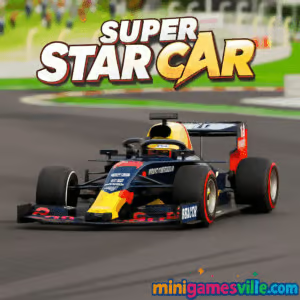
Ready to race? Click Play above and jump straight into Super Star Car on minigamesville.com. This fast, polished racing browser game drops you on pro-style circuits with tight corners, clean physics, and a smooth career climb. Play online, leave rivals in your slipstream, and chase podiums with crisp handling that just feels right. If you love quick-to-launch, unblocked fun that works in your browser, this is your next lap. Hit the gas on Super Star Car and start shaving seconds off your best times.
About the Game
Super Star Car is a modern HTML5 racing experience built for instant play in your browser. Expect responsive controls, satisfying traction through corners, and a career structure that rewards consistent lap times. The vibe lands between arcade and sim, so anyone can start fast while skillful drivers find depth in braking points, racing lines, and tire grip through long stints.
History of Super Star Car
Emerging in the early 2020s wave of high-quality WebGL racers, the game distilled the thrill of open-wheel competition into bite-size browser sessions. Over time it grew into a go-to pick for players craving a clean, focused F1-style challenge without downloads or sign-ups.
Style & Vibe
Clean circuits, bright color palettes, and a slick UI keep the focus on speed. Cameras switch seamlessly from cockpit to chase views, and the sound mix leans into crisp engine notes and curb rumbles for a satisfying race-night feel.

Gameplay in Super Star Car
The flow is simple: qualify your pace, launch off the grid, and manage speed through apexes while defending or overtaking on straights. The physics give you enough bite to attack corners without fighting the wheel, yet punish sloppy lines with time loss. Drafting down long straights, late braking into hairpins, and clean exits are the keys to consistent wins. Earn rewards for podiums, unlock more circuits, and tune difficulty by increasing AI pace as your skills grow.
Game Modes
- Quick Race: Jump in for a single event when you only have a few minutes.
- Career: String together multi-race events, learn each track, and climb the ranks.
- Time Attack: Hunt personal records, perfect racing lines, and master braking points.
How to Play
- Press Play above to load the game on minigamesville.com.
- Pick Quick Race to learn handling, then move into Career for progression.
- Brake before the apex, clip the inside curb, and accelerate only when the wheel is straight.
- Use camera toggle to find your best view and keep an eye on the racing line.
- Chase clean laps over reckless passes, your times will drop naturally.
Controls
- W or Up Arrow: Accelerate
- S or Down Arrow: Brake or reverse
- A/D or Left/Right: Steer
- C: Change camera view
- Space: Handbrake or quick reset, depending on build
- Esc or P: Pause/Menu
Controller support is often recognized by modern browsers, but keyboard delivers sharp, predictable inputs in Super Star Car.
Device Compatibility & Browser Support
The game is optimized for desktop browsers that support WebGL. For best performance, use the latest Chrome, Edge, Firefox, or Safari on a desktop or laptop. Close heavy tabs, keep GPU drivers current, and enable hardware acceleration in your browser settings.
Mobile vs. Desktop Gameplay
Desktop is recommended for smooth frame rates and precise control. Some mobile browsers may load the game, but touch inputs and performance can vary, which makes competitive laps tougher.
Can I Play Offline?
No. As an online browser game, it requires an active internet connection to load and run.
Can I Play Unblocked?
Many school and work networks allow access to minigamesville.com because it runs securely in the browser with no downloads. If a network filter is in place, try a modern browser, clear cache, or ask your network admin for access.
- Browser: Play instantly on minigamesville.com.
- Mobile Apps: There is no official Google Play or App Store version of this exact game. Prefer racing on mobile? Try Asphalt Legends by Gameloft:
Beginner Tips
- Brake earlier than you think, then roll off the brakes smoothly to avoid understeer.
- Use the full track width. Turn in from the outside, clip the apex, exit wide.
- Stay calm at the start. Let the AI sort itself out and overtake on exits, not entries.
- Pick a camera that helps you see corner entry. Cockpit gives precision, chase improves awareness.
- Aim for clean laps. Consistency beats risky divebombs every time.
Advanced Strategies
- Trail brake gently to rotate the car into medium-speed corners without scrubbing speed.
- Short-shift on corner exit if you wheelspin, then upshift aggressively on straights.
- Defend once, then return to the racing line. Blocking costs more time than a clean pass.
- Memorize braking markers. Choose fixed visual cues like boards or marshal posts.
- Save replays of PBs to study turn-in points and throttle application.
Features
- Instant, free browser play with no downloads
- Multiple circuits with distinct layouts and pacing
- Career progression with performance rewards
- Cockpit and chase cameras for any driving style
- Smooth keyboard input and optional controller recognition
- Auto-save progression in your browser
- Time Attack focus for PB chasing
- Graphics and audio tuned for fast loading
Unlockables & Secrets
Earn rewards by finishing on the podium and posting strong lap times. Expect additional circuits and car variations to open as you progress. Keep an eye on the menu for new challenges that appear after key wins.
Cheats & Mods
There are no official cheats. Third-party mods can break saves or cause performance problems. For the cleanest experience, play the standard browser build on minigamesville.com.
Walkthrough Summary
- Start with Quick Race to learn each track’s slowest corner and main straight.
- Move to Career and focus on clean exits, not heroic late brakes.
- Set two Time Attack laps after each event to lock in visual brake markers.
- Increase AI difficulty once you win consistently by 1-2 seconds.
Scoring, Records & Progression
Winning races grants rewards and unlocks more content. Your progression is tied to consistent finishes and clean laps, with personal bests tracked per circuit. Revisit earlier tracks to set faster PBs after your racecraft improves.
Why Play Super Star Car
If you want a slick, quick-loading online racer that nails the fundamentals, this browser game delivers. It rewards real driving technique, gives you satisfying feedback through corners, and makes it easy to squeeze in a few races whenever you have a spare minute.
Pros & Cons of the Game
- Pros: instant browser play, responsive handling, clean visuals, satisfying career pacing.
- Cons: desktop play is best, mobile browsers may vary, advanced racers may want deeper car setup options.
- Use a current desktop browser with hardware acceleration enabled.
- Close heavy tabs and streaming apps before you race.
- If your laptop throttles, plug in and switch to a balanced or performance power plan.
- Lower in-game quality if you notice frame dips during busy corners.
Similar Games to Super Star Car
- Parking Fury 3D: Night Thief — stealthy night parking with tight maneuvering and police patrols.
- Drive Mad — physics-based obstacle runs where throttle control wins the day.
- Midnight Drive — neon-lit cruising and smooth lane flow for chill racing vibes.
- Speed King — pure speed challenge with quick reactions and traffic reads.
- Stock Car Hero — retro-styled oval racing, draft smart and time your slingshot.
FAQ
Is this an online browser game?
Yes, it runs directly in your browser on minigamesville.com with no downloads.
Is it free to play?
Yes, you can play free online right here on the site.
What devices work best?
Desktop or laptop with a modern browser delivers the smoothest frame rate and most precise inputs.
Do I need a gamepad?
No, keyboard works great. A controller can feel nice but is optional.
Can I save my progress?
Your progress is stored in the browser, so avoid clearing site data if you want to keep your career.
Is there a mobile app for this exact game?
No, this title is designed for browser play. If you want app-based racing, try Asphalt Legends using the official store links above.
How do I go faster?
Brake earlier, rotate the car with gentle steering, and get to full throttle only when the wheel is straight on corner exit.
Conclusion
From the first chicane to the final sprint, this racer nails the feel of speed and control that makes every lap addictive. Whether you are warming up with a Quick Race or grinding for a perfect Time Attack, each session teaches you a cleaner, faster line.
Scroll up, hit Play, and put in your laps on minigamesville.com. Super Star Car is ready in your browser, unblocked and free, so all that is left is the green light. See you on the grid.


 Loading...
 English
 Shqip
Shqip
 বাংলা
বাংলা
 Български
 简体中文
简体中文
 Hrvatski
 Čeština
 Dansk
Dansk
 Nederlands
 Suomi
Suomi
 Ελληνικά
 हिन्दी
 Magyar
 Bahasa Indonesia
 日本語
日本語
 한국어
한국어
 Lietuvių
 Bahasa Melayu
 Norsk
Norsk
 Polski
 Português do Brasil
 Română
 Slovenčina
 Slovenščina
 Svenska
 ไทย
ไทย
 Türkçe
 Українська
 اردو
اردو
 Tiếng Việt
 isiZulu
 Español
 Français
 Deutsch
 العربية
 Italiano
 فارسی
فارسی
 Русский