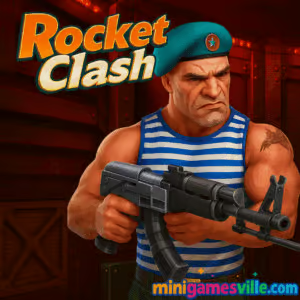
Click Play and jump into Rocket Clash 3D right now on Minigamesville, a fast third person shooter that loads in your browser and throws you straight into a heated team arena. This online multiplayer blast features tight maps, punchy rocket splash damage, and quick rounds that are perfect for a coffee-break victory. If you want a lightweight shooter that runs smoothly as an unblocked browser game, you are in the right place. Lock on to your targets, grab powerups, and start racking up eliminations today.
About Rocket Clash 3D
This compact arena shooter brings arcade pacing to your browser with minimal wait times and instant action. Expect clear visuals, snappy controls, and a map designed for flanking, splash knockback, and close-quarters duels. Whether you are chasing a personal best or helping your squad top the scoreboard, the design rewards movement, awareness, and clean aim.
History of Rocket Clash 3D
Part of the fan-favorite Clash 3D lineage, this entry leans into explosive combat and compact level flow while keeping the pick-up-and-play vibe that made the series popular on the web. The formula is simple and satisfying, which is why it continues to be a go-to pick for quick multiplayer firefights right in the browser.
Style & Vibe
Industrial corridors, glowing hazards, and bold team colors keep readability high even during chaotic exchanges. Expect chunky feedback on hits, speedy respawns, and a soundtrack that nudges you to stay aggressive.

Gameplay in Rocket Clash 3D
Matches are short, energetic, and all about positioning. Rockets deal splash damage, so spacing and elevation matter. The map funnels squads into hot zones where you can bait corners, rocket jump to angles, or slip behind cover to snag health and damage boosts. Aim for feet and chokepoints to maximize splash, then close in with your rifle when enemies are tagged. Beware glowing liquid pools that chip your health, and watch for the hidden launcher spawn that flips a fight in seconds.
Game Modes
- Team Deathmatch, classic race to a target score with quick respawns and nonstop mid-map skirmishes.
- Private lobbies, set up a friendly rivalry with your crew and practice movement routes.
How to Play
- Press Play and auto-join a live room.
- Pick a team, scan the mini-map sightlines, and grab early powerups.
- Lead rockets at the ground near enemies for reliable splash tags.
- Close distance with your rifle to finish low-health foes.
- Control the hidden launcher and health spawns to snowball momentum.
Controls
- WASD to move, Space to jump, C to crouch.
- Mouse to aim, Left click to fire, Right click or Shift for aim focus on supported builds.
- R to reload, Tab to view scoreboard, M to mute, Esc for menu.
- Tip, lower mouse sensitivity for tighter tracking around corners.
Device Compatibility & Browser Support
This browser game runs on modern Chromium browsers like Chrome and Edge, plus Firefox and Safari. Enable hardware acceleration, keep only a few tabs open, and let the game finish caching assets on first load for the smoothest experience.
Mobile vs. Desktop Gameplay
Desktop gives you the best precision and frame pacing with mouse and keyboard. On mobile, the game can run, but smaller screen real estate and touch aiming make rocket splash reads tougher. If you want ranked-feeling aim duels, play on desktop.
Can I Play Offline?
No. The game needs an internet connection to load and to match you with other players.
Can I Play Unblocked?
Many schools and offices block gaming domains, but availability depends on local network rules. Minigamesville uses secure HTTPS and a lightweight embed. Always follow your network’s policies and avoid tools that attempt to bypass restrictions.
- Browser, play on Minigamesville on desktop or laptop for the best experience.
- No official App Store or Google Play version is available for this exact title at the moment.
- Want a similar mobile shooter, try Bullet Force:
Download on the App Store or
Get it on Google Play.
Tips & Tricks
Beginner Tips
- Play the edges, peek from cover and use splash to tag before you commit.
- Aim at feet or walls near enemies to guarantee damage through splash.
- Memorize powerup timers, swing back for health packs after every duel.
- Turn on FPS counter in your browser or OS and cap at a stable value if your GPU spikes.
Advanced Strategies
- Rocket jump lightly to gain elevation, then pre-aim likely peek spots.
- Anchor spawns by holding the center catwalk and one flank, force enemies into funnels.
- Sound cue discipline, reload behind cover and chase only when you have a clear timing window.
- Team sync, trade fire with a buddy and stagger peeks to break crossfires.
Features
- 🚀 Splash-happy rocket duels that reward smart spacing
- 🎯 Snappy mouse feel and low input lag in the browser
- 🧪 Environmental hazards that shape the meta
- 🗺️ Compact map with clear lines and flank routes
- 💥 Hidden launcher pickup for momentum swings
- 🔊 Crisp hit feedback and quick respawns
- 👥 Team-based firefights with scoreboard bragging rights
- 🌐 Instant online play, no downloads required
Unlockables & Secrets
Track the hidden rocket launcher spawn and damage boost pickup to flip control of mid. Health packs along the lower lanes reset duels, and some pipes grant fast cover swaps that break enemy lock-on. Learn these loops and you will snowball rounds.
Cheats & Mods
There are no legitimate cheats. Third-party mods or tampered clients risk bans and can compromise your device. Keep it fair, stick to the official in-browser version, and report suspicious behavior via the in-game menu when available.
Walkthrough Summary
Open the game, join a room, pick a team, and sprint to center cover. Scoop any nearby powerups, tag enemies with splash to soften them, then finish with your rifle. Rotate between mid and a single flank, refresh health when low, and contest the launcher spawn on cooldown. Repeat until your team hits the target score.
Scoring, Records & Progression
Kills and assists push your team toward victory and elevate your position on the match leaderboard. Many builds track lightweight profile stats in your browser storage. If you clear cache or switch devices, you may lose local progress. Prioritize survivability and multi-kill chains to climb the ranks each round.
Why Play Rocket Clash 3D
It is fast, readable, and incredibly easy to hop in. The rocket meta makes every corner a tactical choice, and the compact map keeps downtime near zero. If you want a clean online shooter that plays great on a coffee break, this is it.
Pros & Cons of Rocket Clash 3D
- Pros, instant browser play, tight TDM pacing, satisfying splash damage, small skill ceiling ramps quickly.
- Cons, limited mode variety, mobile aiming feels less precise, small map can feel hectic for new players.
- Use an up-to-date Chrome or Edge build, then enable hardware acceleration in settings.
- Close heavy extensions like ad-blockers or screen recorders during play.
- Let the first match cache assets, the second match usually runs smoother.
- On laptops, plug in for a higher power profile and steadier frame times.
Similar games to Rocket Clash 3D
- Horror Dungeon 3D, first person dungeon action with tight corridors and tense ambushes.
- Plane Wars, arcade aerial combat where positioning and timing win dogfights.
- Mafia Wars, top-down urban shootouts with simple upgrades and street skirmishes.
- Base Defense, defend your outpost against waves and manage lanes under pressure.
- Base Defense 2, a tougher sequel with more enemies and smarter pacing.
- Archer Castle, precision shots and quick decisions to hold the line.
- House of Hazards, chaotic multiplayer mini-challenges that test timing and nerves.
FAQ
Is Rocket Clash 3D free to play?
Yes, it is free to play as an in-browser game on Minigamesville.
What genre is it?
It is a third person multiplayer shooter with team deathmatch rules and rocket-focused combat.
Does it support controllers?
It is built for mouse and keyboard. Some controllers may work through browser APIs, but desktop controls remain the most reliable.
Why is the game not loading?
Check your connection, disable heavy extensions, and refresh. Make sure hardware acceleration is enabled in your browser.
Can I change sensitivity?
Yes, open the in-game settings and adjust mouse sensitivity until your tracking feels consistent.
Is there a way to play it offline?
No, it requires an internet connection to load assets and connect to active rooms.
Is Rocket Clash 3D unblocked at school?
Availability depends on your network’s rules. If gaming sites are allowed, the game should run, but always follow local policies.
Conclusion
Short rounds, big explosions, and zero download friction make this arena a perfect break-time brawl. Learn the launcher route, master splash spacing, and you will start carrying your team in no time.
Ready to jump back in, Hit Play above and enjoy Rocket Clash 3D on Minigamesville. Grab a few friends, queue a private lobby, and trade highlight rockets until the scoreboard turns your team’s color.

 (2 votes, average: 4.50 out of 5)
 Loading...
 English
 Shqip
Shqip
 বাংলা
বাংলা
 Български
 简体中文
简体中文
 Hrvatski
 Čeština
 Dansk
Dansk
 Nederlands
 Suomi
Suomi
 Ελληνικά
 हिन्दी
 Magyar
 Bahasa Indonesia
 日本語
日本語
 한국어
한국어
 Lietuvių
 Bahasa Melayu
 Norsk
Norsk
 Polski
 Português do Brasil
 Română
 Slovenčina
 Slovenščina
 Svenska
 ไทย
ไทย
 Türkçe
 Українська
 اردو
اردو
 Tiếng Việt
 isiZulu
 Español
 Français
 Deutsch
 العربية
 Italiano
 فارسی
فارسی
 Русский