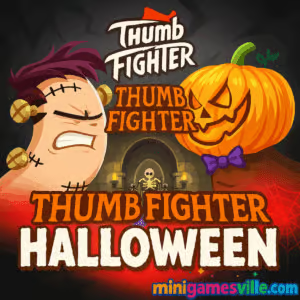
Ready to rumble? Click Play above and jump into Thumb Fighter Halloween on Minigamesville.com right now. This fast, funny two-player brawler brings goofy thumb-war action to your browser with a spooky seasonal twist. If you love quick local multiplayer, party-friendly arcade battles, and easy controls, Thumb Fighter Halloween is the perfect online pick for a coffee break or couch duel. It loads fast, runs in your browser, and works great as an unblocked game for casual play. Tap in, pick a creepy thumb, and prove your grip strength. Play Thumb Fighter Halloween on Minigamesville.com today.
About Thumb Fighter Halloween
Thumb Fighter Halloween is a lightweight HTML5 browser game that turns classic thumb wrestling into an over-the-top, Halloween-themed face-off. Choose from quirky costumed thumbs, hop into a round, and try to pin your opponent by timing quick presses. The result is a compact fighting experience with arcade feel, simple inputs, and plenty of silly charm. Whether you go solo versus CPU or invite a friend for local PvP on one keyboard, Thumb Fighter Halloween keeps the laughs coming with short, punchy bouts.
History of Thumb Fighter Halloween
The broader Thumb Fighter series turned the childhood thumb-war into a digital duel and has entertained players for years. Thumb Fighter Halloween keeps the core idea and wraps it in a festive vibe, perfect for October marathons or anytime you want spooky style with your battles. It is a seasonal spin that focuses on pick-up-and-play fun rather than deep meta, which makes it ideal for party sessions and quick rematches.
Style & Vibe
Everything screams playful Halloween: bright, cartoonish characters, eerie backdrops, and upbeat spooky tunes. Matches are snappy, hits feel punchy, and the health bars make every point of damage easy to read. Expect a crowd-pleasing visual style that pairs great with local trash talk.

Gameplay in Thumb Fighter Halloween
Each bout is a mini tug-of-war. Time your presses to slam, dodge, and pin. The physics lean arcade over simulation, which keeps the action light, responsive, and hilarious. Rounds are short, so even a narrow mistake can swing the match. Win by emptying the rival’s health bar and take the set in classic best-of series. The more you play, the better you get at reading animations and baiting your opponent into over-committing.
Game Modes
- Solo vs CPU: Practice timing, feints, and finishers against increasingly snappy AI.
- Local 2-Player: Share a keyboard and settle the score head-to-head.
- Quick Rematch: Instant restart keeps the momentum rolling for tournament-style sessions.
How to Play
- Press Play and choose your favorite Halloween thumb.
- Select Solo or 2-Player mode.
- Watch the health bars and time your presses to land hits or defend.
- Chain quick taps to pressure, then hold back for a beat to bait a counter.
- Drain your opponent’s health to win the round, then clinch the set.
Controls
- Desktop keyboard: Player 1 usually uses the A key. Player 2 usually uses the L key. Check the on-screen hints in your build.
- Touch devices: Use the on-screen buttons or touch zones to attack and defend.
- Menu and selection: Mouse or touch to navigate.
Device Compatibility & Browser Support
Thumb Fighter Halloween runs in modern browsers as an online HTML5 game. For the smoothest experience, use the latest version of Chrome, Edge, Firefox, or Safari. Close heavy tabs, keep hardware acceleration on, and make sure your laptop is plugged in for consistent frame pacing.
Mobile vs. Desktop Gameplay
On mobile, the touch UI makes casual matches easy, while desktop shines for 2-player local battles on one keyboard. If you prefer precision timing, desktop keys feel snappy. If you prefer convenience, mobile taps are perfect.
Can I Play Offline?
The game requires an internet connection to load. After initial load, some browsers may cache assets, but full offline reliability is not guaranteed. For best results, keep a stable connection when you play.
Can I Play Unblocked?
Thumb Fighter Halloween often works as an unblocked browser game, but access depends on your network rules. Use HTTPS, keep pop-up blockers off for the game frame, and try another up-to-date browser if your school or office restricts gaming domains.
- Browser: Play instantly on MiniGamesVille.
- Android (official): No official Google Play release for “Thumb Fighter Halloween.” However, you can try the related and officially available Thumb Fighter game by the same developer, Avix Games. This provides the same style of fun thumb-war gameplay.:contentReference[oaicite:1]{index=1}
- iOS (official): No official App Store release found for “Thumb Fighter Halloween.” You may want to try another similar two-player mini-game available on iOS, such as **2 Player Mini Battles**, if you’re looking for a comparable experience.
Tips & Tricks
Beginner Tips
- Keep taps short and steady. Over-holding leaves you open to counters.
- Watch animations, not just the health bar. Movement tells you when to press.
- Mix rhythm. Tap, pause, tap. Predictability loses rounds.
- Use the first round to scout your opponent’s habits.
Advanced Strategies
- Feint by starting a press, then releasing to bait a commitment.
- Reset tempo after a big hit to avoid panic counters.
- When ahead, trade small hits for time. When behind, take calculated risks.
- In 2-player, sit at a comfortable distance to avoid accidental key presses.
Features
- 🎃 Halloween skins and arenas that set a playful spooky mood
- 👥 Local 2-player for instant party battles
- 🤖 Solo vs CPU for practice on timing and baiting
- ⚡ Snappy, arcade-style combat with quick rounds
- 🕹️ Simple one-key inputs, easy to learn
- 🎵 Catchy seasonal sound effects and music
- 📈 Great for short sessions, easy rematches
- 🌐 Runs right in your browser, no downloads
Unlockables & Secrets
Seasonal variants often include extra character looks and themed stages. Keep playing to cycle through the roster and find your favorite spooky thumb. Try different matchups to see which silhouettes give you the clearest read on timing.
Cheats & Mods
There are no official cheats for Thumb Fighter Halloween. Third-party mods can break saves or hurt performance. For fair, glitch-free fun, stick with the standard browser build on Minigamesville.com.
Walkthrough Summary
Start in Solo mode, get a feel for the timing window, then shift to 2-player and apply feints. Aim to win quick momentum at the start of each round, protect your lead by varying tempo, and push for a final slam when the rival’s health is low.
Scoring, Records & Progression
Matches are round-based with health bars and a set counter. Track your wins against friends and run mini brackets. Because rounds are short, a best-of format makes for fast tournaments and clear bragging rights.
Why Play Thumb Fighter Halloween
It nails the party-game sweet spot: easy to learn, hard to master, loud on laughs. If you want a quick online fighting fix without complex move lists, Thumb Fighter Halloween delivers. It is the kind of browser game you can teach in ten seconds and play for an hour.
Pros & Cons of Thumb Fighter Halloween
- Pros: Instant fun, simple controls, local 2-player, festive art, quick rematches.
- Cons: Shallow by design, limited moveset, best enjoyed with a friend on one keyboard.
- Use a modern browser and keep it updated for best input latency.
- Enable hardware acceleration in settings.
- Close resource-heavy tabs and background apps.
- On laptops, plug in power and set performance mode to avoid CPU throttling.
- If you see input delay, try a private window to rule out extensions.
Similar games to Thumb Fighter Halloween
- Balance Duel — physics-based stand-off where one nudge sends your rival tumbling.
- Ping Pong Chaos — wild 2-player table tennis with bouncy movement and chaotic serves.
- House of Hazards — slapstick multiplayer mini-missions packed with traps and pranks.
- Blumgi Castle — aim, launch, and blast targets in stylish physics duels.
- Stickman Go — quick-fire levels with reactive controls and arcade challenge.
FAQ
Is Thumb Fighter Halloween free to play?
Yes, you can play it free as a browser game on Minigamesville.com.
Can I play Thumb Fighter Halloween online with a friend?
It supports local multiplayer on one device. Share a keyboard or play Solo against CPU for practice.
Does Thumb Fighter Halloween work on school Wi-Fi?
It often does, but availability depends on local network rules. Try an up-to-date browser and ensure HTTPS is enabled.
What are the controls for Thumb Fighter Halloween?
On desktop, Player 1 commonly uses A and Player 2 uses L, as shown in the game UI. Touch devices offer on-screen buttons.
Is there a story mode?
No, it focuses on fast duels and party play rather than narrative progression.
Does progress carry over between devices?
Browser saves are device-specific. Use the same browser on the same device to keep local stats.
Are there microtransactions?
No, the browser version is built for quick free play without purchases.
Conclusion
For fast laughs and instant competition, Thumb Fighter Halloween is a treat. The Halloween skins, quick rounds, and simple inputs make it a perfect pick when you want a fighting game without the learning curve.
Grab a friend, fire up your browser, and start swinging those spooky thumbs. Hit Play and enjoy Thumb Fighter Halloween on Minigamesville.com, then queue a rematch and keep the bragging rights rolling.

 Loading...
 English
 Shqip
Shqip
 বাংলা
বাংলা
 Български
 简体中文
简体中文
 Hrvatski
 Čeština
 Dansk
Dansk
 Nederlands
 Suomi
Suomi
 Ελληνικά
 हिन्दी
 Magyar
 Bahasa Indonesia
 日本語
日本語
 한국어
한국어
 Lietuvių
 Bahasa Melayu
 Norsk
Norsk
 Polski
 Português do Brasil
 Română
 Slovenčina
 Slovenščina
 Svenska
 ไทย
ไทย
 Türkçe
 Українська
 اردو
اردو
 Tiếng Việt
 isiZulu
 Español
 Français
 Deutsch
 العربية
 Italiano
 فارسی
فارسی
 Русский