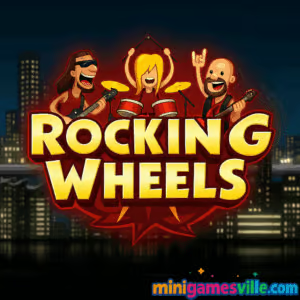
Play Rocking Wheels online now on minigamesville.com and start your engine. Rocking Wheels is a slick physics driving browser game that mixes rock-band energy with hill-climb challenge, perfect if you love stunt vans, bumpy roads, and coin-collecting upgrades. Enjoy quick sessions or marathon runs, whether you are on desktop or phone, and yes, it is an unblocked, no-download experience right in your browser. Hit Play, keep your balance, and race the band to each gig before the timer runs out. If you are craving a responsive, low-friction online racer with arcade vibes, Rocking Wheels is ready to roll.
About Rocking Wheels
In Rocking Wheels you drive a tour van across rolling landscapes, managing momentum, fuel, and balance as you chase the clock. The game blends accessible one-tap or arrow-key controls with satisfying vehicle physics, so every bump, flip, and landing matters. Earn coins, tune your ride, learn the track rhythms, and master those split-second throttle and brake taps that separate a solid clear from a flawless run.
History of Rocking Wheels
Rocking Wheels appears across modern HTML5 portals and was built for instant play in the browser. It channels the classic hill-climb formula into a music-tour theme, keeping things lightweight, quick to learn, and replayable for score chasers.
Style & Vibe
Rocking Wheels features bright, punchy visuals and a thumping tour-van theme that keeps each run lively. The game’s vibrant color palette and dynamic camera angles create an engaging atmosphere, while the upbeat soundtrack matches the fast-paced driving action. The pixel-art style gives it a retro arcade feel, but the physics-based gameplay ensures it feels fresh and modern.

Gameplay in Rocking Wheels
The core loop is simple and satisfying. Accelerate to build speed, ease off to keep your van planted, and tap brake to set your angle before crests and landings. Routes hide coins and fuel pickups, so clean lines matter as much as raw speed. Levels escalate with steeper slopes, trickier ledges, and tighter timers. With each finish, you stash coins to upgrade engine power, traction, suspension, or fuel, which opens new strategies and lets you attack previous tracks for faster times.
Game Modes
- Tour Mode: Level-based progression with timers, pickups, and increasingly technical terrain.
- Speedrun Practice: Replay finished tracks to shave seconds and set personal bests.
- Challenge Yourself: Go for no-crash clears, minimal fuel use, or coin-max routes.
How to Play
- Press Play to launch Rocking Wheels on minigamesville.com.
- Hold accelerate on flats, then feather the throttle on slopes to control pitch.
- Collect coins and fuel, but do not overcommit if a jump will cost more time than it saves.
- Finish before the timer hits zero to unlock the next stop on the tour.
- Invest coins into upgrades, then replay earlier levels to improve your times and bankroll.
Controls
- Desktop: Arrow Right or D to accelerate, Arrow Left or A to brake/tilt, R to restart level, P or Esc to pause.
- Mobile: On-screen accelerate and brake buttons with quick taps for tilt control.
Device Compatibility & Browser Support
Rocking Wheels runs in modern browsers on desktop, laptop, tablet, and mobile. For the smoothest frame rate, close heavy tabs, keep your browser updated, and enable hardware acceleration in settings.
Mobile vs. Desktop Gameplay
- Mobile: Great for quick runs, responsive touch controls, and casual coin routes.
- Desktop: Finer throttle and tilt control with keys, ideal for speedruns and perfect landings.
Can I Play Offline?
Rocking Wheels is a browser game, so you need an internet connection to load and play. After initial load, some browsers may cache assets, but you should plan on being online.
Can I Play Unblocked?
Yes, Rocking Wheels is an unblocked HTML5 title. If your network allows access to minigamesville.com, you can play without downloads or sign-ups.
- Browser: Play Rocking Wheels on minigamesville.com.
- Official mobile apps: No official Google Play or App Store version of Rocking Wheels at this time.
- Want a similar mobile experience? Try the physics hill-climber classic:
Tips & Tricks
Beginner Tips
- Feather the throttle over hill crests to avoid nose-dives or tail slaps.
- Upgrade engine and fuel first for safer clears, then fine-tune suspension and grip.
- Brake before landing to set a flat angle and keep speed after impact.
- Grab easy coins on the racing line, skip risky side detours until your van is stronger.
Advanced Strategies
- Use micro-taps on accelerate to control pitch midair without losing too much speed.
- Chain soft landings into downhill sprints to maintain momentum between jumps.
- Route plan: mark where to lift, where to full-send, and where to skip coins for PB attempts.
- Replay early tracks after upgrades to snowball coins faster.
Features
- 🚐 Physics-driven tour-van racing with tight timers
- ⛽ Fuel and coin pickups that shape your route choices
- 🔧 Upgrades for engine, grip, suspension, and tank
- 🪙 Risk-reward coin paths and hidden stashes
- 📱 Smooth play on mobile and desktop
- 🎯 One-more-try loops ideal for speedruns
- 🎵 Rock-tour theme that keeps the pace upbeat
- 🏅 Level replays for best times and clean clears
Unlockables & Secrets
As you progress, you will unlock tougher stages and enough coins to tune your van. Watch for tucked-away coin clusters near ramps and in small dips. Some jumps look tempting but slow your overall time, so learn which collectibles are worth the detour during PB attempts.
Cheats & Mods
There are no built-in cheats. Stick to skillful throttle control and legit upgrades. Avoid third-party mods, as they can harm performance and your device security.
Walkthrough Summary
- Run a blind first clear of each level to learn the terrain.
- Upgrade engine and fuel, then rerun for cleaner lines.
- Map safe coin routes that do not break momentum.
- Practice two or three key jumps until your landings are consistent.
- Go for PB speedruns with minimal airtime and perfect throttle taps.
Scoring, Records & Progression
Your success is measured by level clears, leftover fuel, coins collected, and total time. Upgrades raise your ceiling, but technique sets your records. Keep a simple log of best times per track to track improvement.
Why Play Rocking Wheels
It is quick to learn, surprisingly technical to master, and perfect for short breaks or deep leaderboard-style grinding. If you enjoy precise physics racers in the browser, Rocking Wheels delivers clean controls and steady difficulty growth without downloads or paywalls.
Pros & Cons of Rocking Wheels
- Pros: Responsive physics, instant browser play, rewarding upgrade loop, great for mobile or desktop.
- Cons: Level-based flow can feel linear, no formal multiplayer, and tight timers may be tough for newcomers.
- Keep your browser current and enable hardware acceleration for smoother frames.
- Reduce background tabs and overlays, especially on lower-end devices.
- If input feels spiky, switch to a private window or clear cache to refresh assets.
Similar games to Rocking Wheels
- Drive Mad — physics truck trials with wild bridges and balance-first jumps.
- Stock Car Hero — fast oval and road races with slipstream strategy and upgrades.
- Speed King — pick-up-and-play arcade racing focused on reflexes and clean lines.
- Midnight Drive — neon-lit cruising with stylish lanes and soothing rhythm.
- Parking Fury 3D: Night Thief — stealthy night missions that test precision driving and patience.
FAQ
What is Rocking Wheels?
It is a physics driving browser game where you race a tour van across hilly tracks, collect coins, and upgrade your ride.
Where can I play?
Play Rocking Wheels online on minigamesville.com in your browser.
Is Rocking Wheels unblocked at school or work?
Yes, it is an HTML5 game that runs in the browser. If your network allows the site, you can play without downloads.
Does it work on mobile?
Yes, it runs on most modern mobile browsers with on-screen controls.
Can I play offline?
You should be online to load and play. Treat it as an online game.
How do I save progress?
Your progress is kept in the same browser and device. Switching devices or clearing data may reset it.
Any official app?
No, Rocking Wheels does not have an official mobile app. For a similar feel on mobile, try Hill Climb Racing on Google Play and the App Store using the links above.
What are the best upgrades to buy first?
Engine and fuel provide the biggest early gains, then add suspension and grip for cleaner landings.
Conclusion
Rocking Wheels nails that sweet balance of accessible controls and rewarding physics, perfect for quick sessions or deeper time-trial runs. The tour-van theme keeps it fresh, the upgrades keep you improving, and the browser-based setup makes it effortless to jump in from anywhere.
Ready to hit the road and rock the crowd? Click Play to launch Rocking Wheels on minigamesville.com, collect those coins, and cross the finish with time to spare.

 Loading...
 English
 Shqip
Shqip
 বাংলা
বাংলা
 Български
 简体中文
简体中文
 Hrvatski
 Čeština
 Dansk
Dansk
 Nederlands
 Suomi
Suomi
 Ελληνικά
 हिन्दी
 Magyar
 Bahasa Indonesia
 日本語
日本語
 한국어
한국어
 Lietuvių
 Bahasa Melayu
 Norsk
Norsk
 Polski
 Português do Brasil
 Română
 Slovenčina
 Slovenščina
 Svenska
 ไทย
ไทย
 Türkçe
 Українська
 اردو
اردو
 Tiếng Việt
 isiZulu
 Español
 Français
 Deutsch
 العربية
 Italiano
 فارسی
فارسی
 Русский