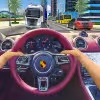
Introduction to Traffic Jam 3D
Traffic Jam 3D is a fast, first person highway racer that drops you into rush hour chaos and asks you to slice through it with precision. This quick loading browser game plays great online, delivers punchy arcade physics, and rewards risky overtakes with big points. If you love lane splitting, near misses, and high speed weaving, you will feel right at home. Hit Play above to start your run, try the time trial mode, and see how long you can survive. Looking for an unblocked driving game for school or work breaks, Traffic Jam 3D is a slick pick for instant fun.
About Traffic Jam 3D
Traffic Jam 3D blends accessible one button style inputs with satisfying depth, giving newcomers a smooth on ramp and veterans plenty to master. It favors short sessions with clear goals, yet supports marathon distance chases for leaderboard glory.
History of Traffic Jam 3D
The series concept grew from classic endless racers and mobile lane based driving titles. Traffic Jam 3D modernizes that template with cockpit views, dynamic day and night scenes, and multiple progression tracks that keep runs fresh across devices.
Style & Vibe in Traffic Jam 3D
The look is clean and colorful, with glossy cars, moody sunsets, and clear road readouts. Sound effects pop with turbo hiss and tire whine, while the UI stays minimal so you can focus on threading gaps at speed.
Gameplay in Traffic Jam 3D
Every run in Traffic Jam 3D is about flow. Build speed, read traffic patterns two to three cars ahead, then commit to decisive lane changes. The physics reward smooth inputs and punish last second swerves. Score comes from distance, velocity, near miss streaks, and clean overtakes, so riding the knife edge is the optimal path.
Game Modes
- Career: Structured missions with targets like reach X distance, achieve Y near misses, or finish within a time limit.
- Time Trial: Sprint to checkpoints before the clock runs out, perfect for improving route memory and consistency.
- Endless: Pure survival with scaling traffic density, ideal for chasing personal bests.
- Free Ride: Cruise to learn handling, experiment with camera options, and warm up before competitive runs.
How to Play
- Press Play, pick a mode, then choose your car and difficulty.
- Accelerate smoothly to reach a comfortable cruising speed.
- Scan far ahead, spot openings, and plan two moves in advance.
- Thread gaps for near miss bonuses, but avoid clipping traffic.
- Hit boost on straights to chain score multipliers.
- Bank your progress by reaching checkpoints or mission goals.
Controls for Traffic Jam 3D
- Desktop: Arrow keys or WASD to steer, Space to brake, Shift to boost, C to change camera, M to mute.
- Mobile: Tap or hold left and right to steer, on screen brake for slowing, on screen boost when available, swipe to switch lanes quickly.
Device Compatibility & Browser Support for Traffic Jam 3D
This online racing game runs in modern browsers that support WebGL and WebAudio. Chrome, Edge, Safari, and Firefox are recommended on up to date operating systems. Low end devices can still play by lowering graphics quality in settings.
Mobile vs. Desktop Gameplay
On phones, Traffic Jam 3D shines for quick sessions with responsive touch lanes and short mission bursts. On desktop, keyboard control and a larger viewport make high speed weaving easier, which helps grind for top scores.
Can I Play Offline?
Traffic Jam 3D is designed as an online browser game, so you need an active connection to load assets and track progress.
Can I Play Unblocked?
Many schools and workplaces allow HTML5 games over HTTPS. If Traffic Jam 3D is blocked on your network, try a different browser or a trusted educational network during permitted times.
Tips & Tricks for Traffic Jam 3D
Beginner Tips
- Stay center lane at the start, it offers the most escape routes.
- Feather the steer keys, micro inputs keep your line stable.
- Use brake to reset spacing when traffic stacks ahead.
- Target near misses on the passenger side of trucks for extra space.
Advanced Strategies
- Chain near misses in bursts of three to five for multiplier spikes.
- Save boost for straight sections after slow traffic clusters.
- Learn spawn rhythms, cars often enter in repeating patterns across lanes.
- Camera swap at high speed, cockpit view improves depth judgment in dense packs.
- Route memorize exit lanes after checkpoints, the game ramps density right after.
- Trim speed slightly before weaving through triples, control beats raw pace.
Features of Traffic Jam 3D
- 🚗 Multiple cars with distinct handling and top speeds
- 🌆 Dynamic day, night, and weather ambience
- 🎯 Mission based Career with clear goals and rewards
- ⚡ Boost system that fuels high risk, high reward play
- 🎮 Keyboard and touch controls tuned for quick reactions
- 📈 Score multipliers for clean near miss chains
- 🔊 Crisp engine and road audio with mute options
- 🛠️ Performance presets for smooth play on older hardware
Rules in Traffic Jam 3D
- Avoid collisions, one hit can end your run in several modes.
- Earn points for distance, speed, near misses, and clean streaks.
- Complete mode objectives before the timer expires when active.
- Stay within lane boundaries, hard shoulder riding reduces control.
- Boost drains a limited bar, refill by driving cleanly.
Unlockables & Secrets in Traffic Jam 3D
- Unlock faster cars by hitting career milestones.
- Earn paint jobs and cosmetic upgrades with high score thresholds.
- Hidden achievements tied to long near miss chains and no brake runs.
- Secret camera presets that appear after completing certain missions.
Cheats & Mods for Traffic Jam 3D
There are no official cheats for Traffic Jam 3D, and third party mods can harm performance or your device. For a fair advantage, tune graphics to match your hardware, reduce background tabs, and practice consistent lines to raise multipliers safely.
Walkthrough Summary for Traffic Jam 3D
Start with Free Ride to learn steering sensitivity, then clear early Career missions to unlock a mid tier car. Move into Time Trial to sharpen route planning, and finish with Endless runs to push personal bests. Repeat the loop, upgrade, and increase difficulty as your control improves.
Scoring, Records & Progression in Traffic Jam 3D
Score climbs from four pillars: distance traveled, average speed, consecutive near misses, and zero collision bonuses. Hitting checkpoints and mission targets feeds currency or stars for car unlocks. Track your records per mode, and try to beat your best with clean, boosted straights and tight but safe passes.
Why Play Traffic Jam 3D
It is a perfect quick hit racer that respects your time, looks sharp on any screen, and feels great at both 5 minute breaks and 50 minute score grinds. If you want an online unblocked driving challenge, this one delivers instant thrills.
Pros & Cons of Traffic Jam 3D
- Pros: Fast loading, smooth controls, short goal loops, scalable difficulty, strong replay value.
- Cons: One hit failures can sting, cockpit view takes practice, traffic randomness can spike difficulty.
- Use a modern browser and keep drivers updated for better WebGL performance.
- Lower shadows and post processing if you notice stutter.
- Close heavy tabs or streaming apps before long runs.
- Enable hardware acceleration in browser settings for smoother frames.
Similar Games to Traffic Jam 3D
- Traffic Racer: A classic endless highway racer with simple controls and deep car upgrades for long term progression.
- Highway Rider: Motorcycle focused lane splitting with ultra tight hitboxes and high speed score chasing.
- Moto X3M: Physics based bike trials that swap traffic weaving for stunt precision and level based challenges.
- Madalin Stunt Cars: Open map driving playground where you test handling, jumps, and drift control in supercars.
- Subway Surfers: An endless runner with lane changing rhythm that transfers well to highway racing timing.
- Asphalt 9: Arcade racing with flashy nitro mechanics, perfect for players who like cinematic speed bursts.
- Drift Hunters: Browser friendly drifting with tuning, ideal for mastering throttle control and angle management.
- Hill Climb Racing: Side scrolling climbing physics that rewards smooth throttle and upgrade planning.
- Two Punk Racing: Split screen street racing that pairs well with party style arcade sessions.
- Burnin’ Rubber: Combat racing where weapons and boosts collide, a fun change of pace from pure traffic weaving.
- Racing in Car 2: First person cockpit highway driving focused on immersion and realistic traffic flow.
- Extreme Car Driving Simulator: Free roam driving with soft body handling, great for practicing control before high score runs.
- City Car Driving: Stunt Master: Urban maps with ramps and cones, ideal for learning precise turns at speed.
FAQ
What is Traffic Jam 3D?
Traffic Jam 3D is a free online browser game where you race through dense traffic, score with near misses, and chase high speed records.
Is Traffic Jam 3D unblocked at school?
Availability depends on the network filter, although many HTML5 games work on school friendly browsers over HTTPS.
Does Traffic Jam 3D have different modes?
Yes, you can play Career, Time Trial, Endless, and Free Ride for practice.
Can I play Traffic Jam 3D on mobile?
Yes, the game supports touch controls and runs well on modern iOS and Android browsers.
Are there official cheats?
No, there are no official cheats, and using third party tools can damage performance or your device.
How do I get higher scores?
Maintain high average speed, chain near misses, avoid collisions, and use boost on straight sections.
What are the controls on keyboard?
Use WASD or arrow keys to steer, Space to brake, Shift to boost, and C to switch camera.
Why does the game lag on my laptop?
Lower graphics quality, close other tabs, enable hardware acceleration, and update your browser to improve frame rate.
Is progress saved?
Progress can be saved locally in your browser storage, so clearing cache may reset unlocks.
Conclusion
Traffic Jam 3D nails that sweet spot between easy to learn controls and high skill ceiling. It looks slick, feels responsive, and turns a crowded highway into your personal playground for clean overtakes and clutch boosts.
Ready to thread the needle Put your reflexes to the test, press Play, and see how far you can drive without a single scrape. Chase the perfect run, then come back for one more go.

 Loading...
 English
 Shqip
Shqip
 বাংলা
বাংলা
 Български
 简体中文
简体中文
 Hrvatski
 Čeština
 Dansk
Dansk
 Nederlands
 Suomi
Suomi
 Ελληνικά
 हिन्दी
 Magyar
 Bahasa Indonesia
 日本語
日本語
 한국어
한국어
 Lietuvių
 Bahasa Melayu
 Norsk
Norsk
 Polski
 Português do Brasil
 Română
 Slovenčina
 Slovenščina
 Svenska
 ไทย
ไทย
 Türkçe
 Українська
 اردو
اردو
 Tiếng Việt
 isiZulu
 Español
 Français
 Deutsch
 العربية
 Italiano
 فارسی
فارسی
 Русский