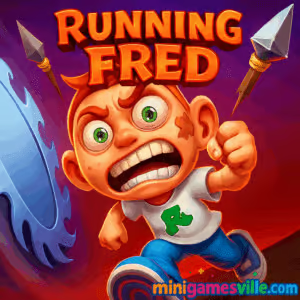
Play Running Fred right now on minigamesville.com and then swing back to this review for pro tips, hidden unlocks, and speedrun strategies. Running Fred is a fast, funny, slightly gory endless runner and 3D platformer built for quick, high-adrenaline sessions in your browser. If you crave tight controls, trap-filled corridors, and near misses by the millimeter, this online classic delivers. Read on for how to master every mode, shave seconds off your runs, and get Running Fred unblocked at school or work where allowed.
About Running Fred
Running Fred is a high-speed action arcade browser game where you sprint through mansions, caves, and sky platforms with buzz saws, swinging axes, and spike pits everywhere you look. The hook is simple, survive, collect skullies, and unlock new skills and characters while outrunning Grimmy. Its blend of twitch reflexes, route planning, and cheeky humor keeps runs fresh whether you are chasing a medal in Adventure or pushing an endless record.
History of Running Fred
Born in the early 2010s as a follow up to Falling Fred, this entry refined the formula with multi-lane routes, wall runs, double jumps, and challenge stages. Over time it expanded with extra areas, cosmetics, and difficulty tiers, which helped it become a staple for fans of runner and platform games across web and mobile.
Style & Vibe
Cartoony 3D visuals meet slapstick peril. Levels pop with warm colors and exaggerated hazard designs, while the soundtrack pushes a steady sprinting rhythm. It is playful, a little messy, and made for highlight-reel close calls.

Gameplay in Running Fred
Each run is a gauntlet of branching paths, moving traps, and collectible skullies. Momentum matters, so maintaining a clean line through corners and timing jumps keeps you alive and fast. New skills like double jump, wall run, and slide open fresh routes and rescue options. You will balance risk and reward, chasing medals, Grimmy Idols, and high scores while staying one step ahead of the Reaper.
Game Modes
- Adventure: Handcrafted stages with medals, secrets, and route variety. Great for learning layouts.
- Challenge: Short, skill-check trials that focus on precision and timing.
- Endless Survival: Procedurally assembled segments that scale in speed and complexity for leaderboard chasers.
How to Play
- Press Play in the iframe above to start Running Fred online on this page.
- Pick a mode, then choose a character and any unlocked skills.
- Memorize hazard rhythms, choose the safest or fastest lane, and keep your momentum.
- Collect skullies and idols to fund skills, new maps, and outfits.
- Repeat runs to master lines and climb the endless leaderboard.
Controls
- Desktop: Arrow keys or A/D to move, Space to jump, double Space for double jump. P to pause, M to mute. Some builds map slide or dash to S or Shift, watch the in-game key guide.
- Mobile: Tilt or on-screen arrows for movement, tap to jump, double tap for double jump. Extra skills appear as contextual buttons when unlocked.
Device Compatibility & Browser Support
This browser game runs smoothly in current versions of Chrome, Edge, Firefox, and Safari on desktop and mobile. For best results, keep only one tab of the game open and make sure hardware acceleration is enabled in your browser settings.
Mobile vs. Desktop Gameplay
- Desktop: Best precision for speedrunning and tight traps thanks to keyboard control.
- Mobile: Great for casual sessions. Tilt control feels natural and pick up and play is instant.
Can I Play Offline?
The browser version needs an internet connection. On mobile, once assets are downloaded, you can usually play core modes offline, but features like ads, cloud saves, or special offers may require connectivity.
Can I Play Unblocked?
Many school and office networks allow minigamesville.com, so Running Fred unblocked often works. Access depends on local policies. If you run into a block, try a different modern browser, ensure you are on HTTPS, and close extensions that interfere with embedded games.
Tips & Tricks
Beginner Tips
- Learn the rhythm of hazards. Most traps cycle on a count, so jump in time, not on instinct.
- Take the wide line. Enter corners early to avoid sudden saws and swinging axes.
- Unlock double jump first. It saves more runs than any other skill.
- Bank skullies. Buy a map only when you are consistently earning medals in the current one.
- In Endless, prioritize survivability perks over speed until you consistently pass the early segments.
Advanced Strategies
- Route for idols. Detours that add an idol or medal often net more progress than holding the main lane.
- Buffer inputs. Tap jump a fraction early before platform edges to counter high speed.
- Chain wall runs and double jumps to bypass entire hazards when layouts allow.
- Reset on bad openers during Endless records. Clean starts pay off later.
- Lower graphics in the options if available to stabilize frame time before leaderboard attempts.
Features
- ⚡ Fast-paced endless runner meets 3D platforming
- 🪓 Dozens of smartly timed traps and obstacle patterns
- 🧠 Skill system with meaningful upgrades and rescues
- 🗺️ Multiple themed areas with branching lanes
- 🎯 Adventure, Challenge, and Endless modes
- 👕 Character skins and outfits to unlock
- 🏅 Medals, idols, and leaderboards for replay value
- 🎵 Pumping soundtrack that matches the sprint
Unlockables & Secrets
Collect skullies and Grimmy Idols to unlock skills, new areas, and outfits. Watch for alternate lanes behind breakable walls, side corridors with medals, and high platforms that only open up after you buy double jump or wall run. Returning to earlier stages with new skills reveals extra shortcuts and safer lines.
Cheats & Mods
There are no official cheat codes for the browser version. Modding is not supported here, and third-party modified files are risky. To make tough sections fair, practice in Adventure until the hazard rhythm clicks, then bring those lines into Endless.
Walkthrough Summary
- Adventure first. Clear early stages, grab medals, and learn trap cycles.
- Buy double jump and wall run to expand your routing options.
- Farm skullies on a comfortable Adventure level until you afford the next area.
- Move to Endless once you can consistently clear the first speed tier without hits.
- Optimize by replaying the same Endless seed patterns until your flow is automatic.
Scoring, Records & Progression
Score rises with distance, collectibles, and difficulty. Your run speed and trap density scale over time, rewarding clean inputs. Aim for personal bests, track consistency by noting where mistakes happen, and set goals like No-Hit early segments or medal-perfect Adventure clears.
Why Play Running Fred
It scratches that perfect sprint-and-react itch, with routes that reward both reflexes and planning. Whether you have two minutes or twenty, there is always time for one more run.
Pros & Cons of Running Fred
- Pros: Snappy controls, varied modes, great replay loop, satisfying skill unlocks.
- Cons: Later traps can be punishing, and high speeds demand precision. Mobile versions may show ads between attempts.
- Keep mobile apps updated to the latest version for stability improvements.
- On desktop, enable hardware acceleration, close heavy tabs, and switch to a performance profile on laptops.
- If you experience input lag, set your browser’s graphics to default, disable aggressive extensions, or try a different modern browser.
Similar games to Running Fred
- Fire Road, one-button runner where timing your ascent beats impossible-looking obstacles.
- Faily Skater, endless skateboarding chaos with obstacles, stunts, and quick recoveries.
- Big Tower Tiny Square, precision platforming up a massive trap-filled tower.
- Big Tower Tiny Square 2, a tougher sequel that tests timing and patience.
- Avoid Dying, quick-fire levels where a single mistake ends the run.
- Drive Mad, physics driving with momentum control and obstacle management.
- Super Oscar, classic platforming with coins, power-ups, and colorful stages.
FAQ
Is Running Fred free to play in my browser?
Yes, you can play free in your browser on this page with no download required.
What genre is Running Fred?
It is an endless runner and 3D platformer with action arcade pacing and branching routes.
Does Running Fred support controllers?
The browser build is designed for keyboard and touch. Some gamepads may work through browser mapping, but the experience varies by device.
Which skill should I unlock first?
Double jump is the most forgiving early pickup, followed by wall run for safer lines and shortcuts.
How do I reduce lag or stutter?
Close other heavy tabs, enable hardware acceleration, and keep your browser up to date. Lower any in-game quality option if available.
Are there official mobile versions?
Yes, download on Google Play or the App Store.
Can I play Running Fred unblocked at school?
Many networks allow our site, but access depends on local rules. If blocked, try a different modern browser and ensure HTTPS is enabled.
Does progress carry between devices?
Progress is device and build dependent. Mobile versions can use their own save systems. Treat browser and mobile as separate profiles.
Conclusion
If you love razor-thin escapes and routes that reward practice, Running Fred is your kind of chaos. It is easy to learn, hard to master, and perfect for quick sessions or deep leaderboard grinds.
Ready to sprint past the Reaper? Hit Play above to jump into Running Fred on minigamesville.com, unlock your favorite skills, and start stacking medals and records today. See you on the leaderboard.

 Loading...
 English
 Shqip
Shqip
 বাংলা
বাংলা
 Български
 简体中文
简体中文
 Hrvatski
 Čeština
 Dansk
Dansk
 Nederlands
 Suomi
Suomi
 Ελληνικά
 हिन्दी
 Magyar
 Bahasa Indonesia
 日本語
日本語
 한국어
한국어
 Lietuvių
 Bahasa Melayu
 Norsk
Norsk
 Polski
 Português do Brasil
 Română
 Slovenčina
 Slovenščina
 Svenska
 ไทย
ไทย
 Türkçe
 Українська
 اردو
اردو
 Tiếng Việt
 isiZulu
 Español
 Français
 Deutsch
 العربية
 Italiano
 فارسی
فارسی
 Русский